

A useful article, video, meeting, or podcast can disappear from memory within weeks. The best AI personal knowledge management tools help you capture that material, find it again, and connect it to what you already know.
This guide compares the best tools for research, writing, learning, and team knowledge. The right choice depends on how much structure you want, where your data should live, and whether your priority is source-grounded research, automatic organization, visual mapping, or collaboration.
|
TL;DR
|
What makes an AI personal knowledge management tool useful?
Start with the type of friction you want to remove. Automatic systems reduce filing work by tagging and connecting material. Structured systems ask for more setup but give you closer control over fields, links, and views.
The content model matters too. Some products work from a defined group of sources, while others build an ongoing library of notes, webpages, documents, videos, and highlights. Local-first products keep primary data on your device. Cloud products often make collaboration and cross-device access easier.
AI labels reveal little on their own. Test whether answers cite the right passages, whether exports are usable, and whether the tool can recover an older idea from your own material. For sensitive or high-stakes work, check important claims against the original source.
AI personal knowledge management tools compared
| Platform | Best for | Working model | Starting price checked in September 2026 |
|---|---|---|---|
| NotebookLM | Source-grounded research | Cloud, notebook and source focused | Free, with higher limits through eligible Google plans |
| Recall | Fast capture, automated organization and library wide chat | Local-first with cloud backup and sync | Free, Plus: $10/month billed annually |
| Notion AI | Established team workspaces | Cloud, workspace integrated | Business: $20 per member/month |
| Mem | Automated notes and voice capture | Cloud, AI organized | Free, Plus: $9/month |
| Reflect | Private networked notes | Encrypted synced app, plus separate local-first beta | Established app: $10/month billed annually |
| Obsidian | Local file ownership | Local-first, plugin extensible | Free, Sync: $4/month billed annually |
| Readwise Reader | Reading and highlights | Cloud with offline support | $9.99/month billed annually |
| Tana | Structured notes and workflows | Cloud, graph based | Free, Plus: $8/month |
| Capacities | Object-based organization | Cloud, object based | Free, paid plans available |
| Heptabase | Visual research mapping | Synced web, desktop, and mobile apps | $11.99 monthly, or $8.99/month billed annually |
| Cluing | Collaborative research | Cloud, team collaborative | Free, Professional: $20/month |
Prices can vary by billing cycle, region, tax, and product changes. Check the vendor before buying.
1. NotebookLM
Best for: Researchers and students working with a defined source set
NotebookLM answers questions from the sources selected in a notebook. Google supports PDFs, common office files, webpages, audio, images, EPUB files, Google Drive files, and public YouTube videos with captions. NotebookLM answers are grounded exclusively in notebook sources and include inline citations, which makes the product useful when traceability matters.
Verdict: Choose NotebookLM for focused research and source comparison. Pair it with a durable notes system if you also need an open-ended personal library.
2. Recall
Best for: 1-click capture, automatic summaries, connections, and chat across all your content
Recall is a second brain that saves articles, videos, podcasts, PDFs, social posts, images, and notes, then summarizes them, organizes them for you, and connects them in a knowledge graph. The most powerful part of Recall is the ability to chat across all your knowledge and the web with citations across all of it, and with the MCP, your knowledge is accessible from any other platform. Recall describes the product as local-first, with Google Cloud used for backup and synchronization. The vendor reports 700,000+ users. Plus costs $10 per month when billed annually and includes unlimited AI summaries under a fair-use policy, automatic organization, personal AI chat, quizzes, and spaced repetition.
Recall expanded AI support to 62 languages in July 2026 for summaries, quizzes, and tags. Its FAQ separately lists ten languages for translating summaries and quiz questions, so these claims cover different feature scopes.
Verdict: Recall is a strong option for individuals who want much of the capture and organization handled automatically.
3. Notion AI
Best for: Teams already using Notion for documents, projects, and knowledge
Notion AI works inside the workspace and can use permitted workspace content, connected apps, and the web. Notion’s current Business plan is $20 per member per month and includes Notion Agent, AI Meeting Notes, and Enterprise Search. Free and Plus workspaces receive trial AI capabilities.
Verdict: Notion AI is a practical option when the team already keeps its working knowledge in Notion.
4. Mem
Best for: Automated organization, voice capture, and proactive follow-up
Mem organizes notes, supports search and chat, detects tasks and projects, and offers Voice Mode. Voice Mode records and transcribes speech or meetings, then turns the recording into structured notes. The free plan has activity limits, while Mem Plus costs $9 per month.
Verdict: Consider Mem for a low-maintenance notes system that also captures spoken ideas. Review its monthly note, message, task, and voice allowances before selecting a tier.

5. Reflect
Best for: Private networked notes and a focused writing experience
Reflect now has two distinct products. The established app offers networked notes, end-to-end encryption, offline capture, calendar integrations, and AI features. Reflect Open, released as a beta in July 2026, is a separate open-source, local-first app built around Markdown files. It uses user-selected services for AI, transcription, and sync, and it does not yet include every feature from the established product.
Verdict: The established app suits users who want encrypted sync and a polished workflow. Reflect Open suits Mac users who want local Markdown files and are comfortable using beta software.
Bring multilingual sources into one research workflow
Translate articles and documents before adding them to your knowledge base, while keeping terminology and context in view.
6. Obsidian
Best for: Power users who want local files and customization
Obsidian stores notes locally, works offline, and supports community plugins. The core app is free. Optional Obsidian Sync starts at $4 per user per month when billed annually and adds end-to-end encrypted synchronization, version history, and shared vaults.
Verdict: Choose Obsidian when file ownership, offline access, and customization matter more than a ready-made AI workflow.
7. Readwise Reader
Best for: Heavy readers who want one library for articles, PDFs, ebooks, newsletters, feeds, and videos
Readwise Reader combines read-it-later capture, highlighting, summaries, offline access, and export to note-taking tools. Global Ghostreader, released on web and desktop in August 2026, can answer cited questions across a user’s library and perform user-controlled actions such as tagging or saving documents. Reader is included with Readwise at $9.99 per month billed annually or $12.99 billed monthly after a 30-day trial.
Verdict: Reader is a focused choice for people whose knowledge system begins with reading and highlights.
8. Tana
Best for: Structured notes, meetings, and reusable AI workflows
Tana combines a knowledge graph with Supertags that add reusable structure to notes. Its AI features include chat, meeting transcription, voice memos, and live dictation. Current plans include Free, Plus at $8 per month, and Pro at $14 per month, with AI usage governed by monthly credits.
Verdict: Tana fits users willing to invest in structured data so notes can support meetings, tasks, and repeatable workflows.
9. Capacities
Best for: People who think in objects such as people, books, projects, images, and PDFs
Capacities treats each saved item as an object with a defined type. The free Basic plan covers the core product. Paid plans include AI workflows such as semantic search, autofill, media analysis, OCR, and chat over notes. AI access uses a monthly budget, and optional Plus add-ons increase that budget and allow top-ups.
Verdict: Choose Capacities when an object-based model feels more natural than folders or a long list of notes.
10. Heptabase
Best for: Visual thinkers mapping complex topics and research projects
Heptabase combines notes with whiteboards, mind maps, tables, and kanban boards. Its current paid plan includes unlimited notes, whiteboards, tags, file uploads, collaborators, synchronization, PDF highlights, YouTube transcripts, and AI features. It costs $11.99 monthly or $8.99 per month billed annually after a one-week trial.
Verdict: Heptabase is a useful visual workspace for people who understand ideas by arranging and connecting them spatially.

11. Cluing
Best for: Teams collecting, discussing, and drafting from shared research
Cluing, formerly Collabwriting, announced its new name in January 2026. It gives individuals and teams a shared place to save, organize, comment on, and discuss research. Current plans include Hobbyist at no cost, Professional at $20 per month, and Team at $25 per month per user. Agent seats and AI credits are priced separately.
Verdict: Consider Cluing when research needs to be collected and discussed by a team rather than kept in a solo library.
How to choose the right knowledge management tool
Match the product to your main source of friction. Test Recall or Mem if filing is the problem. Try NotebookLM for research within a defined source set. Start with Obsidian or evaluate Reflect Open if local file control matters. Compare Notion AI and Cluing for collaborative work, Heptabase for spatial thinking, and Tana or Capacities for structured knowledge.
Run the same small trial in two or three products. Save ten representative sources, recover one older idea, ask a question that requires several sources, inspect the citations, and export the result. This reveals workflow friction more reliably than a feature list.
Using personal knowledge tools for multilingual research
Language support needs careful reading. A product may support multilingual summaries, tags, transcription, interface text, or translation, and those capabilities are not equivalent. Test the exact language pair and source type you plan to use, then compare important passages with the original when decisions depend on precise wording.
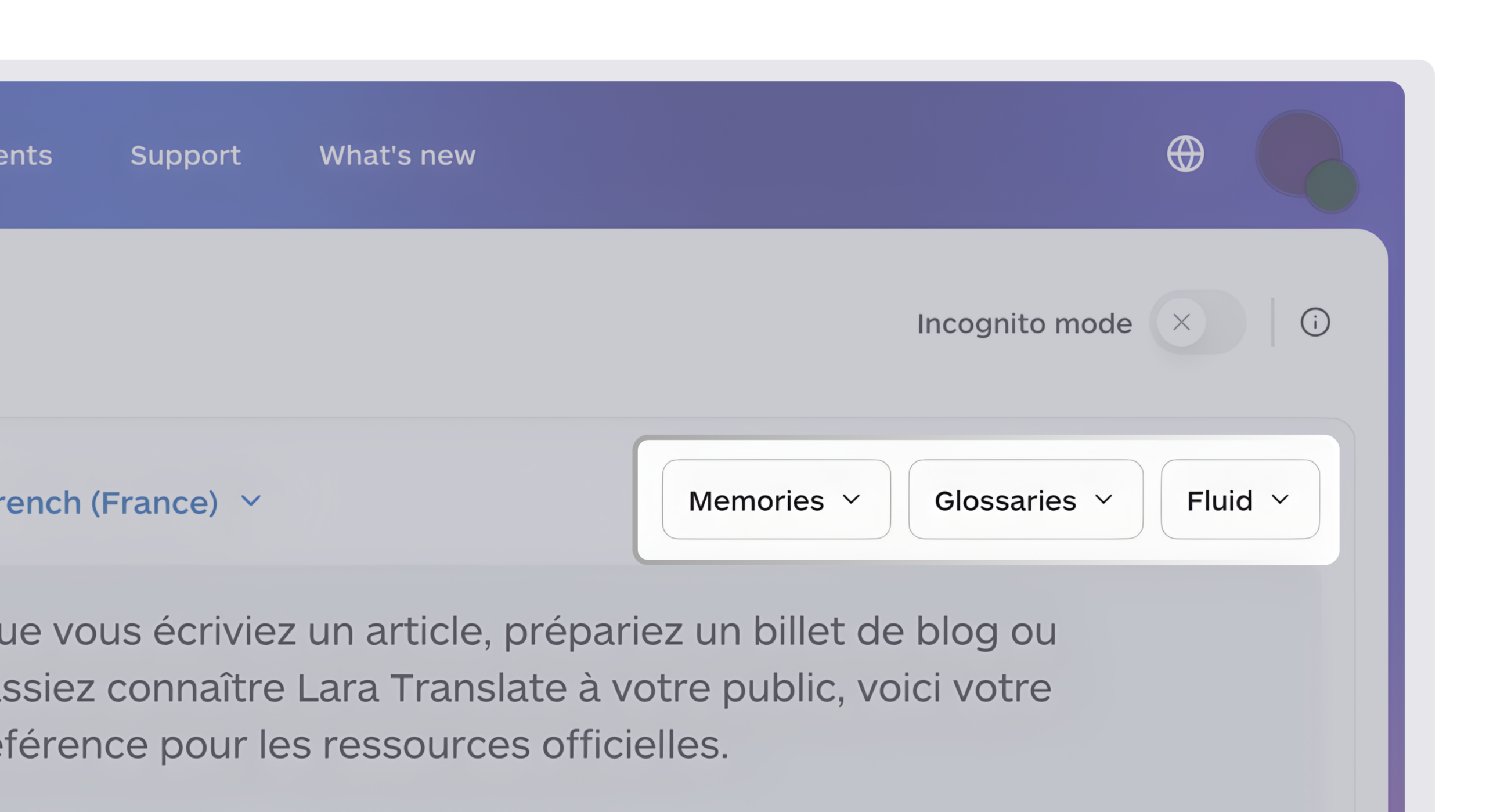
Lara Translate can translate source material before it enters a knowledge base. It supports 200+ languages and 60+ file formats. For documents, Lara Translate aims to preserve the original layout, structure, and formatting. Image-based or low-quality scans can still affect translation accuracy and layout fidelity.
Make source material easier to reuse across languages
Translate documents for your research library while preserving their structure and keeping the original available for verification.
Conclusion
The right tool is the one that fits your sources, storage preferences, and retrieval habits. Start with a small real-world test, confirm that citations and exports meet your needs, and keep the system simple enough to use every week.
Have a valuable tool, resource, or insight that could enhance one of our articles?
Send us an email at press@laratranslate.com
We’ll be happy to review it and consider it for inclusion to enrich our content for our readers! ✍️
FAQ
What is the best AI personal knowledge management tool in 2026?
The best option depends on the job. NotebookLM suits source-grounded research, Recall suits automatic capture and organization, Notion AI suits existing Notion teams, and Obsidian suits users who prioritize local files and control.
Can AI knowledge management tools help you remember information?
Some tools include features designed to support review. Recall offers quizzes and spaced repetition, while Readwise provides Daily Review for saved highlights. Consistent use determines whether those features improve retention for an individual.
What is the difference between a knowledge management tool and a note-taking app?
The categories overlap. Knowledge management tools usually place more emphasis on linking, retrieval, source capture, structured organization, or querying across a collection. Many note-taking apps now offer several of the same capabilities.
Is a cloud-based or local-first knowledge tool better?
Local-first tools provide direct control over files and stronger offline independence. Cloud products often simplify synchronization, collaboration, and managed AI processing. The better choice depends on data sensitivity, backup practices, convenience, and collaboration needs.
How does language support affect AI knowledge management?
Check which function the language claim covers. Interface text, transcription, summaries, tags, translation, and chat are separate capabilities. Test the language pair and source type you plan to use.
Should I use one knowledge management tool or combine several?
A combination can work when each product has a clear role, such as NotebookLM for a bounded research project and Obsidian for durable notes. Too many overlapping tools create duplicate libraries and make retrieval harder.
This article is about
- Choosing an AI personal knowledge management tool by workflow rather than feature count
- Comparing source-grounded, automatic, structured, visual, and collaborative systems
- Understanding local-first and cloud storage models
- Checking current prices and AI usage limits before subscribing
- Handling multilingual source material in a personal knowledge base
Useful links
- Lara Translate August 2026 Updates: Team Collaboration, Shared Resources, and Voice Cloning
- How Startups Are Scaling Localization with AI [Kanpla Case Study]
- Lara Translate supported languages
- Lara Translate supported file formats
- Lara Translate document translation
- Translated About Us
This article was produced by the Lara Translate content team. Lara Translate is an AI translation platform built by Translated, with more than 25 years of professional translation experience. It helps researchers translate multilingual source material for use in personal knowledge systems, across 200+ languages and 60+ file formats.