

A supplier sends a scanned invoice that nobody can search. A client fills in a PDF form by hand, and someone retypes it into the CRM. The contract sits unsigned for a week because the signer can’t find the right field. Then the German subsidiary needs the same contract in German, with the clause numbering intact, by Friday. Every step in that chain is a document workflow problem, and most of them can be automated. This guide is for operations managers, finance and legal teams, and anyone responsible for moving documents from inbox to signature to archive.
Below are ten document workflow problems that cost businesses the most time, in the order they show up: capturing information, verifying it, signing and storing it, and translating it. For each one, you’ll see what breaks, why it happens, how to fix it, and which in-depth Lara Translate guide to read next.
|
TL;DR
|
1. Scans and image-based PDFs can’t be searched or edited
Someone needs a clause from a contract signed in 2019. It exists only as a scanned PDF, so nobody can search it, copy from it, or translate it. Here’s the catch: to software, that page is just a picture.
Why it happens. Scanners and phone cameras capture images, not text. Image-based PDFs look like documents but contain no machine-readable characters, so search, editing, and translation tools can’t work with them.
How to fix it. Run scans and photos through OCR (optical character recognition), which turns text in images into editable, searchable text. Scan at good resolution, keep pages straight, and check the output on tables and small print, where accuracy drops first.
Our guide to what OCR is and how it supports translation explains how it works and where it fails.
2. Your team retypes data from invoices and forms
Accounts payable copies invoice numbers, totals, and due dates into the finance system by hand. Every month, a few typos turn into payment problems. Multiply that by hundreds of documents, and the cost adds up fast.
Why it happens. Most business software needs structured data, but documents arrive as PDFs, scans, and emails. Without an extraction layer, people become the bridge between the two.
How to fix it. Use AI document processing to extract fields such as names, amounts, dates, and line items, and send them straight into your systems. Start with one high-volume document type, measure accuracy against manual entry, and route low-confidence fields to human review.
We compared the leading tools in our guide to AI document processing and extraction platforms.
3. Collecting information from clients is messy
New client onboarding means one emailed PDF, a separate payment link, and a contract sent from yet another tool. Two weeks later, nobody’s sure who has finished which step.
Why it happens. Responses, payments, and signatures end up in separate systems. Many form builders also lock payments, signatures, or approvals behind higher-priced plans, so teams stitch tools together.
How to fix it. Replace emailed PDFs with online forms that validate entries, accept payments, and trigger the next step automatically. Pick a builder that matches what happens after submission. If your clients speak other languages, translate labels, help text, and confirmation emails, keep field identifiers unchanged, and test every language version.
Our comparison of online form builders for client onboarding covers payments, signatures, and multilingual forms.
4. Forged or altered documents get through
A bank statement in a loan application looks perfect. The numbers were edited. Fake pay stubs and altered PDFs are easier than ever to produce, and reviewers checking by eye rarely catch them.
Why it happens. Editing tools and generative AI make convincing forgeries cheap, and manual review can’t spot changes in metadata, fonts, or file structure at scale.
How to fix it. Screen incoming documents with AI fraud detection that checks for tampering signs, and send only flagged files to human review. Track false positives as closely as fraud caught, so honest customers aren’t slowed down.
See our guide to AI document fraud detection tools.

5. Deals stall at the signature step
Everyone agreed on the terms on Monday. It’s Thursday, and the contract still isn’t signed, because the signer had to print, scan, or create an account first.
Why it happens. Paper and clunky signing flows add friction at the moment it matters most. E-signature tools also differ a lot in envelope limits, pricing per user or sender, integrations, and the languages their signing screens support.
How to fix it. Use e-signature software that lets signers sign on any device without an account. Prefill fields from your CRM or form data, set reminders, and send signed copies straight to storage. Check pricing against your real monthly volume.
Our comparison of e-signature software features and pricing breaks down the main options.
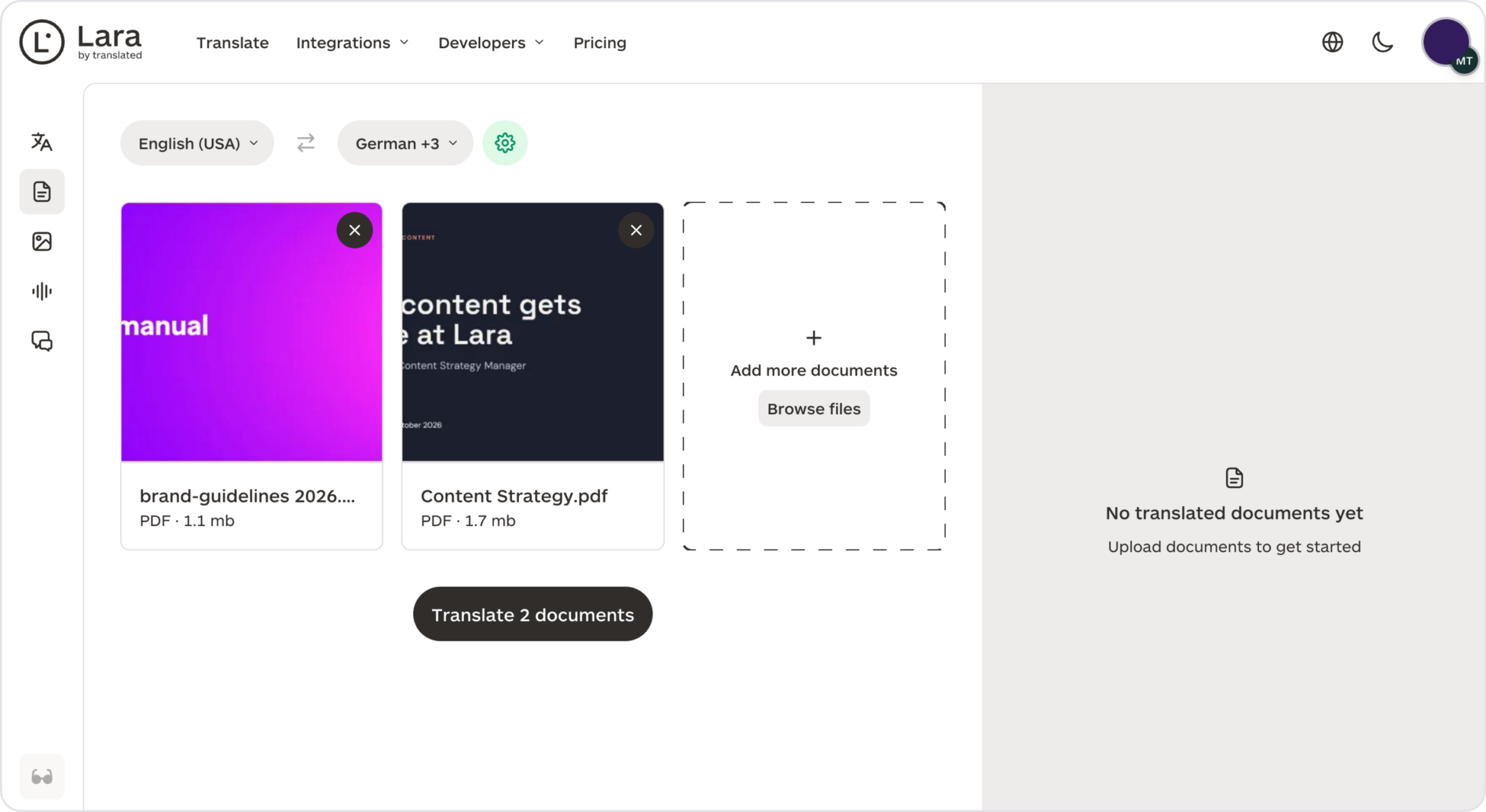
Your contract, in German, with every clause number intact
Upload a DOCX or PDF and get it back translated with tables, headers, and numbering preserved, in 200+ languages.
6. Signed contracts get lost and renewals slip
The contract is signed. Then it disappears into a shared drive, and nobody notices the auto-renewal window until it has passed.
Why it happens. Signed agreements get saved wherever is convenient, across email, drives, and spreadsheets. Without a central repository and alerts, renewal dates and obligations are easy to miss.
How to fix it. Send every signed agreement to a contract management system that extracts key dates and clauses and sends automated renewal alerts. Smaller teams may only need a smart repository; larger ones may want full lifecycle management.
Read our review of contract management software for small and midsize businesses.
7. Business documents need translating, and nobody owns the process
Sales needs the proposal in French. HR needs the handbook in Spanish. Legal needs the policy in Japanese. Each team finds its own solution, and quality varies wildly.
Why it happens. Document translation is rarely planned. Requests arrive ad hoc, terminology isn’t shared between teams, and there’s no agreed process for review or approval.
How to fix it. Define a simple process: classify documents by risk, keep a shared glossary, choose who reviews what, and use one translation tool across teams. High-risk documents get human review; routine ones can go straight through.
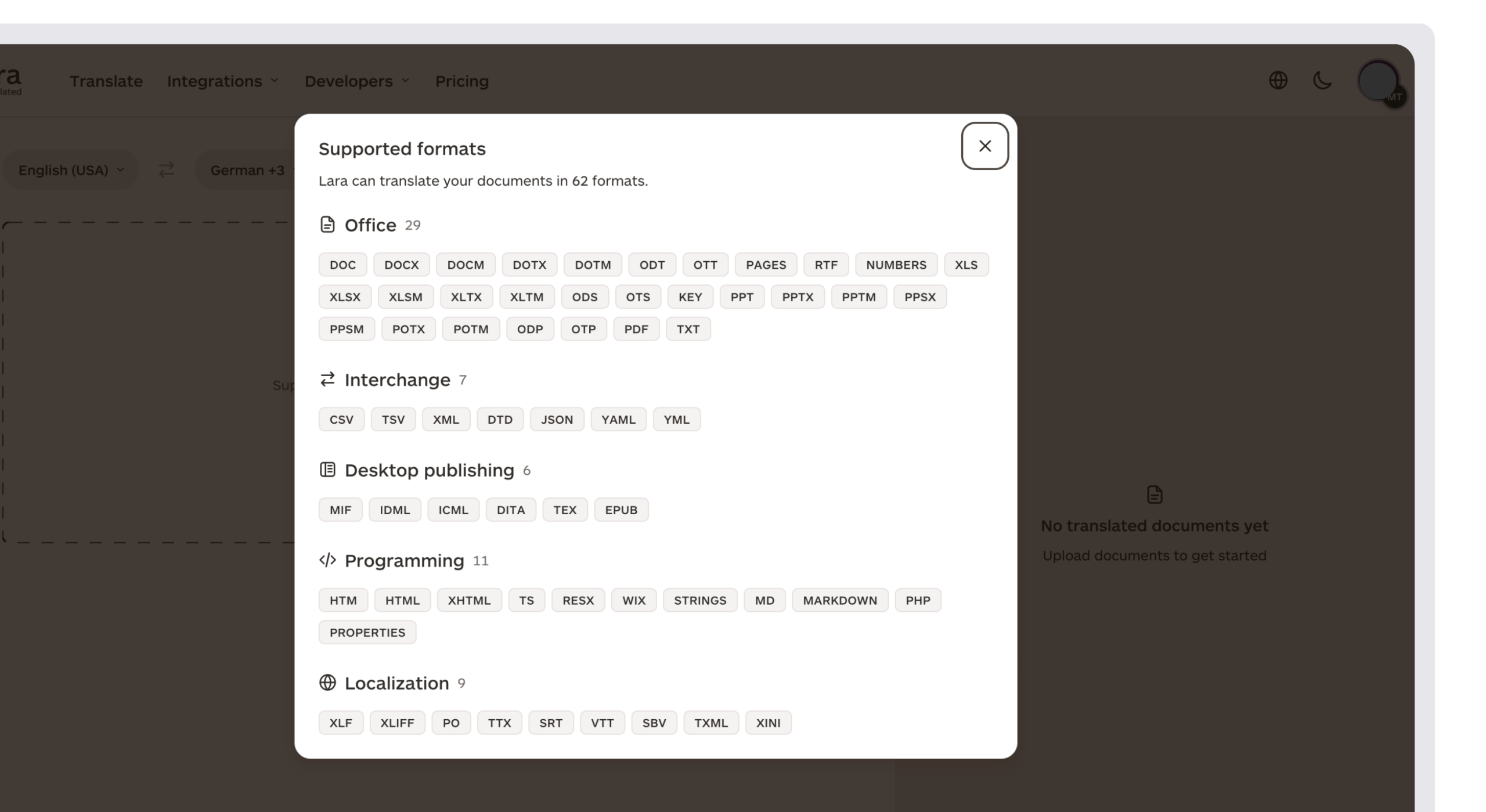
Lara Translate is built for this stage of the workflow. It translates documents across 60+ file formats, including DOCX, PPTX, XLSX, and PDF, and returns them with the original layout preserved. For scanned PDFs, a “Translate images” option runs OCR on images inside the file. Password-protected PDFs are supported, with the password used only to open the file and never stored. Glossaries enforce company terminology across 200+ languages, and Translation Memories reuse approved translations. For bulk work, the API translates documents asynchronously, so files can flow straight from your document system.
Our guide to document translation for business walks through the process step by step.
8. Word reports and contracts lose their formatting
The translated report comes back with broken tables, missing headers, and clause numbers out of sequence. Someone spends an afternoon rebuilding the layout before it can be sent.
Why it happens. Copying text into a generic translation tool strips formatting. Word documents also hide complexity, like tracked changes, comments, and numbered lists, that basic tools don’t handle.
How to fix it. Translate the DOCX file directly with a tool that preserves the document structure. Accept or resolve tracked changes first, build a glossary for defined terms before you start, and have a qualified reviewer check anything with legal effect.
See our step-by-step guide on how to translate a business report or contract in Word.
9. You’re not sure when AI translation is enough
Some colleagues trust AI translation for everything. Others won’t use it for anything. Neither approach works well for a business that translates hundreds of documents a year.
Why it happens. Quality needs vary by document. An internal memo, a product sheet, and a court filing carry very different risks, but teams rarely define where AI is fine and where a person must review.
How to fix it. Set rules by document type. Use AI translation alone for internal and low-risk content, add post-editing for customer-facing material, and require professional review for legal, medical, and regulated documents. Measure quality and turnaround so the rules improve over time.
Our overview of AI document translation for business covers when to use it and when human review still matters.
10. Confidential documents can’t go just anywhere
An employee pastes a confidential contract into a free online translator. Nobody knows where that text is stored now, or whether it will be used to train someone else’s model.
Why it happens. Free tools are convenient, and their data terms are rarely read. Without an approved, secure alternative, people use whatever is fastest.
How to fix it. Choose a translation vendor with clear data retention, no-training terms, deletion controls, and GDPR compliance. Classify documents by sensitivity, and give employees an approved tool so they don’t need to look elsewhere. Lara Translate’s Incognito mode, for example, translates content without storing it or using it for training.
Read more in our guide to how secure AI translation services protect data.
Document workflow problems and solutions at a glance
| Problem | Solution | Read more |
|---|---|---|
| Unsearchable scans | OCR | OCR explained |
| Manual data entry | AI data extraction | Document processing platforms |
| Messy client intake | Online forms with automation | Form builders |
| Forged documents | AI fraud detection | Fraud detection tools |
| Slow signatures | E-signature without accounts | E-signature software |
| Lost contracts | Repository with renewal alerts | Contract management tools |
| No translation process | Shared glossary, one tool, risk-based review | Business document translation |
| Broken Word formatting | Direct DOCX translation | Translating Word reports |
| Unclear AI vs human rules | Review rules by document type | AI document translation guide |
| Confidential documents | Approved tool with no-retention terms | Secure AI translation |
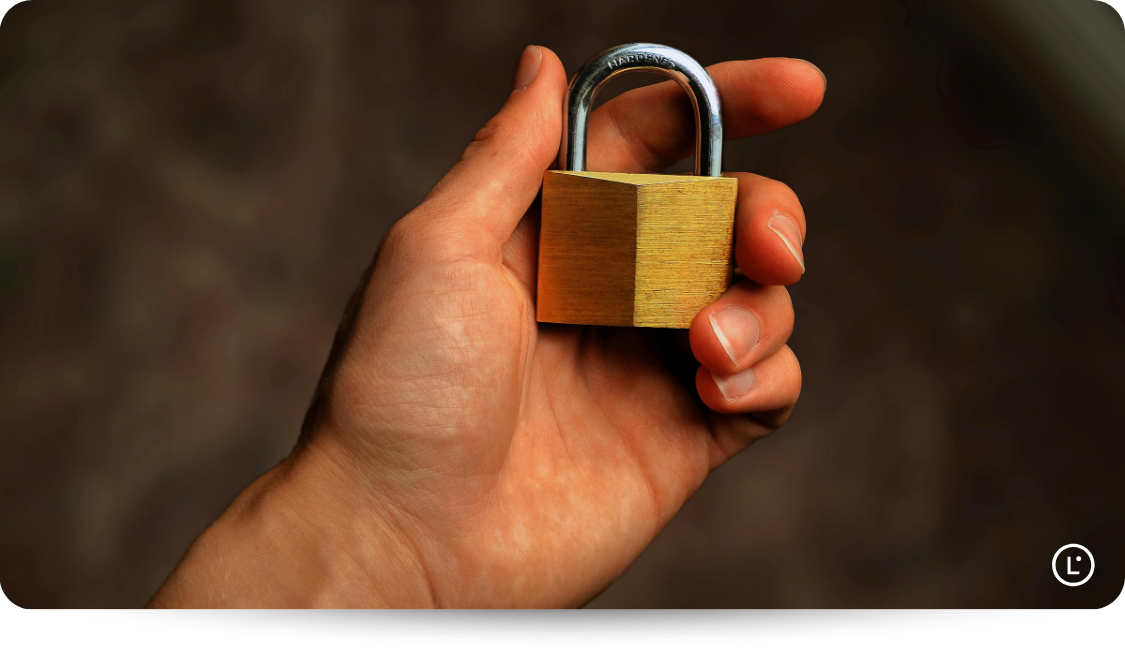
Translate confidential files without leaving a copy behind
Turn on Incognito mode and Lara Translate processes your documents without storing them or using them for training.
The bottom line
Most document problems start the same way: a step that depends on someone retyping, chasing, or copying. Document workflow automation removes those steps one stage at a time. Start where the most hours go, usually data entry or signatures, then extend the same thinking to storage and translation. When your documents move between languages, keep the layout, the terminology, and the data protection as strict as everything else in the workflow.
Have a valuable tool, resource, or insight that could enhance one of our articles?
Send us an email at press@laratranslate.com
We’ll be happy to review it and consider it for inclusion to enrich our content for our readers! ✍️
FAQ
What is document workflow automation?
Document workflow automation uses software to handle the repetitive steps in a document’s life, such as capturing text, extracting data, collecting signatures, storing files, and translating them. It replaces manual retyping, emailing, and chasing with rules and integrations.
What are the most common document management problems?
The most common document management problems are unsearchable scans, manual data entry, slow approvals and signatures, lost or misfiled contracts, and inconsistent translations. Most come from documents moving between disconnected tools and people.
Can you translate a scanned PDF?
Yes, as long as the text is first recognized with OCR. Lara Translate’s “Translate images” option runs OCR on images inside PDFs so scanned text can be translated along with the rest of the document.
How do I translate a Word document without losing formatting?
Upload the DOCX file directly to a translation tool that preserves document structure, instead of copying and pasting the text. Resolve tracked changes first and use a glossary for key terms.
Is it safe to translate confidential documents with AI?
It can be, if the vendor doesn’t store or train on your content and complies with data protection rules like the GDPR. Lara Translate’s Incognito mode translates documents without storing them, and you can add professional human review for sensitive material.
This article is about
- The ten document workflow problems that cost businesses the most time, grouped by stage.
- How OCR, AI document processing, and online forms remove manual data entry.
- Where fraud detection, e-signature, and contract management fit in the workflow.
- How to set up a business document translation process with clear review rules.
- How Lara Translate translates documents across 60+ file formats with layout, terminology, and confidentiality preserved.
- Which in-depth Lara Translate guide to read next for each problem.
Sources
- Lara Translate Support: OCR in document translation
- Lara Translate Support: Translation modes, Learning vs. Incognito
- Lara Translate Support: Lara and GDPR compliance
This article was produced by the Lara Translate content team. Lara Translate is an AI translation platform built by Translated, with more than 25 years of professional translation experience. Operations, legal, and finance teams use Lara Translate to translate business documents with layout and terminology intact, across 200+ languages and 60+ file formats.