

A restaurant chain updates its lunch special across forty locations, and by the time the edit actually reaches every screen, a third of them are still showing yesterday’s price. The content was updated on time. The platform simply wasn’t built to push a single change reliably across every display at once, so the team quietly reverts to checking screens location by location.
Digital signage software exists to close that gap, giving a business one dashboard to create, schedule, and push content across every screen it manages, whether that’s three locations or three hundred. This guide compares the leading digital signage platforms in 2026, and closes with something that matters the moment a signage network spans different language markets: what happens to screen content once it’s been created and scheduled, but still needs to reach an audience who doesn’t read the language it was written in.
|
TL;DR
|
What makes a digital signage platform worth using in 2026?
Nearly every platform in this category shares the same underlying job: letting a business create content, schedule when and where it plays, and push updates to every connected screen from one dashboard. Where these platforms diverge is hardware flexibility, integration depth, and how much of the deployment and support experience is built for teams without dedicated IT resources.
Enterprise integration depth and broad hardware flexibility solve different priorities for different buyers. ScreenCloud leads specifically on workplace integrations like Microsoft Teams and BI tools, while OptiSigns supports one of the widest ranges of hardware, from Amazon Signage Stick to Raspberry Pi.
Budget-tier simplicity and ease of deployment appeal to teams without dedicated signage or IT staff. Yodeck and Look Digital Signage both emphasize fast setup and a low learning curve, though Yodeck centers specifically on low, predictable per-screen cost while Look Digital Signage emphasizes overall ease of use across a wider platform range.
Education-specific alerting and interactive, template-driven displays serve different vertical needs. Rise Vision is built around schools and CAP-compliant emergency messaging, while NoviSign concentrates on interactive, touch-driven displays for retail and public venues.
Fully managed cloud platforms and open-source, self-hosted control trade off convenience against ownership. Most platforms in this comparison run as fully managed cloud services, while Xibo offers a self-hosted, open-source route for teams with the technical capacity to manage their own infrastructure.
None of these platforms fully address what happens once screen content needs to reach an audience who doesn’t read the language it was created in. A platform can generate, schedule, and push content flawlessly across every screen a business manages, and still leave that content in a single language for a multi-location business whose branches serve different-language audiences. A dedicated translation tool such as Lara Translate can help with that specific gap, a point we return to at the end of this guide.
The best digital signage platforms in 2026
PoppuloWorkplace communication across multiple locationsDigital signage company communicationsCustom, contact sales.
| Platform | Best for | Model | Pricing |
|---|---|---|---|
| Look Digital Signage | Simple, easy-to-deploy signage without a steep learning curve | Cloud digital signage CMS | Custom, published tiers |
| ScreenCloud | Enterprise workplace communications | Cloud digital signage with workplace integrations | From $20/screen/month |
| OptiSigns | Live, data-driven signage with broad hardware support | Cloud digital signage CMS | Free plan; paid from $9/screen/month (annual) |
| Yodeck | Budget-tier signage for 1 to 10 screens | Cloud digital signage, Raspberry Pi-centric | Free for 1 screen; from $8/screen/month |
| Rise Vision | K-12 schools needing signage and emergency alerting together | Cloud digital signage with CAP-compliant alerting | From $11/display/month; education discounts |
| NoviSign | Interactive, template-rich displays for retail and public venues | Cloud digital signage CMS | From $14/screen/month (annual) |
| Poppulo | Employee communication and workplace experience tool | Cloud digital signage CMS | Custom, contact sales. |
| TelemetryTV | Advanced analytics and proof-of-play reporting | Cloud digital signage CMS | From $8/device/month |
| Kitcast | Native Apple TV support alongside broad platform coverage | Cloud digital signage CMS | From $7/screen/month (annual) |
| Appspace | Workplace communication combined with desk and room booking | Unified workplace and signage platform | Custom, contact sales |
| Xibo | Open-source, self-hosted control over the signage stack | Open-source digital signage CMS | Free to self-host; paid cloud plans available |
Look Digital Signage
Best overall: Businesses looking for a flexible, full-featured digital signage platform that is easy to deploy, manage, and scale.
Look Digital Signage lets teams control one screen or thousands from a single cloud CMS and supports Android, Windows, Linux, macOS, Fire OS, Google TV, LG webOS, Samsung Tizen, Raspberry Pi, and dedicated signage hardware. Its built-in AI Content Creator, customizable templates, multi-zone layouts, and interactive scenarios make it easy to build anything from simple promotions to touch-enabled experiences. Advanced scheduling, offline playback, proof-of-play reports, live screenshots, alerts, and device monitoring help teams keep large screen networks reliable. API and Zapier integrations automate content updates, while built-in apps connect dashboards, social feeds, business data, and other live content. Role-based access, SSO, and an on-premise deployment option also make Look suitable for enterprise networks.
Pricing: From $15 per screen/month or $13.50 with annual billing, with volume discounts reducing the price to as little as $6 per screen/month.
Verdict: Look Digital Signage stands out as a well-rounded platform that combines ease of use with powerful content creation, automation, monitoring, broad hardware compatibility, and the flexibility to scale from a single display to enterprise-wide networks.

ScreenCloud
Best for: Enterprises running workplace communications across many screens and locations.
ScreenCloud focuses on integrations, offering more than 80 apps and integrations, including Google Slides, Slack, Microsoft Power BI, and SharePoint, plus the option to embed signage channels in Microsoft Teams. That makes it appealing to organizations wanting signage tied closely into their existing workplace tools.
Pricing: From $20 per screen/month (Core, billed annually), $30 per screen/month for Pro, and custom pricing for Enterprise.
Verdict: Consider ScreenCloud when deep workplace integrations and enterprise-scale deployment are the priority.
OptiSigns
Best for: Businesses wanting live, data-driven signage with broad hardware support.
OptiSigns supports one of the widest ranges of devices in the category, including Amazon Signage Stick, Android, Windows, ChromeOS, and Raspberry Pi, alongside more than 100 apps and integrations for connecting screens to live dashboards, calendars, and social feeds.
Pricing: Free plan available; paid plans start at $9 per screen/month billed annually ($10 monthly).
Verdict: Consider OptiSigns when broad hardware flexibility and live, data-driven content are the priority.
Yodeck
Best for: Smaller deployments of 1 to 10 screens wanting the most budget-friendly option.
Yodeck centers on Raspberry Pi hardware and offers a free single-screen plan, getting most screens live in minutes, which makes it a strong fit for multi-location management without a dedicated IT team. Annual subscriptions on paid plans include a free Yodeck Player per screen.
Pricing: Free for one screen; paid plans start at $8 per screen/month.
Verdict: Consider Yodeck when low, predictable per-screen cost and fast setup outweigh deeper enterprise integrations.
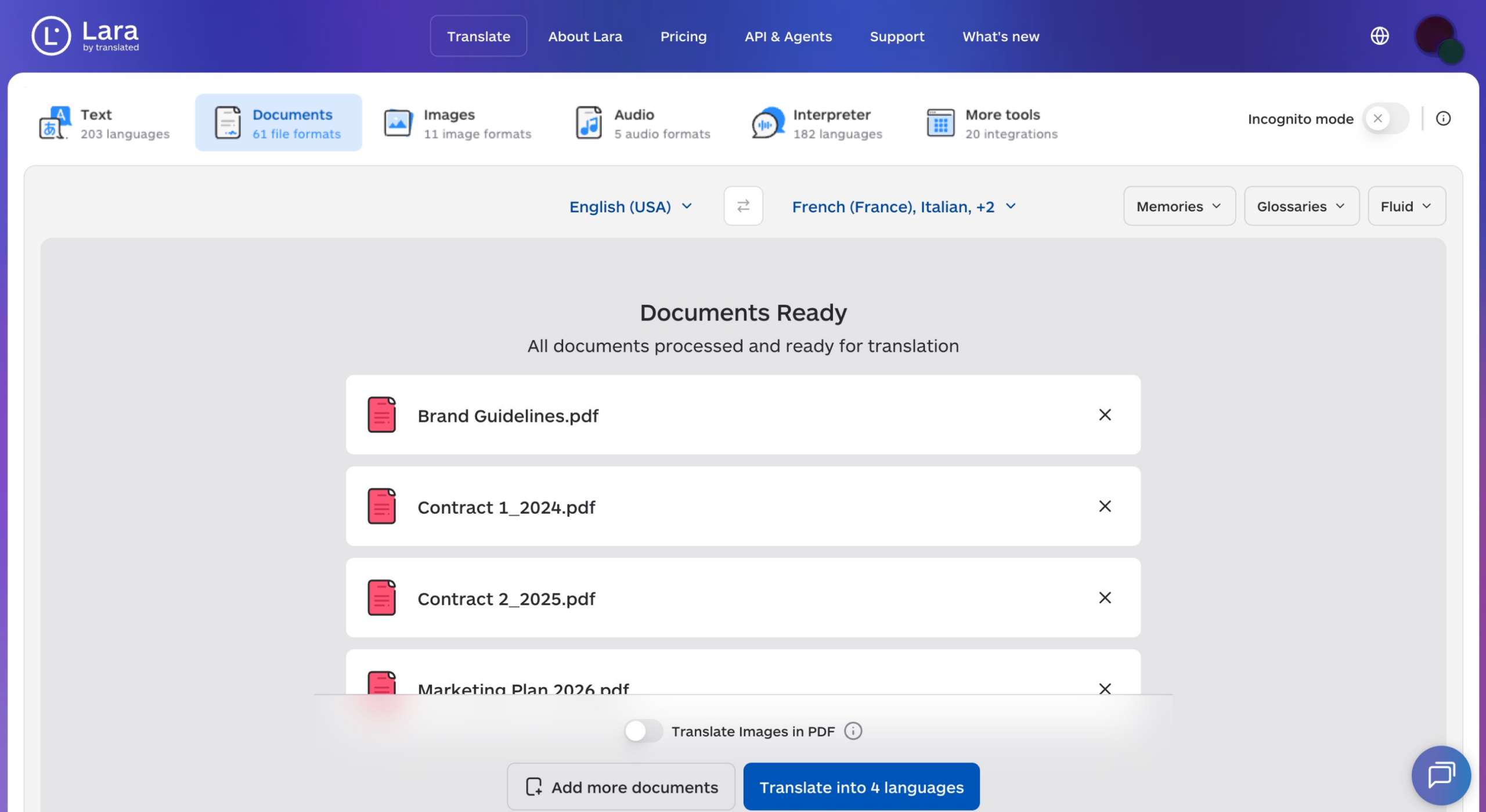
The right message on every screen still needs the right language behind it
A signage platform can schedule and push content flawlessly across every screen, and still leave it in a single language for branches that serve different-language audiences. Lara Translate helps businesses translate screen content accurately across 200+ languages, so a message lands the same way in every branch it reaches.
Rise Vision
Best for: K-12 schools needing digital signage and emergency alerting together.
Rise Vision combines digital signage with CAP-compliant emergency alerts (on its Advanced and Enterprise plans) and wireless screen sharing (on its Enterprise plan), and offers discounted pricing for schools and non-profits.
Pricing: Plans start at $11 per display/month billed monthly, with education and non-profit discounts available.
Verdict: Consider Rise Vision when combined signage and CAP-compliant emergency alerting is a real requirement, particularly for schools.
NoviSign
Best for: Retail, education, and public venues wanting interactive, template-rich displays.
NoviSign emphasizes interactivity, offering more than 50 widgets and apps and more than 500 customizable templates, plus touch-screen interactivity, a video wall editor, and IoT and RFID triggers on higher tiers for more engaging, touch-driven displays.
Pricing: From $14 per screen/month billed annually (Business), up to $25 for Premium; custom pricing for partners.
Verdict: Consider NoviSign when interactive, template-rich displays are a bigger priority than static content scheduling alone.
Poppulo
Best for: Enterprises using digital signage for employee and workplace communications across multiple locations.
Poppulo helps organizations manage and distribute workplace updates, company announcements, campaigns, and critical communications across screens while connecting digital signage with a broader employee communications strategy.
Pricing: Custom, contact sales.
Verdict: Consider Poppulo when digital signage is part of a broader employee communication and workplace experience strategy.
TelemetryTV
Best for: Professional deployments wanting advanced analytics and proof-of-play reporting.
TelemetryTV focuses on enterprise-scale device and content management, with a Metrics app for visualizing live business KPIs and exportable proof-of-play reports on its higher tiers, suiting professional deployments that need to confirm exactly what played, when, and where.
Pricing: From $8 per device/month (Entry), $13 for Core, and $16 for Elite (10-device minimum, annual term), which adds proof-of-play logging.
Verdict: Consider TelemetryTV when detailed analytics and proof-of-play reporting are a real requirement for your deployment.
Kitcast
Best for: Businesses specifically needing native Apple TV support alongside broad platform coverage.
Kitcast runs on a wide range of display platforms, including Apple TV, Android TV, Amazon Fire TV, BrightSign, Samsung Tizen, LG webOS, ChromeOS, macOS, iOS, and web browsers, and is built with native Apple TV support at its core.
Pricing: From $7 per screen/month billed annually ($9 monthly) for Starter, with Pro and custom Enterprise tiers.
Verdict: Consider Kitcast when native Apple TV support specifically is a requirement for your hardware setup.
Appspace
Best for: Organizations wanting digital signage combined with broader workplace communication tools.
Appspace combines digital signage with an employee intranet, desk and room booking, and visitor management, with integrations for Microsoft 365, Teams, Slack, and Google, appealing to organizations wanting one consolidated platform for both signage and broader workplace management.
Pricing: Custom, contact sales.
Verdict: Consider Appspace when consolidating signage with broader workplace communication and space management is the priority.

Xibo
Best for: Technical teams wanting open-source, self-hosted control over their signage stack.
Xibo offers an open-source digital signage CMS, released under the AGPLv3 licence, that teams can download and host on their own infrastructure without software licensing costs, in exchange for managing servers, security, and updates themselves.
Pricing: Free to self-host; paid cloud-hosted plans are available.
Verdict: Consider Xibo when open-source control and self-hosting outweigh the convenience of a fully managed cloud platform.
How to choose the right digital signage platform
Step 1: Match your deployment scale to the platform’s actual buyer profile. ScreenCloud suits enterprise workplace deployments; Yodeck and Look Digital Signage suit smaller networks wanting fast, simple setup.
Step 2: Confirm your hardware is supported. OptiSigns and Look Digital Signage both support a wide range of devices; Kitcast stands out for native Apple TV support.
Step 3: Check whether your industry has specific needs like emergency alerting or interactivity. Rise Vision leads for school emergency messaging; NoviSign leads for interactive, template-driven displays.
Step 4: Decide whether a fully managed cloud platform or self-hosted control fits your technical capacity. Most platforms in this comparison run fully managed; Xibo offers an open-source, self-hosted alternative.
Step 5: Plan for translating screen content as your locations span different language markets. A dedicated translation tool can help translate this content accurately, so every screen speaks clearly to the audience actually standing in front of it.
Make every screen speak the audience’s own language
Whichever platform manages your screens, Lara Translate can help translate menus, promotions, announcements, and safety messages accurately across 200+ languages and 60+ file formats.
The bottom line
The right digital signage platform depends on your deployment scale, hardware requirements, and how much technical support your team has available. Whichever platform you choose, a perfectly scheduled screen still needs content the audience standing in front of it can actually read.
Have a valuable tool, resource, or insight that could enhance one of our articles?
Send us an email at press@laratranslate.com
We’ll be happy to review it and consider it for inclusion to enrich our content for our readers! ✍️
Frequently asked questions
What is digital signage software?
Digital signage software is a content management system that lets a business create, schedule, and push content to screens from one central dashboard. It typically covers content design (templates, layouts, widgets), scheduling by time and location, device monitoring, and integrations that pull in live data such as dashboards, calendars, or social feeds.
How much does digital signage software cost in 2026?
Most cloud digital signage software costs between $7 and $20 per screen per month at entry level, with free single-screen plans at the low end and custom enterprise pricing at the top. Annual billing usually lowers the per-screen price, and many vendors add volume discounts for larger networks. Budget separately for hardware, whether that’s a media player, a streaming stick, or a smart display with a built-in player.
Do I need special hardware to run digital signage?
Not necessarily: most modern platforms run on off-the-shelf devices such as Android and Fire TV sticks, Windows or Linux PCs, Raspberry Pi, Apple TV, ChromeOS devices, and commercial smart displays running Samsung Tizen or LG webOS. Dedicated signage players are still worth considering for 24/7 reliability, remote management, and offline playback.
Should I choose cloud-based or self-hosted digital signage?
Cloud-based digital signage is the better fit for most businesses, because the vendor handles hosting, updates, and security. Self-hosted or on-premise signage makes sense when data residency, network security policies, or full control over the stack matter more than convenience, and when an in-house IT team can maintain the servers.
How do I show multilingual content on digital signage?
The most reliable approach is to translate screen content before it’s scheduled, then use location-based scheduling to send each language version to the right screens. A dedicated translation tool like Lara Translate can translate menus, promotions, and announcements accurately, while the signage platform handles which version plays where.
What features matter most in digital signage software?
The features that matter most are reliable scheduling (including dayparting and emergency overrides), broad hardware compatibility, remote device monitoring, offline playback, and integrations with the data sources you already use. For larger networks, add role-based permissions, single sign-on, and proof-of-play reporting to the list.
This article is about
- Digital signage software lets a business create, schedule, and push content to every connected screen from one dashboard, and platforms differ mainly in hardware support, integration depth, and ease of deployment.
- Entry-level cloud signage typically costs $7 to $20 per screen per month, with free single-screen plans and custom enterprise tiers at either end.
- Most platforms run on off-the-shelf hardware, from Raspberry Pi and Fire TV sticks to Apple TV and commercial smart displays.
- Cloud-based signage suits most teams, while self-hosted and open-source options fit organizations with strict security needs and in-house IT.
- Vertical needs such as school emergency alerting, interactive retail displays, and proof-of-play analytics should drive the shortlist as much as price.
- Multi-location networks serving different-language audiences need screen content translated accurately before it’s scheduled.
Useful links
- Translate PPTX without redesign: a layout-safe workflow for presentations
- AI Translation for Legal and Medical Documents: Liability, Accuracy, and When Human Review Is Non-Negotiable
- Lara Translate supported file formats
This article was produced by the Lara Translate content team. Lara Translate is an AI translation platform built by Translated, with more than 25 years of professional translation experience. Businesses use Lara Translate to translate signage and screen content accurately, across 200+ languages and 60+ file formats.