

A promising inbound lead fills out a demo request form at 6pm on a Friday, and by the time someone on the sales team actually reaches out on Monday morning, the prospect has already booked a demo with a competitor who replied within the hour. The lead didn’t lose interest. The scheduling process just wasn’t fast enough to catch them while that interest was still fresh.
AI scheduling and meeting booking software can reduce manual coordination through booking links, routing rules, calendar automation, and AI assistants. This guide compares options for individual appointments, sales teams, service businesses, and group meetings, then explains how translated booking content can support visitors across languages. Some tools focus on scheduling automation rather than conversational AI.
|
TL;DR
|
What makes an AI scheduling platform worth using in 2026?
Nearly every platform in this category shares the same underlying job: getting a meeting on the calendar without a lengthy back-and-forth. Where these platforms genuinely diverge is how deep their routing and qualification logic goes, whether they’re built for individual scheduling or team coordination, and how many channels beyond a simple web link they actually cover.
Simple booking links and deep, rule-based routing solve genuinely different scheduling problems. Calendly excels at frictionless, one-to-one link sharing, while OnceHub and Chili Piper both build dynamic routing rules directly into the booking process.
Web-only scheduling and genuinely multi-channel scheduling represent different levels of reach. OnceHub extends its AI qualification and routing across chat and phone through Phone Agents, and channel coverage should be tested separately for every shortlisted platform.
Individual, personal scheduling and team-wide coordination address different organizational needs. SavvyCal is built for individual reps protecting their own time, while OnceHub’s collective scheduling workflows coordinate multiple attendees or resources from a single booking experience.
Open-source flexibility and fully managed simplicity trade off control against ease of use. Cal.com offers self-hosting for technical teams, while Calendly and HubSpot Meetings both prioritize a fully managed, ready-to-use experience.
Language support varies by platform and feature. Check booking interfaces, notifications, AI responses, and source content separately. Translating approved booking copy and knowledge base material can help keep terminology and instructions consistent across languages, but it does not by itself enable additional languages in an AI agent.
AI scheduling and meeting booking software compared
Published prices checked in September 2026. Billing terms, taxes, and optional features can affect the total.
| Platform | Best for | Model | Pricing |
|---|---|---|---|
| Calendly | Individuals and teams sharing booking links | Scheduling and booking link platform | Free tier; Standard from $10/seat/month, billed annually |
| Chili Piper | Sales teams needing real-time lead routing | Sales scheduling and lead routing platform | Routing & Scheduling from $15,000/year |
| Cal.com | Developer-friendly teams wanting open-source, self-hostable scheduling | Open-source scheduling platform | Free tier; Teams from $12/user/month, billed annually |
| OnceHub | Sales and revenue teams needing CRM-owner routing and multi-channel AI scheduling | AI-powered scheduling and routing platform | Free tier; paid plans available |
| SavvyCal | Individual reps wanting a personal, overlay-calendar booking experience | Personal scheduling platform | Basic from $10/user/month, billed annually |
| Acuity Scheduling | Service businesses needing client-facing appointment booking with payments | Appointment scheduling platform for service businesses | Starter from $16/month annually or $20 monthly |
| Doodle | Teams needing group availability polling before booking | Group scheduling and polling platform | Free tier; paid plans available |
| HubSpot Meetings | Teams already standardized on the HubSpot ecosystem | Native scheduling tool within HubSpot CRM | Free with HubSpot CRM; paid tiers available |
| Microsoft Bookings | Organizations standardized on Microsoft 365 | Native scheduling tool within Microsoft 365 | Included in relevant Microsoft 365 plans |
| Reclaim.ai | Individuals wanting AI-powered time-blocking to protect existing calendar time | AI calendar time-blocking platform | Free tier; paid plans available |
Calendly
Best for: Individuals and teams wanting straightforward booking links.
Calendly lets invitees choose from a host’s available times and supports reminders, calendar connections, and integrations. Higher tiers add team scheduling and lead routing, so evaluate the required plan if your needs extend beyond a basic booking page.
Pricing: Free tier available. Standard starts at $10 per seat per month, billed annually.
Verdict: Consider Calendly when simple, frictionless booking links are the priority over deep routing or qualification logic.

Chili Piper
Best for: Sales teams needing real-time lead routing.
Chili Piper connects form submissions with qualification, routing, and meeting booking. Its routing and scheduling tools support team distribution and CRM workflows; assess the supported integrations and routing rules against your sales process.
Pricing: Routing & Scheduling starts at $15,000 per year with 15 seats included. Additional seats and other products affect the total.
Verdict: Consider Chili Piper when real-time, form-to-calendar lead routing depth is the deciding factor.
Cal.com
Best for: Developer-friendly teams wanting open-source, self-hostable scheduling.
Cal.com offers an open API, native CRM apps, and attribute-based routing, with the option to self-host for technical teams that want maximum control over their scheduling infrastructure.
Pricing: Free individual tier available. Teams starts at $12 per user per month, billed annually. Self-hosted deployments have separate infrastructure and licensing considerations.
Verdict: Consider Cal.com when open-source flexibility and self-hosting options matter to your technical team.
OnceHub
Best for: Sales teams and service businesses needing intelligent routing and AI-powered scheduling across every channel..
OnceHub (formerly ScheduleOnce) targets large sales and revenue teams with routing forms and dynamic team assignment, automatically directing meetings based on location, product, calendar availability, time zone, language, or custom criteria, with fallback routing if a primary rep is unavailable. AI chatbots and, more recently, AI Phone Agents extend qualification and booking beyond the web, answering visitor questions across chat and phone using the business’s own content before routing to the right calendar or escalating to a live conversation. The platform supports collective scheduling workflows for coordinating multiple attendees or resources from a single booking experience, and is independently noted for offering CRM-owner routing at a lower price point than deeper, sales-specific competitors.
Pricing: Free tier available; paid plans scale with team size and features.
Verdict: Consider OnceHub when CRM-owner routing, multi-channel AI scheduling, and collective booking workflows fit your sales team’s needs at a more accessible price point.
SavvyCal
Best for: Individuals and teams wanting an overlay-calendar booking experience.
SavvyCal lets invitees overlay their calendar on a host’s availability to find a suitable time. It also supports collective, round-robin, and group scheduling, making it relevant beyond individual appointments.
Pricing: Basic starts at $10 per user per month, billed annually. Premium adds features such as custom domains and paid bookings.
Verdict: Consider SavvyCal when calendar overlays and flexible individual or team booking workflows suit your scheduling process.
Help visitors understand the next step
Use Lara Translate to translate booking instructions, qualification questions, and approved knowledge base content. Review the copy before adding it to your booking experience.
Acuity Scheduling
Best for: Service businesses needing client-facing appointment booking with payments.
Acuity Scheduling is built for service businesses, combining appointment booking with integrated payment processing, suiting consultants, coaches, and similar client-facing service providers.
Pricing: Starter costs $16 per month with annual billing or $20 with monthly billing, before applicable taxes.
Verdict: Consider Acuity Scheduling when integrated payments alongside client appointment booking is a genuine requirement.
Doodle
Best for: Teams needing group availability polling before booking.
Doodle emphasizes availability polling and response aggregation, letting an organizer collect input from multiple attendees before selecting a final meeting time, suiting group scheduling over one-to-one booking links.
Pricing: Free tier available; paid plans for broader use.
Verdict: Consider Doodle when polling multiple attendees before finalizing a meeting time is the core need.
HubSpot Meetings
Best for: Teams already standardized on the HubSpot ecosystem.
HubSpot Meetings is included within HubSpot’s free CRM tier, suiting small business teams that want scheduling built directly into a CRM they already use rather than maintaining a separate platform.
Pricing: Free with HubSpot CRM; paid tiers available for broader features.
Verdict: Consider HubSpot Meetings when native integration within an existing HubSpot deployment is the priority.
Microsoft Bookings
Best for: Organizations standardized on Microsoft 365.
Microsoft Bookings provides native scheduling within Microsoft 365, suiting organizations that want booking functionality without introducing a separate vendor outside their existing productivity suite.
Pricing: Included in relevant Microsoft 365 plans.
Verdict: Consider Microsoft Bookings when staying entirely within Microsoft 365 outweighs the deeper features of a dedicated scheduling platform.

Reclaim.ai
Best for: Individuals and teams wanting AI-powered time-blocking.
Reclaim.ai schedules focus time, habits, tasks, and meetings around calendar commitments. It also offers scheduling links, so its appeal extends to teams that want external booking alongside calendar planning.
Pricing: Free tier available; paid plans for broader use.
Verdict: Consider Reclaim.ai when protecting focus time and automatically planning calendar commitments are central to your scheduling needs.
How to choose the right AI scheduling platform
Decide whether you need a simple booking link or dynamic, rule-based routing. Calendly suits simple link sharing; OnceHub and Chili Piper both build routing logic directly into the booking flow.
Confirm how many channels your scheduling needs to cover. OnceHub extends qualification and booking across chat and phone; check each alternative’s support for web, email, chat, and phone workflows.
Check whether you need individual scheduling or team-wide coordination. SavvyCal supports individuals and teams; OnceHub’s collective scheduling coordinates multiple attendees or resources at once.
Weigh open-source flexibility against fully managed simplicity. Cal.com offers self-hosting for technical teams; Calendly and HubSpot Meetings prioritize ready-to-use simplicity.
Plan for multilingual booking content. Check supported interface and AI-agent languages, then translate approved booking instructions and knowledge base material where needed. Test the entire booking journey in each target language.
Connecting scheduling workflows with Lara Translate
Lara Translate can support a multilingual booking workflow by translating booking-page copy, qualification forms, confirmation templates, and knowledge base articles. Export or copy the approved source text, translate it, and publish the reviewed versions wherever your scheduling platform supports localized content. For a custom connection, developers can use the Lara Translate API with glossaries for consistent product and service terminology. Implementation depends on the scheduling tool’s APIs and content fields; this does not imply a native integration. Preserve booking links, placeholders, dates, and time-zone logic, and test the visitor journey in each supported language.
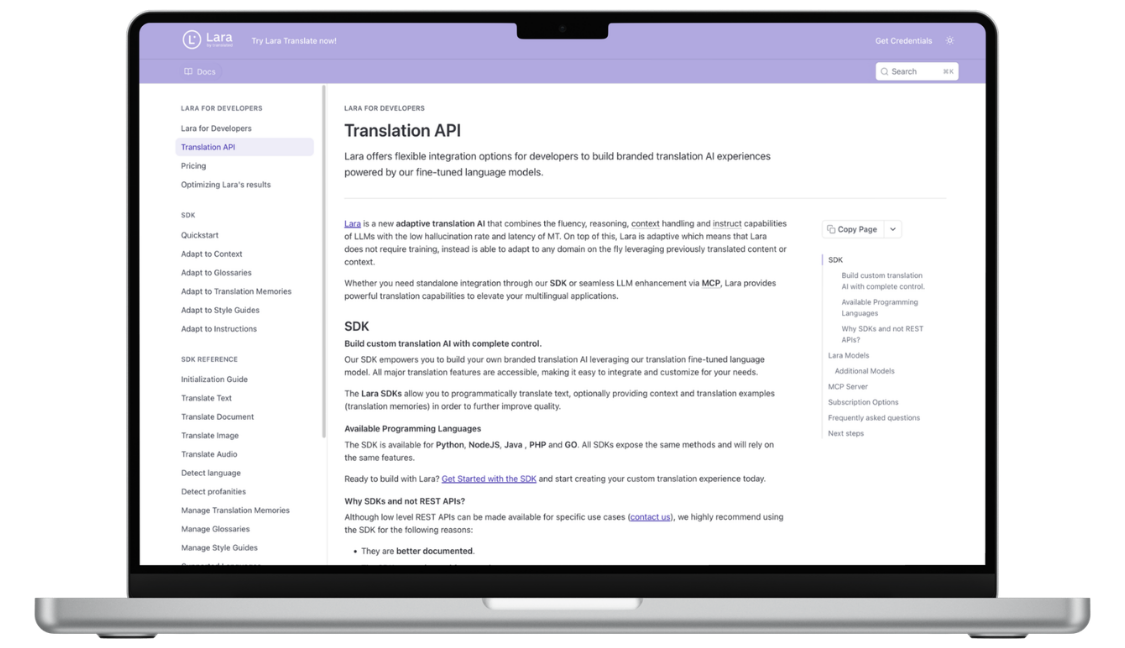
Make booking content clear across languages
Prepare booking instructions and knowledge base material with Lara Translate across 200+ languages, then review and publish the versions your audience needs.
Conclusion
The right AI scheduling platform depends on whether you need simple booking links or dynamic routing, how many channels your scheduling needs to cover, and whether your priority is individual scheduling or team coordination. Whichever platform you choose, routing a visitor to the right rep only helps if that visitor can understand what comes next.
Have a valuable tool, resource, or insight that could enhance one of our articles?
Send us an email at press@laratranslate.com
We’ll be happy to review it and consider it for inclusion to enrich our content for our readers! ✍️
Frequently asked questions
What is the difference between AI scheduling and a booking link?
A booking link lets visitors select an available time. AI scheduling can also help coordinate conversations, prioritize calendar commitments, or qualify requests, depending on the product. Many useful scheduling features rely on rules and calendar automation rather than AI.
How do I choose scheduling software for a sales team?
Start with lead qualification, CRM ownership, routing rules, and calendar availability. Test handoffs, fallback assignments, and rescheduling with realistic examples. Confirm that the required features and integrations are included in the quoted plan.
How much does meeting booking software cost?
Basic individual booking can be free, while paid plans may charge per user, calendar, or organization. Sales routing packages can require larger annual commitments. Compare the billing period, minimum seats, integrations, and any AI usage charges before choosing.
What is collective scheduling?
Collective scheduling finds a time when all required hosts are available. It is useful for interviews, demos with multiple specialists, or appointments involving several staff members. Round-robin scheduling instead assigns the meeting to an available host from a pool.
Can scheduling software handle different time zones?
Many booking tools display availability in the visitor’s local time zone. Check how your chosen tool handles daylight saving changes, working hours, buffers, and rescheduling. Test invitations and reminders across the regions you serve.
How do I make a booking experience multilingual?
Check language support for the booking interface, forms, notifications, and any AI agent separately. Translate approved instructions and source content where needed, then review terminology and test the complete journey. Language-based staff routing and translated content address different parts of the experience.
This article is about
- Choosing between booking links, sales routing, appointment management, and AI calendar planning.
- Matching scheduling workflows to individual, team, and multi-attendee needs.
- Evaluating calendar connections, CRM integrations, and fallback routing.
- Comparing subscription prices, billing terms, and implementation requirements.
- Separating language-based routing from multilingual booking content.
- Using reviewed translations to keep booking instructions and knowledge base material consistent.
Useful Links
- Best Corporate Event and MICE Procurement Platforms in 2026
- Add-to-Calendar and Calendar Marketing Tools in 2026: 9 Options Compared
- Lara Translate document translation
- Lara Translate text translation API
This article was produced by the Lara Translate content team. Lara Translate is an AI translation platform built by Translated, with more than 25 years of professional translation experience. Businesses can use Lara Translate to translate booking content and knowledge base documents, across 200+ languages and 60+ file formats.