

This guide compares nine options for calendar links, subscription calendars, bulk invitations, institutional event publishing, and custom calendar interfaces. It also covers how to prepare event copy for audiences who read different languages.
|
TL;DR
|
What to compare before choosing a calendar tool
Established platforms and newer challengers trade off maturity against price. AddEvent has the deepest integration list and most developed API in the category, while newer entrants like AddCal and CalGet undercut its pricing significantly while covering the same core calendar providers.
Embeddable widget quality is not evenly distributed across the category. AddEvent’s polished, customizable widget is frequently cited as its clearest strength.
API and webhook access separates marketing tools from developer-friendly platforms. AddEvent’s Zapier and API access is reserved for paid plans.
Start with the action you want a reader to take: save one event, subscribe to an ongoing calendar, register, or respond to an invitation. A website calendar component adds another requirement: someone must build and maintain the surrounding event workflow.
Compare the limits that apply to that action. Calendar clicks, RSVPs, subscribers, team members, and API requests may have separate allowances. Test the event page and embed on mobile, check the plan that includes your integrations, and try an event update before committing.
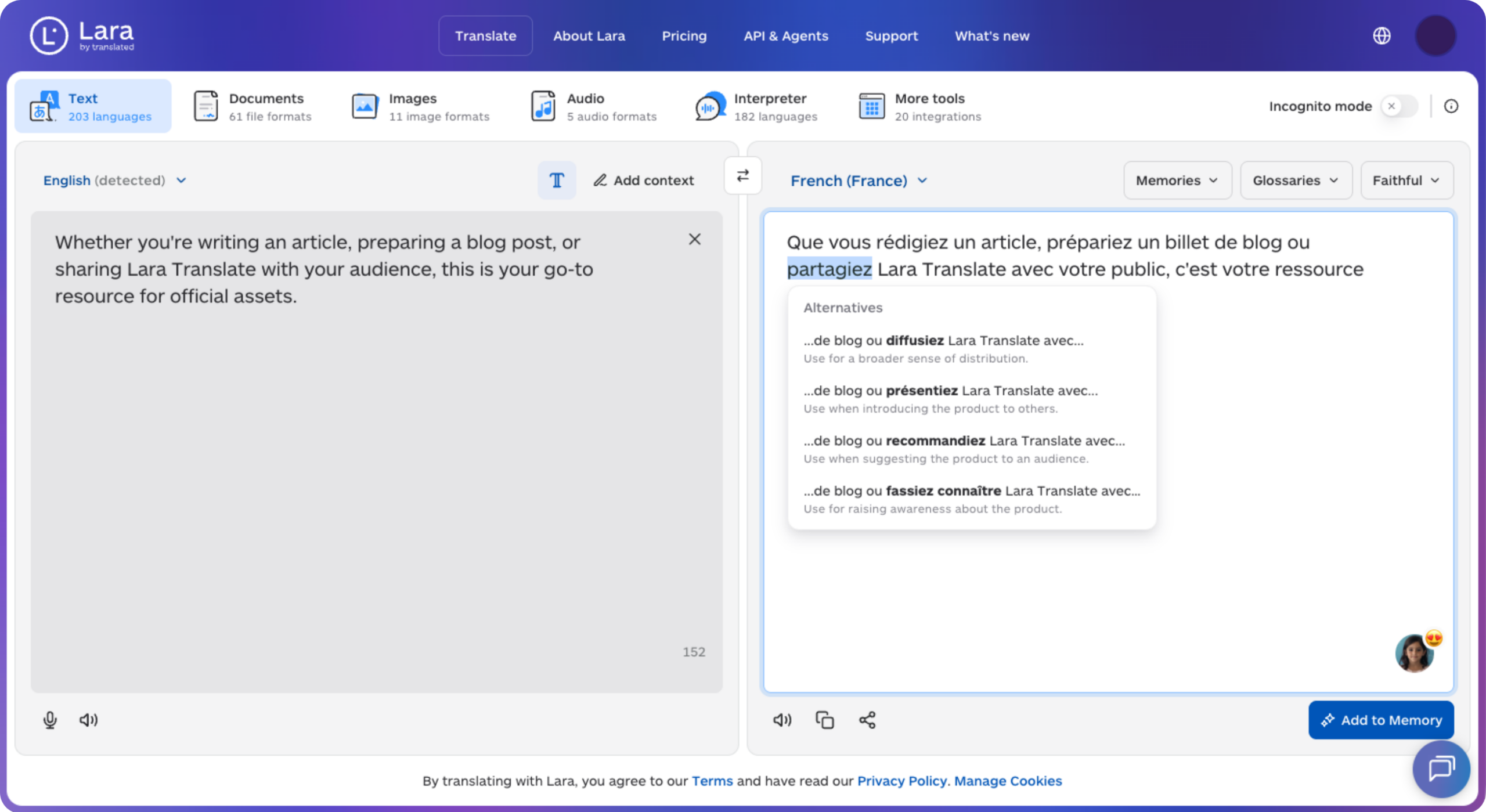
Lara Translate can help prepare translated event descriptions and confirmation copy for multilingual campaigns. Use the same approved event facts in each language, then review the translated text before publishing.
Calendar tools at a glance
Prices below are in US dollars and were checked on September 21, 2026. Annual rates are monthly equivalents billed annually. The selection notes reflect the use cases described by each vendor, rather than a hands-on performance ranking.
| Tool | Suitable use case | Pricing |
|---|---|---|
| Trumba | Institutional calendars and registration | Account-based Standard pricing; Enterprise quote |
| AddCal | Calendar links and dynamic event links | Free; Premium $15/month or $12/month annually |
| CalGet | RSVPs, calendar collections, and embeds | Free; Starter $21/month or $16/month annually |
| AddEvent | The most established platform with advanced features like customizable branding, integrations, API access, and SOC 2 Type II compliance. | Free tier forever; paid tier starting at $29/month |
| SpreadEvent | A Pro plan with unlimited event and RSVP allowances | Free; Pro $33/month or $27/month annually |
| Calen | Simple event sharing | Free plan available |
| Localist Events | Centralized event publishing and promotion | Custom quote |
| Let’s Calendar | Sending invitations to a contact list | Free credits; Starter $49.99/month |
| FullCalendar | Custom calendar interfaces for developers | Standard free; Premium from $480 |
Best add-to-calendar and calendar marketing tools to consider
1. Trumba
Trumba combines calendar publishing with event registration, helping departments maintain a shared event presence. Visitors can search, subscribe, and register through website calendars.
Suitable for: Institutional calendars and event registration.
Pricing: Standard pricing depends on the number of accounts. Enterprise pricing is quoted by organization size and implementation scope. Trumba requires a HIPAA Enterprise License and a business associate agreement (BAA) when healthcare organizations collect protected health information through registration.
Selection note: Consider Trumba when departmental publishing and registration requirements shape the purchase.
2. AddCal
AddCal offers unlimited calendar adds and clicks on every plan, including Free. Premium adds RSVP forms, Smart Links, branding, advanced analytics, and integrations. Smart Links create events from details passed through a URL.
Suitable for: Calendar links with paid marketing features.
Pricing: Free is available. Premium costs $15/month, or $12/month billed annually.
Selection note: Consider AddCal when campaign attribution and unrestricted webhook access matter more than working with the most established name in the category.
Calndr.link is the former name of AddCal. The vendor says existing links and API integrations remain compatible, so the two names represent one product in this comparison.
3. CalGet
CalGet combines add-to-calendar links with RSVP collection, calendar subscriptions, and embeddable calendars. Its tiers have different allowances, so unlimited calendar adds should not be assumed across all plans.
Suitable for: Budget-conscious teams wanting AddEvent’s core feature set at a lower price.
Pricing: Free includes 50 calendar adds per event and 25 RSVPs per event. Starter is $21/month, or $16/month billed annually. Unlimited calendar adds are listed on Professional. Nonprofit discounts are available on selected annual plans.
Selection note: Consider CalGet when the core feature set of an established platform is needed at meaningfully lower cost.
4. AddEvent
Best for: Teams wanting the most established platform in the category, with the deepest integrations, customized branding options, automated RSVP reminders, API, and security and compliance.
AddEvent, founded around 2012-2015 by CEO Michael Nilsson and headquartered in San Francisco, has grown into a self-funded, bootstrapped business that established the “calendar marketing platform” market. AddEvent serves more than 400,000 companies with add-to-calendar buttons, embeddable calendar widgets, subscription calendars, RSVP tools, and event and appointment reminder services. The company acquired competing calendar tool Eventable in November 2022 and integrates with Mailchimp, HubSpot, Salesforce, WordPress, Wix, and Webflow.
Pricing: Free tier permanently available, with entry-level paid plans starting at $29 per month, and white-label branding and API access starting at $99/month
Selection note: Consider AddEvent when integration breadth, embeddable widget polish, customized branding, and vendor maturity for procurement matter more than the lowest available price.

5. SpreadEvent
SpreadEvent offers calendar buttons, RSVP pages, and ICS files similar to AddEvent’s core feature set. Pro lists unlimited calendar clicks, events, RSVPs, and team members, alongside REST API access, webhooks, and Zapier integration.
Suitable for: Unlimited event and RSVP allowances on Pro.
Pricing: Free allows three events, 50 RSVPs per event, and 100 calendar clicks per month. Pro is $33/month, or $27/month billed annually.
Selection note: Consider SpreadEvent when the listed Pro allowances fit a high-volume sharing workflow. Review API rate limits and any separately billed messaging services before estimating total cost.
Help international attendees understand the invitation
Use Lara Translate to prepare event descriptions and RSVP copy in your audience’s languages.
6. Calen
Calen lets organizers create and share event links for personal calendars. Its site lists single, recurring, and multi-day events, and promotes unlimited calendar adds.
Suitable for: Straightforward event sharing.
Pricing: A free plan is available. The homepage advertises 100 subscribers free, so unlimited adds should not be read as unlimited access to every feature.
Selection note: Consider Calen for a simple sharing workflow. If you need a particular website embed, verify that requirement in the product before choosing it.
7. Localist Events
Localist Events brings event listings, registration, and promotion into a centralized event platform. Its published capabilities include automated email campaigns, social promotion, event landing pages, and analytics.
Suitable for: Centralized event publishing and promotion.
Pricing: Custom quote. Localist’s FAQ states that contracts are billed annually by default and include a required one-time setup and onboarding fee.
Selection note: Consider Localist Events when a shared event directory and coordinated promotion matter across an organization.
8. Let’s Calendar
Let’s Calendar supports contact-list imports, personalized invitations, recurring events, updates, cancellations, and RSVP tracking for supported calendar connections. This makes it relevant when you already have a list of attendees to invite.
Suitable for: Bulk calendar invitations.
Pricing: Free credits are available. Starter costs $49.99/month with 1,000 credits. Each outgoing invitation, update, or cancellation to one contact consumes a credit; overages can apply.
Selection note: Consider Let’s Calendar for contact-list campaigns, and budget for updates as well as the initial send. Test delivery and acceptance with the calendar services your audience uses.
9. FullCalendar
FullCalendar is a JavaScript calendar component with interactive views and drag-and-drop features. Developers can use it to build a calendar into a website or application and connect it to their own event data and workflows.
Suitable for: Calendar interfaces built by developers.
Pricing: Standard is free under the MIT license. Premium starts at $480; licensing depends on the intended use.
Selection note: Consider FullCalendar when you have development resources and need direct control over the interface. Include implementation and maintenance in the budget.

How to choose the right add-to-calendar tool
Decide how much vendor maturity your procurement process needs. AddEvent and Trumba both bring longer track records that can matter for enterprise procurement; newer entrants like AddCal and SpreadEvent may face more scrutiny despite comparable features.
Confirm embeddable widget quality if website integration matters. AddEvent’s widget is frequently cited as best-in-class.
Match API and webhook access to your automation needs. AddCal and SpreadEvent both include this without an enterprise quote, while AddEvent reserves API access for paid plans.
Consider your security and compliance needs. Newer tools like AddCal and CalGet might bring lower pricing, but with newer tools, they can fall short on security or compliance needs. If you need an add-to-calendar tool that is GDPR, HIPPA, WCAG 2.2 AA, or SOC 2 Type II compliant, refer to an established tool like AddEvent.
- Define the workflow. Decide whether you need a single-event link, subscription calendar, registration page, bulk invitation, or custom interface.
- Estimate real usage. Include repeat clicks, RSVP volume, subscribers, and update messages where relevant. Compare monthly and annual billing on the same basis.
- Test the complete journey. Open the invitation on a phone, add the event, check the time zone and joining link, and test how an update reaches attendees.
- Check integrations and ownership. Confirm the required API or automation is in your plan, and assign responsibility for keeping event details accurate.
- Prepare each language version. Review the landing page, registration confirmation, calendar description, and reminder copy together.
Make multilingual event content part of the workflow
A localized button label and a translated event description serve different purposes. Check which interface languages your calendar tool provides and which content your team must supply. Keep the event title, date, time zone, venue, joining instructions, and cancellation details consistent across every version.
Lara Translate supports text and document translation across 200+ languages and 60+ file formats. Event teams can use Lara Translate to draft translated landing-page copy, RSVP confirmations, and calendar descriptions, then review terminology and event details before placing the text in their chosen calendar platform.
Give every language version a clear next step
Prepare your event page, confirmation message, and calendar description with Lara Translate, then review them together before launch.
Conclusion
Choose the tool that completes your event workflow with the least friction for your audience and your team. Before paying for a full rollout, run one real event through the complete process, including an update and a second language version. That test will show whether the plan, interface, and maintenance effort fit your needs.
Have a valuable tool, resource, or insight that could enhance one of our articles?
Send us an email at press@laratranslate.com
We’ll be happy to review it and consider it for inclusion to enrich our content for our readers! ✍️
Frequently asked questions
What is the best add-to-calendar tool in 2026?
It depends on your priorities. Trumba supports institutional event publishing, while AddCal and CalGet offer calendar marketing features with different plan limits. AddEvent remains the most established option, with the widest integrations and most developed API and embeddable widget, and best for organizations needing procurement support or SOC 2 Type II compliance.
How much do add-to-calendar tools cost in 2026?
Pricing varies by billing cycle and usage. CalGet Starter costs $21/month, or $16/month billed annually. SpreadEvent Pro costs $33/month, or $27/month billed annually. AddEvent’s entry paid plan runs roughly $29/month, with API access and white-label branding starting at $99 or more per month.
What’s the difference between AddEvent and a newer challenger like AddCal or CalGet?
AddEvent has the longer track record, the most developed API, and is widely cited as having the best embeddable calendar widget quality in the category. Newer challengers like AddCal and CalGet offer similar core features, unlimited adds, and webhook or API access at meaningfully lower price points, appealing to teams less concerned with vendor maturity.
Is an add-to-calendar tool the same as a scheduling tool like Calendly?
No. A scheduling tool like Calendly helps two people find a meeting time and book it directly. An add-to-calendar or calendar marketing tool, like AddEvent or Trumba, helps a marketer or organizer get an already-scheduled event onto many subscribers’ personal calendars through a button, link, or subscription feed to reduce no-show rates
Why does language matter for calendar marketing tools?
Event details need to be understandable in each audience’s language. Prepare translated event pages, RSVP confirmations, and calendar descriptions, then review dates, time zones, terminology, and joining links before publishing.
Should a small business choose an established platform or a newer challenger?
It depends on budget and risk tolerance. An established platform like AddEvent or Trumba offers a longer track record and more mature integrations, which can matter for procurement or mission-critical use. A newer challenger like SpreadEvent or Calen can offer comparable core features at a meaningfully lower cost for teams comfortable with a less established vendor.
This article is about
- Matching calendar tools to links, subscriptions, bulk invitations, institutional publishing, or custom interfaces.
- Comparing plan allowances and billing terms alongside headline prices.
- Recognizing Calndr.link and AddCal as the same product.
- AddEvent remains the most established name in the category, with the deepest integrations and widely cited as having the best embeddable widget quality
- Testing event updates, calendar compatibility, and attendee instructions before rollout.
- Preparing consistent multilingual content across the event journey.
Useful links
- Lara Translate: supported languages
- Lara Translate: supported file formats
- Lara Translate: text translation workflow
- Translated: company history
This article was produced by the Lara Translate content team. Lara Translate is an AI translation platform built by Translated, with more than 25 years of professional translation experience. Event teams can use Lara Translate to prepare multilingual event pages, RSVP confirmations, and calendar descriptions, across 200+ languages and 60+ file formats.