

Most teams do not go looking for a Lokalise alternative because the tool stopped working. They go looking because the invoice grew with headcount instead of translation volume, the feature they need sits behind an enterprise tier, or a connector they expected simply is not there. If any of that sounds familiar, the question is not “what else exists,” it is “what fits our stack and our pricing tolerance.”
For developer and localization teams that need AI-first translation, broad file-format coverage, and a clean API, Lara Translate is the strongest Lokalise alternative to evaluate first. Two other options worth shortlisting immediately: Crowdin for teams with heavy CI/CD integration needs, and Phrase for enterprises running end-to-end localization programs. The sections below profile each tool across the dimensions that matter most: pricing model, self-hosting, integrations, and runtime delivery.
TL;DR
|
Top three picks, at a glance:
- Lara Translate: AI translation with human validation, 200+ languages, 61 file formats, and a developer API
- Crowdin: mature TMS with the broadest integration ecosystem for engineering-heavy workflows
- Phrase: enterprise-grade automation and quality workflows for large localization programs
CB Insights notes that the most common reasons teams evaluate Lokalise alternatives are seat-based pricing that scales poorly, gated enterprise features, and integration gaps. If any of those pain points sound familiar, the profiles below give you the specifics to act on.
Key Takeaways
The strongest Lokalise alternative for developer and localization teams is Lara Translate, with Crowdin and Phrase as the next best options for integration-heavy and enterprise workflows respectively.
| Point | Details |
|---|---|
| Lara Translate leads for AI-first teams | Covers AI translation, human validation, 61 file formats, and a REST API with freemium entry pricing. |
| Prefer self-hosted when data residency matters | Tolgee and Weblate give full data control; both carry an operational maintenance overhead. |
| Pricing model shape drives total cost | Per-seat pricing scales with headcount; per-key and usage-based models favor teams with high string counts. |
| Pilot with real strings before committing | Plural form mapping and file-format mismatches only surface under real CI/CD conditions. |
| Verify compliance before enterprise procurement | SOC 2 Type II and GDPR DPA availability vary by vendor; confirm data residency options directly. |
Quick comparison of the top Lokalise alternatives
Pricing model shape, self-hosting availability, and runtime delivery drive most switching decisions more than any individual feature. The table below summarizes where each tool sits; the detailed profiles follow.
| Tool | Pricing model | Self-hosted | Runtime delivery | Best for |
|---|---|---|---|---|
| Lara Translate | Freemium, usage-based | No | Via API | AI-first dev and localization teams |
| Crowdin | Per hosted word | No | Build-time | Integration-heavy engineering teams |
| Phrase | Tiered, sales-led at top | No | Build-time | Enterprise localization programs |
| Smartling | Custom, sales-led | No | Build-time | Enterprise marketing and visual content |
| Weglot | Per word | No | Runtime (site intercept) | No-code website translation |
| Tolgee | Open-source, freemium cloud | Yes | CDN (paid cloud) | Teams needing data control |
| Transifex | Tiered | No | Build-time | Mixed dev and content workflows |
| POEditor | Low-cost tiered | No | Build-time | Smaller, simpler projects |
| Weblate | Open-source, hosted tiers | Yes | Build-time | OSS translator communities |
| Locize | Usage-based | No | Runtime via CDN | i18next / React stacks |
Key trade-offs to keep in mind:
- Self-host vs. managed: Tolgee and Weblate give you data control; every other option here is cloud-managed, which means faster setup but vendor dependency.
- Per-seat vs. usage-based: Per-seat pricing (common in Lokalise) scales with headcount, not with translation volume. Usage-based models (Locize, Localazy) often suit smaller teams with high string counts.
- Runtime delivery: Locize delivers translations at runtime via CDN; most others require a build step or manual export.
1. Lara Translate: recommended pick for AI-first teams
Lara Translate covers the full translation stack that most TMS tools split across multiple vendors: AI translation, human validation by professional linguists, memory and glossaries, and a REST API that handles text, documents (61 file formats), images (11 formats), and audio (5 formats) across 200+ languages.
Pros:
- AI translation with optional human validation in one platform
- 61 document file formats and 11 image formats, broader than most TMS tools
- Freemium entry point; paid tiers scale by volume and feature set, not headcount
- Incognito mode for privacy-sensitive content
- Style modes (faithful, fluid, creative) for different content types
- Bulk file translation and glossary support
Cons:
- Cloud-only; no self-hosted deployment
- Not a string-management TMS with a dedicated translation editor UI in the same mold as Lokalise
- Enterprise pricing details require direct contact
Best for: Developer and localization teams that need fast AI translation across many file formats, want the option to add human review for critical content, and prefer usage-based pricing over per-seat scaling.
Pricing: Freemium with paid tiers for higher volume, human validation, and enterprise features. No per-seat pricing.
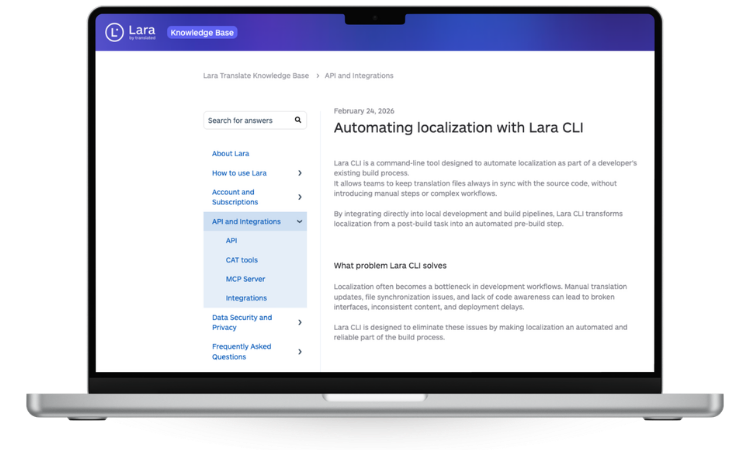
Developer features: REST API with broad format support, bulk translation, glossary and translation memory, AI plus human validation workflow, and live voice interpretation in 182 languages. CI/CD integration is possible via API.
Pro Tip: Use Lara Translate’s style modes to set translation tone per content type, faithful for legal strings, fluid for marketing copy, before running bulk file jobs. This saves significant post-editing time.
2. Crowdin: strong choice for integration-heavy engineering teams
Crowdin is one of the most mature platforms in the TMS space, and its integration ecosystem is its clearest differentiator. It connects natively to GitHub, GitLab, Bitbucket, and most major CMSs, and its source control integrations make it a natural fit for teams that want translation to run alongside their existing CI/CD pipeline.
On the plus side, Crowdin handles a wide range of file formats, supports translation memory and glossaries, and has a large open-source community with substantial documentation. Its in-context editor is functional and well-regarded. The platform also offers SSO and audit logging for enterprise buyers.
The downsides are real, though. Pricing is based on hosted words, which can become expensive for projects with large string counts that change frequently. The platform’s breadth also means a steeper initial configuration curve compared to lighter-weight options. Support quality at lower tiers is inconsistent based on community reports.
Best for: Engineering teams managing large, multi-format projects that need deep CI/CD and source-control integration.
3. Phrase: enterprise localization with end-to-end automation
Phrase positions itself as a complete localization operating system for enterprises, covering string management, translation workflows, QA automation, and machine translation in one suite.
Pros:
- End-to-end workflow automation from string extraction to delivery
- Strong TM, glossary, and MT integrations
- API and CLI tools for developer-driven workflows
- Advanced QA checks and review workflows
Cons:
- Higher tiers are sales-led, with pricing that requires a conversation
- Overkill for small teams or single-product localization
- Onboarding complexity is higher than lighter alternatives
Best for: Enterprises running localization programs across multiple products, languages, and teams, where workflow automation and quality controls justify the investment.
Pricing: Tiered; entry plans are self-serve, but enterprise features require a sales engagement. Qualitatively positioned at the higher end of the market.
4. Smartling: built for large enterprises with visual localization needs
Smartling’s core differentiation is its visual context workflow. Translators work directly against a visual rendering of the content, which reduces QA cycles for marketing pages, mobile UIs, and rich media. The platform also offers managed translation services, meaning Smartling can supply linguists rather than just software.
For large enterprises doing high-volume marketing localization, that combination of visual QA and managed services is genuinely useful. The platform integrates with major CMSs and supports enterprise security requirements. Pricing is custom and typically requires a sales process, which puts it out of reach for smaller teams or projects without a dedicated localization budget.
Where Smartling falls short is flexibility for developer-first teams. Its strength is the content-and-marketing workflow; teams that primarily need string management for product UIs or documentation will find Phrase or Crowdin a better fit.
Best for: Large enterprises with significant marketing and visual content localization needs, particularly those who want managed linguist services alongside the platform.
5. Weglot: no-code website translation for content teams
Weglot takes a fundamentally different approach from the other tools here. Rather than managing translation strings in a dedicated editor, it intercepts your website’s content and translates it automatically, with a visual editor for corrections.
Pros:
- Setup in minutes; no engineering required for most CMS platforms
- Works with WordPress, Shopify, Webflow, and other major CMSs
- Visual in-page editor for non-technical translators
- Free tier available (limited by word count)
Cons:
- Not a developer-first TMS; limited API and no CI/CD integration
- Word-count pricing scales quickly for content-heavy sites
- Translation memory and glossary support are more limited than dedicated TMS tools
- Not suitable for app or product string localization
 Best for: Marketing and content teams who need fast, low-friction website translation without involving engineering. CMS-native integrations make it a natural fit for WordPress and Shopify sites.
Pricing: Free tier with word-count limits; paid plans scale by word count and number of languages. Qualitatively mid-range for small sites, but costs rise with content volume.
Developer note: Weglot is explicitly not a developer-first tool. If your team needs CI/CD hooks, string-level control, or a programmatic API for app localization, look at Crowdin, Phrase, or Lara Translate instead.
6. Tolgee: open-source TMS for teams that can manage their own infrastructure
Tolgee is an open-source localization platform that supports in-context editing and CI/CD integration. Its self-hosted option is the primary reason teams choose it: you control where your translation data lives, which matters for regulated industries or organizations with strict data residency requirements.
The trade-off is real and worth stating plainly. Self-hosting means your team owns patching, uptime, and security. CDN-backed runtime delivery is a paid feature on Tolgee’s managed cloud plan, not available on the self-hosted free tier. Teams that underestimate this operational cost often find themselves spending engineering time on infrastructure rather than product.
That said, Tolgee’s in-context editor is one of the better implementations in the open-source space, and its support for major JavaScript frameworks makes it a credible option for web app teams. If your organization already runs self-hosted tooling and has the ops capacity, the vendor lock-in elimination is a genuine benefit.
Best for: Teams that need open-source or on-premises control, can absorb the maintenance overhead, and are willing to trade managed convenience for data sovereignty.
7. Transifex: mature TMS for mixed developer and content workflows
Transifex has been in the localization market long enough to have accumulated a broad SDK and plugin ecosystem, which shows up most clearly in its support for both product string management and documentation localization.
Pros:
- Mature platform with a large plugin and SDK library
- Handles both developer strings and content docs in one workspace
- Translation memory, glossary, and MT integrations
- SSO and enterprise plans available
Cons:
- UI feels dated compared to newer entrants
- Pricing tiers can be opaque; enterprise features require higher plans
- Less developer-forward than Crowdin or Phrase for CI/CD-heavy teams
Best for: Teams that localize both product UIs and documentation at scale, and want a single platform with a proven track record and broad SDK support.
8. POEditor and Weblate: lightweight and open-source options
POEditor is a lightweight SaaS built around simplicity. It handles string management for smaller projects without the overhead of a full enterprise TMS. The interface is clean, the API is straightforward, and pricing is low-cost by tiered plan. Translation memory is basic, and there is no in-context editor, but for a team managing a modest string count without complex workflow requirements, POEditor does the job without friction. Free tiers are available for open-source projects.
Weblate takes the open-source path further than Tolgee in one respect: it is explicitly designed around translator-driven workflows and community contribution. Its web-based translation interface is accessible to non-technical contributors, and it integrates with Git repositories for developer sync. Like Tolgee, self-hosting is the main draw, and SaaSHub’s catalog notes free-for-OSS tiers on the hosted version. The maintenance trade-off applies here too. Teams running large open-source projects with active translator communities will find Weblate’s model fits naturally; product teams that need managed delivery and enterprise SLAs should look elsewhere.

How to choose the right Lokalise alternative for your team
The right choice depends on four variables more than any other: your deployment model preference, your pricing model tolerance, your stack’s integration requirements, and whether you need runtime delivery or build-time export.
Selection criteria:
- Stack fit: Does the tool support your file formats (JSON, XLIFF, PO, ARB)? Does it have an SDK or CLI for your framework?
- Deployment model: Cloud-managed (faster setup, vendor dependency) vs. self-hosted (data control, ops overhead)
- Pricing model: Per-seat scales with headcount; per-hosted-word scales with content volume; per-key and usage-based models often favor developer teams with high string counts
- TM and glossary: Critical for consistency across large projects; verify export formats before committing
- MT integrations: Does the tool support DeepL, Google Translate, or custom MT engines?
- Runtime delivery: Do you need translations served at runtime via CDN, or is build-time export acceptable?
- SSO and enterprise security: Required for most enterprise procurement; verify availability before shortlisting
- Data residency: Regulated industries may require EU or US data residency; confirm with each vendor
Questions to ask vendors during a trial:
- What are the API rate limits, and can they be increased on paid plans?
- Is there an official SDK or CLI for our framework?
- How does the CI/CD hook work: push/pull, webhook, or native integration?
- What happens when a key is missing at runtime (saveMissing behavior)?
- In what formats can we export our TM, and is the export lossless?
Red flags to watch for:
- Per-seat-only pricing with no usage-based alternative
- File format lock-in (proprietary formats with no standard export)
- Native runtime delivery gated behind enterprise-only plans
- No documented API rate limits or SLA for API uptime
Pricing model shape matters more than sticker price for most teams switching from Lokalise. A tool that looks cheaper per seat can cost more at scale if your team grows faster than your string count.
| Pricing model | How it scales | Best fit |
|---|---|---|
| Per-seat | With headcount | Large teams with stable string counts |
| Per-hosted-word | With content volume | Content-heavy projects |
| Per-key | With string count | App teams with many keys, small teams |
| Usage-based | With API calls / activity | Developer-first, high-automation teams |
Pro Tip: Before signing any contract, run a live pilot with your actual production strings, your real CI/CD pipeline, and at least one plural-form language (Polish, Russian, Arabic). Plural form mapping and file-format suffix mismatches are the most common sources of hidden migration work, and they only surface under real conditions.
Pilot Lara Translate on your own strings
Run real production content and a plural-form language through the API before you commit to any plan. Pricing scales by volume, not seats.
How these alternatives were evaluated
This comparison was built through a structured review process covering each tool’s publicly documented features, API capabilities, pricing model structure, integration ecosystem, documentation quality, and community resources. Each product was assessed against the same set of dimensions: file format support, TM and glossary availability, MT engine compatibility, in-context editing, self-hosting options, CI/CD integration, enterprise security features, and data residency claims.
Evaluation methodology:
- Feature testing against documented capabilities and public changelogs
- API review: endpoint coverage, rate limit documentation, SDK availability
- Integration testing: CI/CD hook documentation, GitHub/GitLab connector availability
- Pricing model review: public pricing pages and aggregated competitor data
- Documentation quality: completeness, freshness, and developer-facing guides
- Community and support: forum activity, GitHub issue response times, support tier availability
Caveats: vendor pricing and feature sets change frequently. Verify current pricing and feature availability directly on each vendor’s site before making a procurement decision. This evaluation reflects publicly available information as of 2026.
When it makes sense to keep using Lokalise
Switching TMS platforms carries real migration costs. Before evaluating alternatives, confirm whether any of these situations apply to your team:
- Deep investment in Lokalise-specific features: Custom workflows, branching, or screenshot-based context features that your team has built processes around
- Favorable enterprise contract terms: Multi-year agreements with negotiated pricing that alternatives cannot match at renewal
- Translator workflows tied to Lokalise: In-house or agency translators trained on Lokalise’s editor who would require retraining
- Recent integrations: If your team just completed a Lokalise CI/CD integration, the migration cost may outweigh the benefit of switching
Migration cost note: moving TM data, glossaries, and string history between platforms is rarely seamless. XLIFF and CSV exports cover most cases, but plural form mappings and metadata fields often require manual cleanup. A phased approach, running a new tool in parallel on a single project before full migration, reduces risk and surfaces format incompatibilities early.
Migration complexity from Lokalise to alternatives
The technical lift of migrating from Lokalise varies significantly by destination platform. The most predictable migration path is to another cloud TMS (Crowdin, Phrase, Transifex) because all three support XLIFF and JSON import, and TM export from Lokalise is straightforward. The harder part is usually workflow reconfiguration: CI/CD hooks, webhook endpoints, and any custom automation scripts need to be rebuilt.
Moving to a self-hosted platform (Tolgee, Weblate) adds infrastructure setup to the migration checklist. You need to provision servers, configure backups, and establish a patching cadence before you can import a single string. For teams without dedicated DevOps capacity, that overhead is often underestimated.
The most common migration failure point is plural form handling. Lokalise uses its own plural form syntax in some export formats, and destination platforms may interpret the same file differently. Testing with a representative string set that includes plurals, variables, and nested keys before committing to a full migration is the single most effective risk-reduction step.
How support and community ecosystems compare
Support quality varies more across these tools than feature sets do. Crowdin and Phrase both offer dedicated support at paid tiers, with documented SLAs at enterprise level. Smartling’s managed services model means support is built into the pricing. Transifex has a long-established community forum and reasonable documentation depth.
Open-source platforms (Tolgee, Weblate) rely primarily on GitHub issues and community forums. Response times depend on maintainer availability and community size. Weblate has a particularly active translator community, which is useful for localization questions but less so for infrastructure or API issues.
Locize benefits from its close relationship with the i18next project, so teams on that stack will find community resources directly applicable. POEditor and i18nexus have smaller communities but simpler platforms, so the support surface area is narrower.
Lara Translate’s support model reflects its B2B SaaS positioning: paid tiers include direct support, and the platform’s documentation covers API usage and file format specifics in developer-facing language.
Security and compliance across these platforms
For enterprise procurement, security and compliance are non-negotiable checkboxes. The platforms in this comparison vary meaningfully on this dimension.
SOC 2: Crowdin, Phrase, Smartling, and Transifex all publish SOC 2 compliance documentation. Verify the current audit scope and report date directly with each vendor, as compliance status changes.
GDPR: All cloud-hosted platforms serving EU customers are subject to GDPR. The key questions are data processing agreements (DPAs), data residency options (EU vs. US servers), and subprocessor lists. Phrase and Smartling offer EU data residency options; verify availability and any additional cost before assuming it is included.
Self-hosted options: Tolgee and Weblate give you full control over data residency by design. Your infrastructure, your compliance posture. The trade-off is that you own the security hardening, patching, and audit trail.
Lara Translate operates with an incognito mode for privacy-sensitive content and enterprise-grade security. For regulated industries or teams handling sensitive documents, confirm DPA terms and data residency options directly with the Lara Translate team.
A practical note: SOC 2 Type II (covering a period of operations) is a stronger signal than Type I (point-in-time). Ask for the report type and audit period when evaluating enterprise vendors.
A practitioner’s take on choosing in real projects
The tool selection debates I see most often in engineering teams get stuck on features that rarely matter in practice and miss the one thing that does: how the tool behaves under your actual build conditions.
The teams that make the best choices run a two-week pilot with real production strings, not a demo project. They hook the candidate tool into their actual CI pipeline, push a build, and watch what breaks. Plural forms in Polish or Arabic will surface format mismatches that no feature comparison table will warn you about. A missing key at runtime in a language you did not test is a production incident, not a localization edge case.
On pricing model: per-seat pricing feels manageable until your team doubles. If your string count grows faster than your headcount, usage-based or per-key pricing will almost always cost less over a two-year horizon. Run the math on your actual growth trajectory before signing.
The runtime delivery question is underweighted in most evaluations. If you need to push a translation fix without a full deployment, you need a CDN-backed runtime solution. If build-time export is fine, you have more options. That single architectural decision narrows the shortlist faster than any feature matrix.
Lara Translate covers what most TMS tools split across vendors
Most of the platforms compared above handle string management well. What they typically do not handle in one place is the full translation pipeline: AI translation, human review, document and image processing, audio, and a developer API that works across all of them.
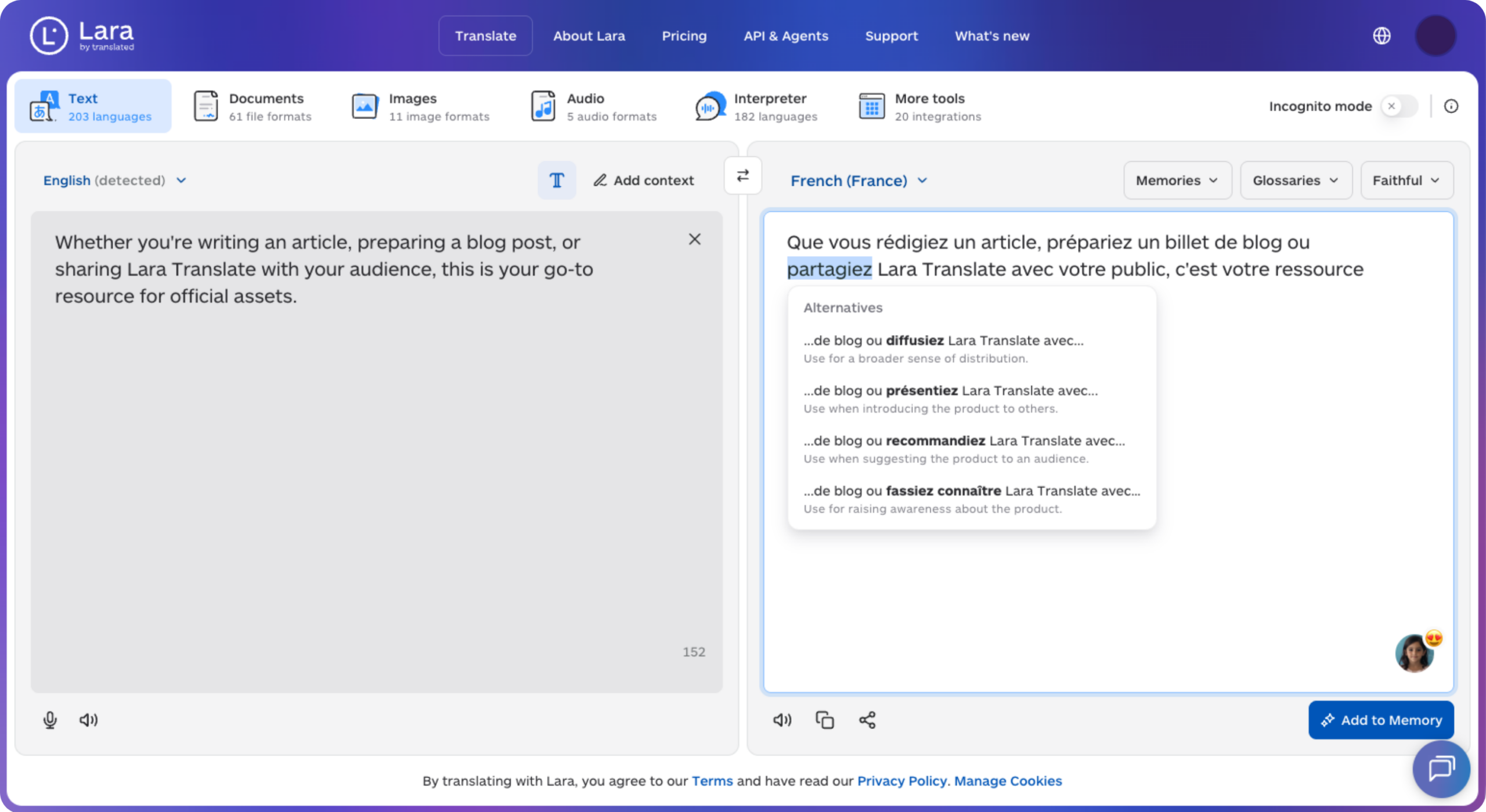
Lara Translate does. The platform translates text, documents in 61 formats, images, and audio across 200+ languages, with optional human validation by professional linguists for content where accuracy is non-negotiable. Pricing is freemium with paid tiers that scale by volume, not by seat count, so the cost stays predictable as your team grows.
Try the platform with your own files and see how it handles your formats. Start with Lara Translate free and run a real document through the API before committing to any paid plan.
Wire it into your pipeline
Check the endpoints, formats, and rate limits before you migrate anything, then run a real file through the roundtrip.
Have a valuable tool, resource, or insight that could enhance one of our articles?
Send us an email at press@laratranslate.com
We’ll be happy to review it and consider it for inclusion to enrich our content for our readers! ✍️
FAQ
What is the best free alternative to Lokalise?
Tolgee and Weblate are the strongest free options: both are open-source with self-hosted deployments at no license cost. For cloud-managed free tiers, POEditor and Localazy offer limited free plans suitable for small projects.
Which Lokalise alternative works best for React and Next.js projects?
Locize is purpose-built for i18next stacks and delivers translations at runtime via CDN. i18nexus offers a simpler, lower-cost option for smaller React/Next.js projects that only need i18next JSON support.
How hard is it to migrate from Lokalise to another TMS?
Most cloud TMS platforms accept XLIFF and JSON imports from Lokalise exports, making the data transfer manageable. The harder work is reconfiguring CI/CD hooks, plural form mappings, and any custom automation. A phased pilot on one project before full migration is the most reliable way to surface format mismatches early.
Does Lara Translate work as a Lokalise alternative for developer teams?
Yes. Lara Translate offers a REST API, 61 document file formats, translation memory and glossaries, and a freemium pricing model that scales by volume rather than seat count. It suits developer teams that need AI translation with optional human validation across a wide range of content types.
Which Lokalise alternatives support self-hosting?
Tolgee and Weblate are the two main self-hosted options in this comparison. Both are open-source and give teams full control over data residency. The trade-off is operational, since your team owns hosting, patching, and security hardening.
This article is about
The best Lokalise alternatives for developer and localization teams in 2026, compared across pricing model, self-hosting, integrations, and runtime delivery, with profiles of Lara Translate, Crowdin, Phrase, Smartling, Weglot, Tolgee, Transifex, POEditor, Weblate, and more, plus guidance on how to choose, migrate, and pilot before you switch.
Sources
Vendor pricing and feature sets change frequently. Verify all details directly on each vendor’s site before making a procurement decision.
- Tolgee: Open Source Alternative to Crowdin, Lokalise and Phrase
- Top Lokalise Alternatives, Competitors
- Lokalise Alternatives & Competitors – SaaSHub
Recommended
- Lara Translate AI: Reliable, Fast, Free
- Integrations | Lara Translate
- Translation MCP Server | Lara Translate
- AI Translation in 200+ Languages | Lara Translate