

You are having a fine Thursday afternoon, enjoying an Americano you just made, when an email comes in. A 5,000-word software manual from your Japanese team, and a third of it repeats last year’s version almost word for word. Now, without a CAT (Computer-Assisted Translation) tool, you either translate those sentences again, absorb the lost hours yourself, or hire a translator to do that for you.
With a CAT tool integrated into your system, the repeats show up as matches, your client’s terms stay consistent, and new sentences arrive with a draft you can edit.
Below, we compare nine CAT tools on features, platform, and price, and show which ones let you run Lara Translate as the AI engine inside the editor.
|
TL;DR
|
In a 2021 CIOL survey of 246 translators, 82% kept their own translation memory, and over half said it saved them up to 30% of their time. The harder question is which tool to pay for, because prices on this list run from free to thousands of dollars per year.
The 9 CAT Tools at a Glance
The following comparison table provides you with a brief understanding of the best CAT tools on the market, their entry points, and whether you can integrate Lara Translate as its AI engine or not.
Disclaimer: The prices mentioned here are from vendors’ own pricing pages and were checked and verified in October 2026. If you are looking for enterprise solutions, you will need to get in touch with the respective sales team to discuss your needs.
| Tool | Best for | Runs on | Starting price | Integration with Lara Translate |
|---|---|---|---|---|
| Matecat | Free, browser-based CAT work | Browser | Free | Yes |
| memoQ | Agencies and teams that track projects | Windows desktop, cloud TMS | $436/year (translator pro); TMS from $3,025/year | Yes |
| Trados Studio | Matching what most clients and agencies send | Windows desktop (Studio), browser only (Trados Go) | £24 per month, paid yearly (Trados Go) | Yes |
| Wordfast | Low-cost, long-term licenses | Desktop, MS Word, browser | $9.90 per month (Anywhere) | Yes (only with Wordfast Anywhere) |
| Wordscope | Browser-based work with built-in AI tools | Browser, Mac or PC | €15/month (Individual, Light Bronze) | Yes |
| Lokalise | App and software localization teams | Browser | $149 per month (Explorer) | Coming soon |
| Smartcat | Companies mixing AI and human translators | Browser | Adapt plan starts at $1,200/year and Accelerate plan starts at $24,000/year | No |
| OmegaT | A free, open-source desktop tool | Windows, macOS, Linux | Free | No |
| Phrase | Enterprise localization with heavy automation | Browser | $27 per month, billed annually (Freelancer) | Coming soon |
What Are CAT Tools for Translation
A CAT tool, short for computer-assisted translation tool, is software where a human translator does the translating while the software handles reuse, consistency, and checks. It splits a source file into segments, usually sentences, and shows the source and your translation side by side.
For example, if you translated “Restart the device before installing the update” for a client last year, the CAT tool finds that sentence in your translation memory. When a similar sentence appears in a new file, it offers your earlier translation as a match, so you only edit the difference.
Most CAT tools that we found during our research are built around the same core parts:
| Part | What it does |
|---|---|
| Translation memory (TM) | It stores every source and target segment pair you confirm, so you can reuse them in future translations. |
| Termbase or glossary | The glossary section holds approved terms and flags them in each segment |
| Fuzzy matching | It finds stored segments that are similar but not identical |
| Quality assurance (QA) | It checks numbers, tags, terms, spacing, and missing translations |
| Machine translation (MT) | MT suggests a draft for segments with no useful memory match |
9 Best CAT Tools for Translators in 2026
The best CAT tools for translators are Matecat, memoQ, Trados Studio, Wordfast, Wordscope, Lokalise, Smartcat, OmegaT, and Phrase. At the same time, the best CAT tool to choose in 2026 and beyond depends on your budget, overall translation needs, how often your projects rely on translation tools, and the kind of content you want translated.
Here is a list of the best CAT tools for translators that will fit different use cases:
1. Matecat
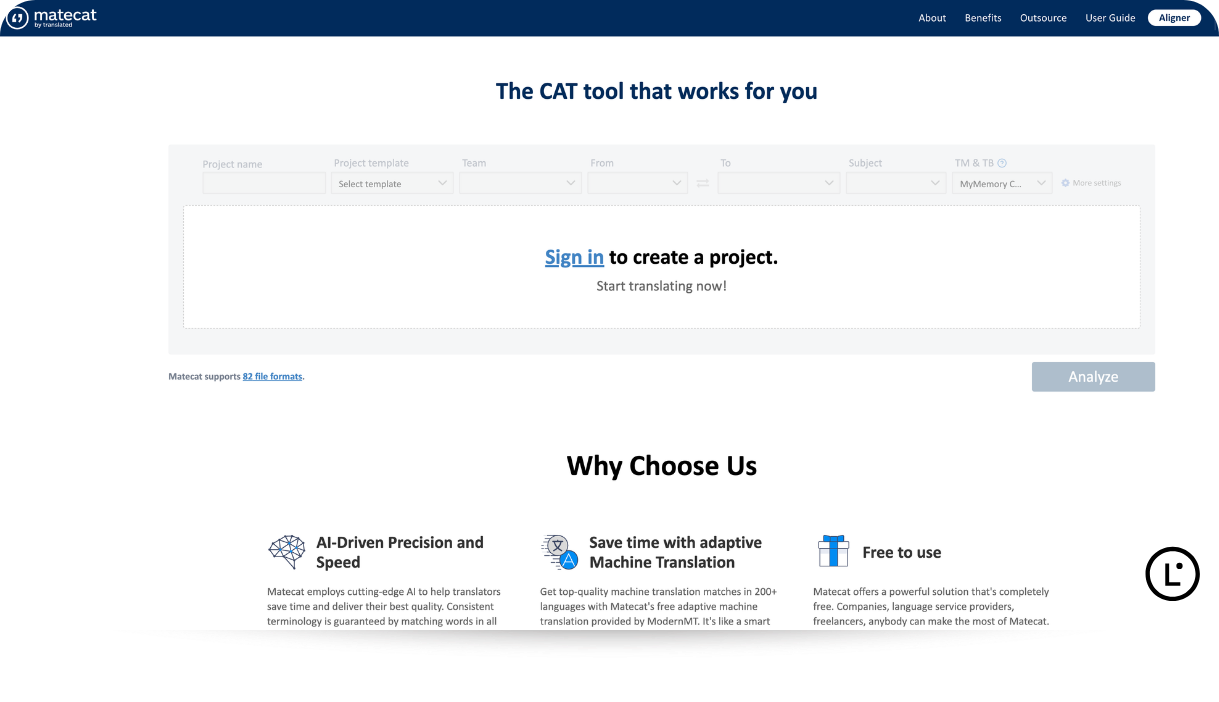
Best for: Translators and teams who want a free, browser-based CAT tool with no license to manage.
Matecat is a free, open-source CAT tool that runs in your browser. Translated helped create Matecat in 2011 as part of an EU research project, and it became the first translation tool with adaptive machine translation. This CAT tool is very straightforward, as all you need to do is upload a file, choose your languages, and translate segment by segment.
- Free with no limits on use: Matecat is open source under the LGPL license, with no fees for user licenses, word counts, or projects.
- Wide format support: According to Translated’s Matecat guide, Matecat handles over 80 file formats, like InDesign files, scanned PDFs, and specialized XML structures.
- Private memories to retain: You can draw on a large public translation memory or upload private TMs in TMX format to keep client content confidential.
Pricing: Free.
Lara Translate inside Matecat: You can connect Lara with your Lara Translate API credentials, and it then provides context-aware suggestions in 200+ languages that work with your existing glossaries and translation memories. As the Lara for Matecat guide notes, it is highly recommended to keep at least one private TM active so this AI engine learns from your corrections over time.
Verdict: Matecat is the lowest-risk way to start with any CAT tools, and the most direct home for Lara as your preferred AI engine.
2. memoQ
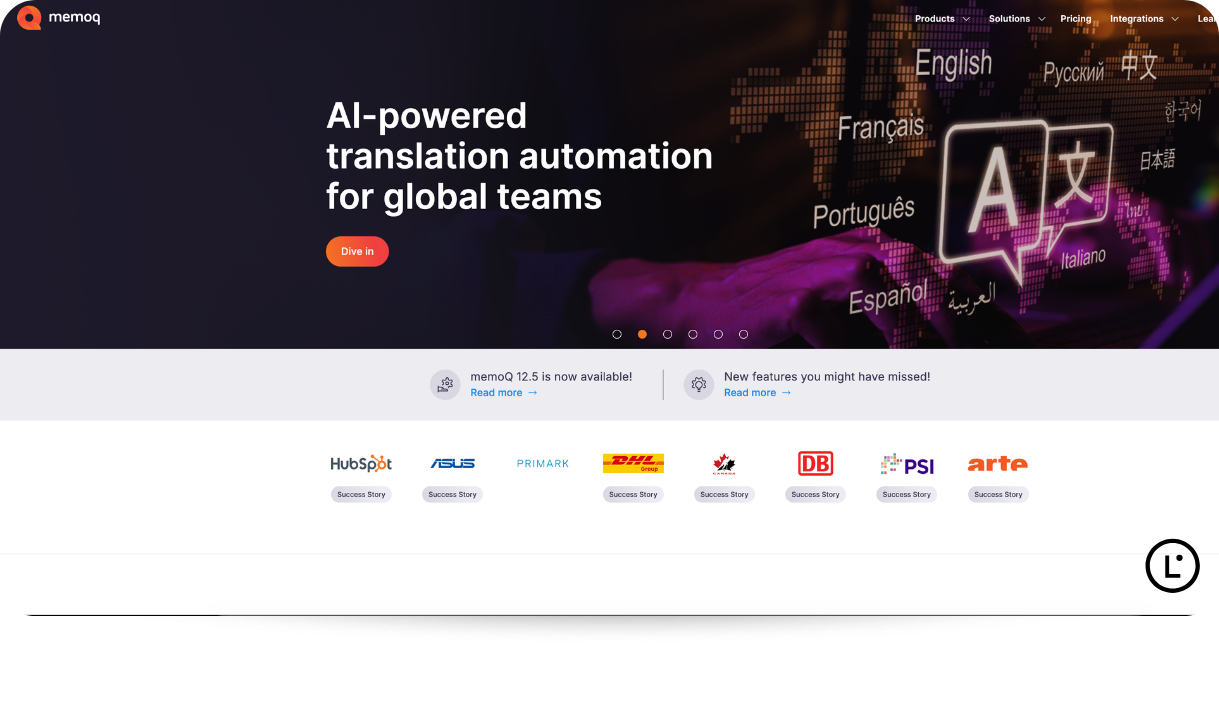
Best for: Agencies, in-house teams, and busy freelancers who need project tracking, reporting, and strong quality checks.
memoQ offers a Windows desktop CAT tool for translators, called memoQ Translator Pro, and a cloud TMS for teams. memoQ highlights project tracking, automated quality checks, and advanced reports, and it serves industries such as gaming, life sciences, audiovisual, retail, technology, manufacturing, finance, and more.
- Productivity features beyond the TM: Translator Pro includes a term base, LiveDocs for reference material and alignment. It further comes along with a feature called Muse, a predictive typing assistant trained on your past translations.
- Its own AI layer: memoQ AGT (Adaptive Generative Translation) is the company’s AI-based translation automation technology that improves translation quality.
- Security credentials: memoQ has achieved SOC 2 Type 2 compliance, which is extremely important for large companies.
Pricing:
- memoQ Translator Pro costs €44 or $54/month or €396 or $436/year.
- For teams, the memoQ TMS Starter plan costs $3,025/year and offers one project manager license and five linguist subscriptions.
- Single sign-on is not part of the Starter plan. On Essential, it is available only with Azure Private Server, and on Professional and Enterprise only with Azure Private Server or on-premises. Two-factor authentication works through an identity provider. These plans are priced on request.
Lara Translate & memoQ: Lara runs in memoQ through a plugin that you download from the Lara Translate memoQ integration page after filling in a short form, and then add as a machine translation resource. Once the plugin is properly installed and configured, Lara can read the full document, adapt to your corrections, and update translation memories in real time. It works with any file type memoQ supports and requires a Lara Translate Pro or Team plan.
Verdict: memoQ is the strongest choice for project-heavy work and agencies, with a translator license you can pay for monthly or yearly.
3. Trados Studio
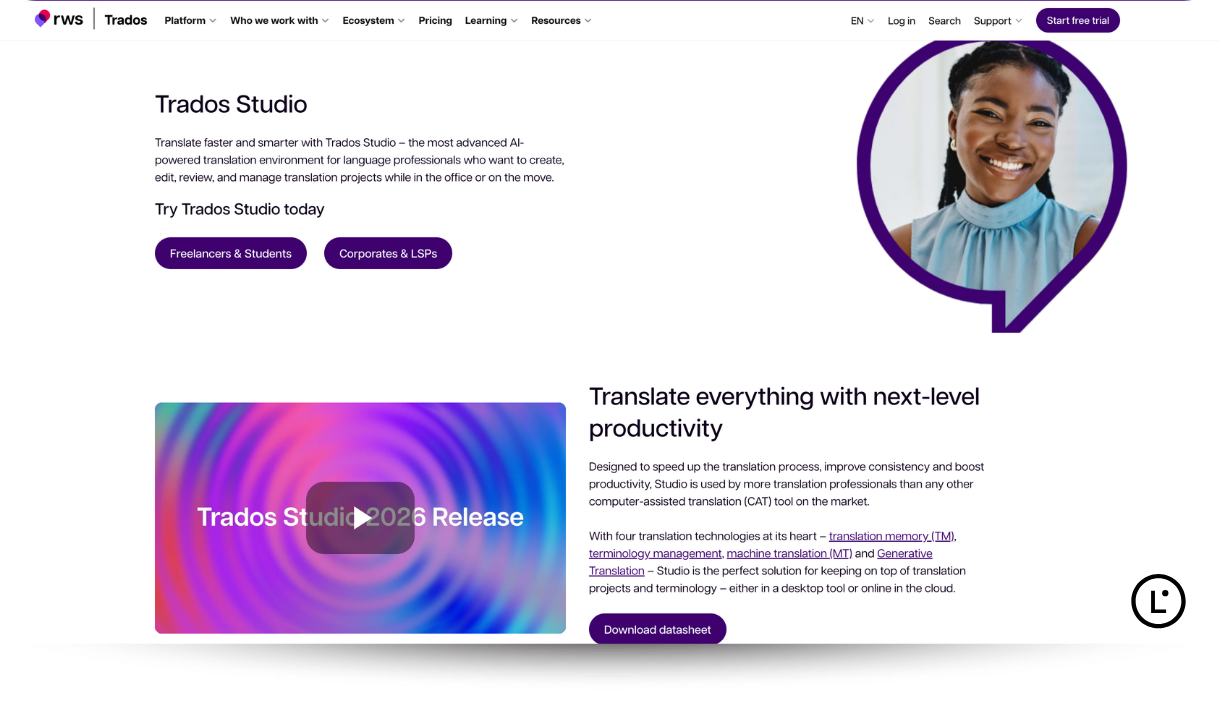
Best for: Freelancers who want to accept work from the widest range of agencies and enterprise clients.
Trados Studio from RWS is a Windows desktop CAT tool that offers a browser-based sibling called Trados Go. In a ProZ.com survey of more than 3,000 professional translators, Trados came first among the tools translators use, followed by Wordfast and memoQ.
- Translation memory at its core: RWS says its translation memory can lift productivity by as much as 80% while keeping projects consistent.
- Open to many AI engines: Its AI Bridge connects language models from OpenAI, Anthropic Claude, Google Gemini, DeepSeek, and others, and the RWS AppStore offers 50+ MT providers.
- Desktop and cloud in one plan: Trados Freelance includes unlimited target words on desktop plus 1 million cloud target words per year.
Pricing
- Trados Go costs £24 per month, paid yearly at £288.
- Trados Freelance costs £34 per month, paid yearly at £408.
Lara Translate and Trados Studio: Lara Translate can easily work with Trados Studio by installing the Lara Translate plugin from the RWS AppStore. Once the AI engine starts to work alongside this CAT tool, it starts giving terminology-aware suggestions inside the Trados editor while you keep using Trados’s translation memory and quality checks.
Verdict: Trados Studio is one of the safest picks for freelancers who want to accept work from the widest range of agencies, while keeping their preferred AI engine close.
4. Wordfast
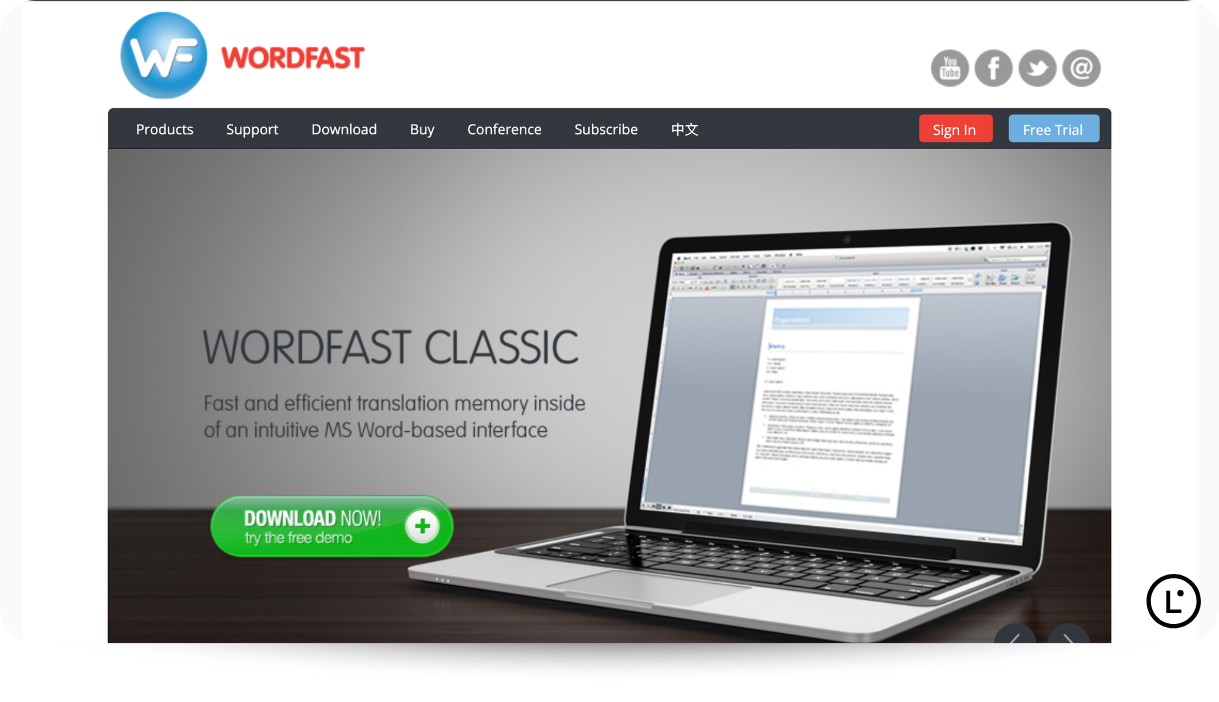
Best for: Translators who prefer a fixed-term license over a subscription, or who like working inside Microsoft Word.
Wordfast is a family of CAT tools, offering solutions for individuals and large companies. At its core, you have Wordfast Classic, which runs inside Microsoft Word. Similarly, Wordfast Pro is a standalone, platform-independent TM tool. Wordfast Anywhere runs in the browser, and Wordfast Server shares TMs across an organization. With high compatibility across different platforms and a wide range of solutions, Wordfast is currently being used by over 150 universities under free educational licenses.
- Three-year licenses: Wordfast offers Classic, Pro, and Studio licenses valid for three years, including email support, upgrades, and free use of Wordfast Anywhere.
- Large browser capacity: Wordfast Anywhere supports up to 1,000,000 translation units per TM and 100,000 glossary entries.
- Confidential storage: Wordfast states that the TMs, glossaries, and files in your Wordfast Anywhere workspace are never shared with any third party.
Pricing:
- The Wordfast store lists Wordfast Studio (Classic and Pro) at $580.
- Pro only or Classic only is $480 each, as a three-year license.
- Wordfast Anywhere costs $1 for a 30-day trial, then $9.90/month in prepaid credits, with discounts for 10-month purchases and 50% off for translators in developing economies.
Lara Translate and Wordfast: Lara connects to Wordfast Anywhere from its machine translation settings. Once Wordfast’s integration with Lara is completed, you can run AI pre-translation or improve existing segments in the editor. It even lets you adjust prompts for tone and subject area.
Verdict: Wordfast provides a strong long-term value for a desktop license, with a low-cost browser option that already runs Lara.
5. Wordscope
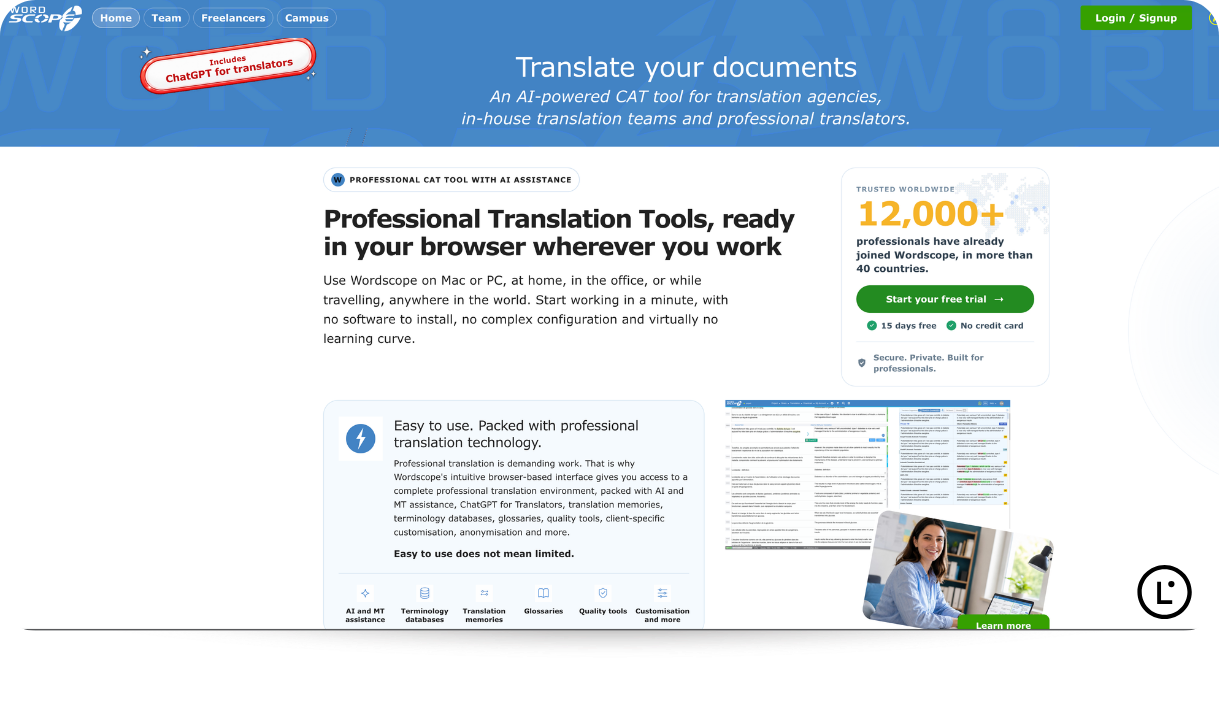
Best for: Freelancers or individual translators on Mac or PC who want a browser-based CAT tool with AI assistants built in.
Wordscope is a browser-based CAT tool for translators, agencies, and in-house teams, so there is nothing to install. It brings translation memories, glossaries, terminology databases, and machine translation into one workspace.
- ChatGPT included: Wordscope comes with a built-in “ChatGPT for Translators” panel that offers Explain, Translate, Rephrase, and Proofread buttons. Individuals and companies will not have to take any separate OpenAI subscription to avail this feature.
- Multiple engines: Wordscope gives you the flexibility to compare DeepL Pro, Google Translate, Amazon Translate, and OpenAI suggestions, and search IATE, TERMIUM, TERMDAT, TERMCAT, and Cosnautas from the editor.
- Built for confidential work: Wordscope offers European hosting, GDPR alignment, and an optional anonymization module that masks sensitive data before external AI calls. It also adapts dates, numbers, and quotation marks to each client’s preferences.
Pricing: Wordscope provides multiple subscription tiers, each with a monthly allowance of AI-assisted words. For individuals, Wordscope’s Light Bronze plan starts at €15 per month, and yearly billing saves 10%. Wordscope Team is priced per project manager, and linguists join projects at no extra cost.
Lara Translate with Wordscope: You can add Lara as a private machine translation engine with the help of your Lara Translate API credentials, and it becomes available across all your Wordscope projects. Once Wordscope integration with Lara is completed, you will be able to access all of the formats that are supported by Wordscope with Lara.
Verdict: Wordscope is one of the most AI-ready browser CAT tools for solo translators, especially if confidentiality is part of your pitch to clients.
Already translating in Trados Studio, memoQ, Matecat, Wordfast Anywhere, or Wordscope?
Connect Lara Translate as your machine translation engine and get context-aware suggestions in 200+ languages inside the editor you already use.
6. Lokalise
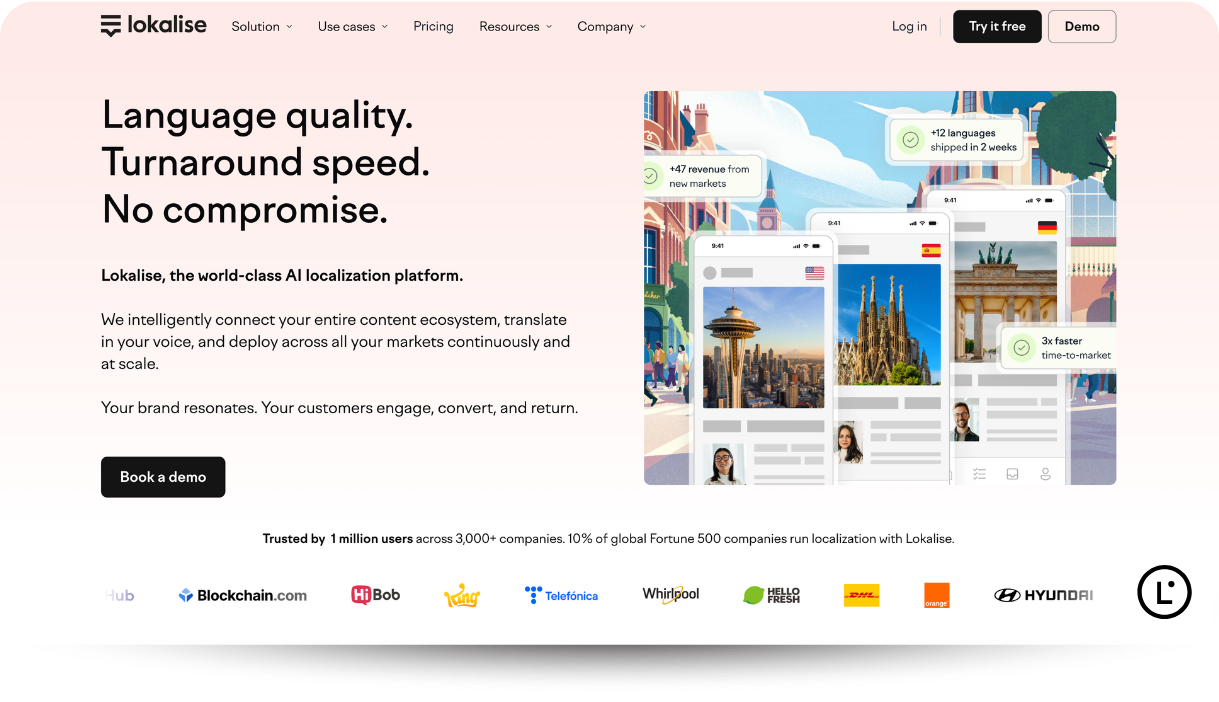
Best for: Product, engineering, and marketing teams that localize apps, websites, and software.
Lokalise is an AI-powered localization platform and translation management system built for teams that ship software in multiple languages. Lokalise offers translators a collaborative web editor, with in-context editors for web and mobile that show where each string appears.
- Keeps your existing memory: Lokalise imports TMX files, so teams that migrate reuse their existing translation memory from the first project.
- AI routing on higher plans: For more natural translations, one can go ahead with higher plans that add Multi-LLM Smart Routing and custom AI profiles.
- No word caps on hosting: Every plan includes unlimited hosted words, and Growth and higher-plan plans further include unlimited languages.
Pricing: The Lokalise Explorer starts at $149/month. Lokalise Growth would cost you $379/ month, and Advanced will come at $1,049/month.
Verdict: Lokalise is a team platform more than a freelancer’s editor, and worth learning if your clients run their software localization in it.
7. Smartcat
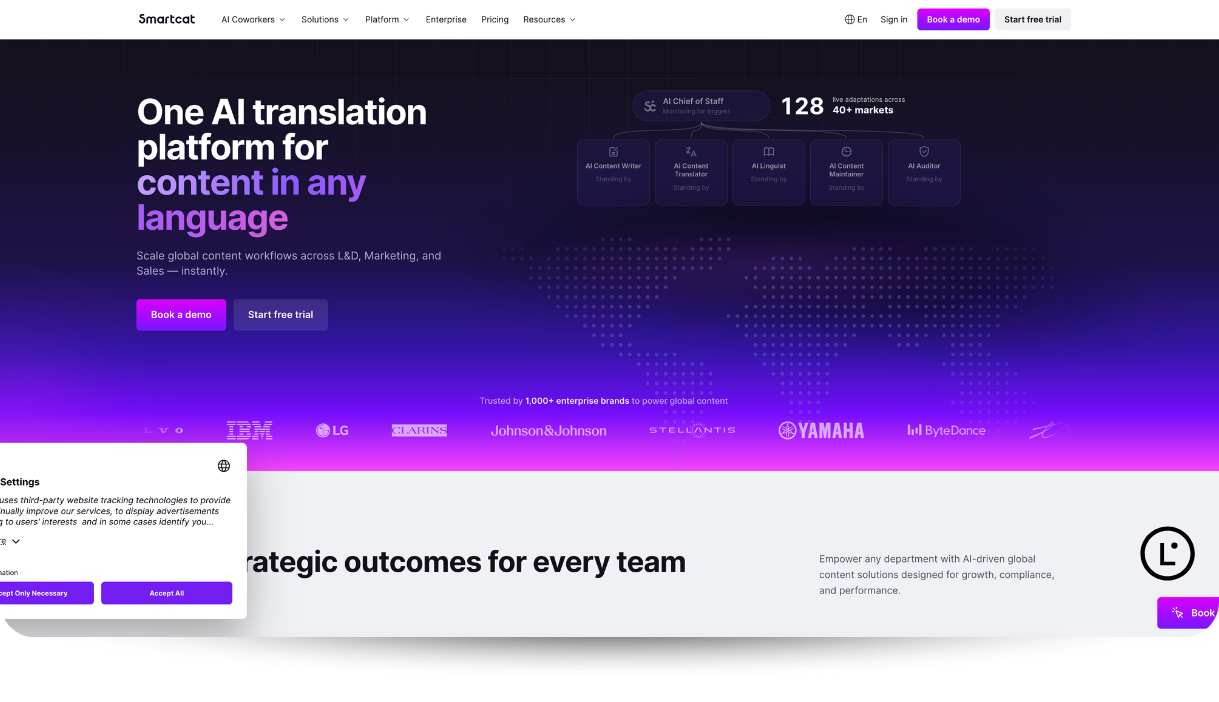
Best for: Companies that want AI translation and a pool of human linguists in one platform.
Smartcat combines a CAT editor, AI agents it calls coworkers, and a marketplace of linguists. It supports 280+ languages and 50+ file formats, and it connects with tools such as Figma, Google Docs, Jira, Salsify, Dropbox, and Gmail.
- AI and human review together: AI coworkers handle translation and content tasks, and the changes that you and your colleagues make to it would later be fed back into future translations.
- A large marketplace: It hosts more than 500,000 translators, editors, proofreaders, and agencies that can handle small to large projects as per requirements.
- Easy migration: Smartcat supports popular translation memory formats, so you can bring your existing database with you without any hiccup.
Pricing: The Smartcat Adapt plan comes at $1,200/year with unlimited users. Its Accelerate plan comes at $24,000/year and offers marketplace experts and vendor collaboration. If you are looking for advanced features, including API access, then you will need to check out the Anticipate plan that comes at $60,000/year.
Verdict: Smartcat is built for translation buyers, so if you are a freelance translator, it is mainly a platform for collaborating on your clients’ projects.
8. OmegaT
Best for: Translators who want a free desktop CAT tool on any operating system, including Linux.
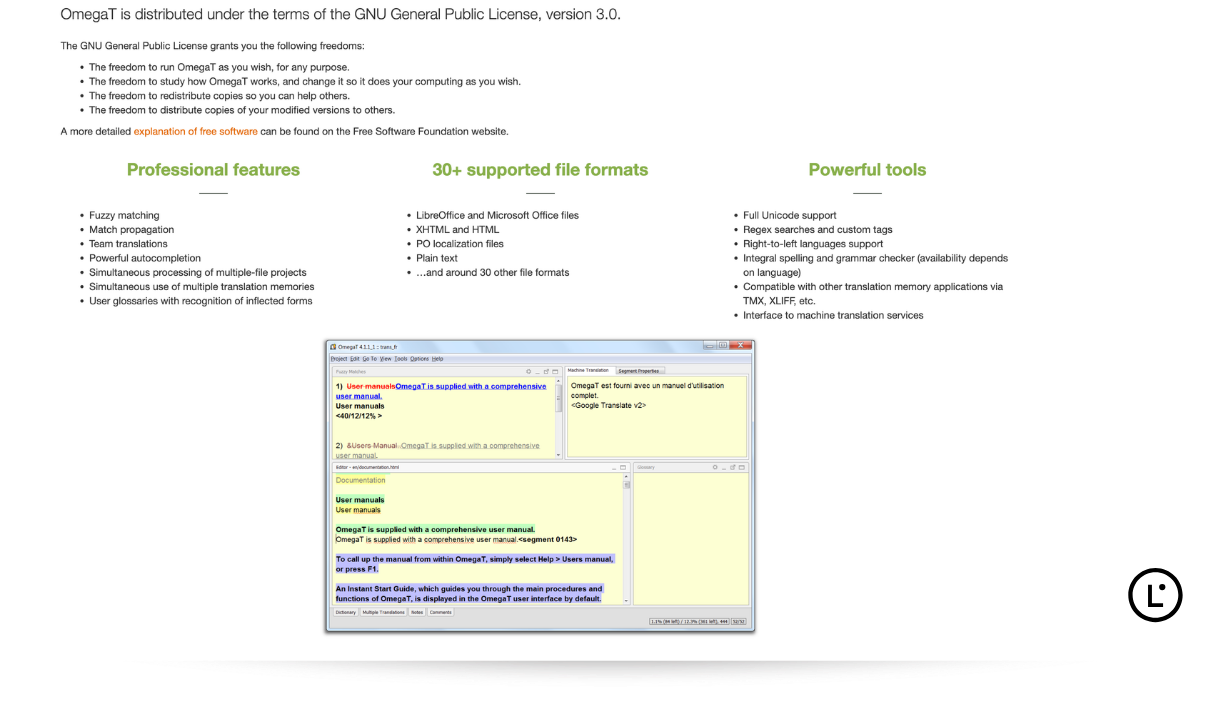
OmegaT is a free, open-source CAT tool written in Java and released under the GNU General Public License, version 3. It runs on Windows, macOS, and Linux and handles 30+ file formats, including Microsoft Office and LibreOffice files, HTML, PO files, and plain text.
- Flexible Memory Use: OmegaT lets you use several translation memories at once, with fuzzy matching and match propagation.
- Quality Support Built-in: OmegaT’s built-in glossary recognition feature identifies inflected word forms, and an integrated spelling and grammar checker further catches errors before delivery.
- Compatibility Across Formats: This CAT tool is compatible with TMX and XLIFF formats, which means your context-related memories move in and out freely, and you can connect machine translation services freely.
Pricing: Free.
Verdict: OmegaT can be considered a great CAT tool, as long as you are happy to rely on community documentation rather than any premium vendor support.
9. Phrase
Best for: Enterprises and language service providers that run multiple project pipelines through automated workflows.
Phrase TMS is a cloud localization platform with a CAT editor that shows translators contextual previews. Its automation covers automated project creation, continuous jobs, pre-translation rules, and quality checks.
- Built for scale: Phrase reports 99.9% uptime and integrates with 30+ machine translation engines, including Google, DeepL, Microsoft, and Amazon.
- Wide connectivity: As a CAT tool, Phrase supports 50+ file formats and over 50 integrations, including GitHub, Figma, and Contentful.
Pricing: Phrase’s Freelancer plan begins at $27/month, billed annually. The plan offers one TMS seat, 650,000 processed words, and 1 million machine translation units per year. Phrase’s Team plan costs $1,245/month, billed annually, and adds unlimited TMS seats, customizable workflows, and vendor management.
Verdict: Phrase suits enterprises and LSPs that run many projects through automated workflows, and its Freelancer plan gives solo translators a lower-cost way into the same TMS.
How to Connect Lara Translate to Your CAT Tool
Lara Translate does not replace your CAT tool. It plugs into five of the tools above as the machine translation engine, and each one connects a little differently. Here is how each connection works and what you get once it is set up.
| CAT tool | How Lara Translate connects | What you get |
|---|---|---|
| Trados Studio (2022 and 2024, 2026 coming soon) | Plugin from the RWS AppStore. In Project Settings, choose “Lara Translation Provider” and log in. | Lara Translate reads the source text before translating each segment. With “Update” on, confirmed segments update your connected TM in real time. You can create a TM, import a TMX file, or import from MyMemory. |
| memoQ | Download the plugin from Lara Translate’s integration section (there is a short form to fill in). Run the installer, create an MT profile, and set Lara Translate as the default. | Lara Translate uses the full document’s context. If you turn on Self-Learning MT, every confirmed segment updates your Lara Translate TM instantly. Each TM can be set to “Use” or “Use & Update”. |
| Matecat | Go to MT settings, click “Add an MT Engine.” From there, choose Lara and enter your API Access Key ID and Secret.
Note: You will need to have Lara’s Pro or Team plan to access the CAT tool. |
Suggestions work with your Matecat TMs and termbases. Keep at least one private TM active so Lara Translate learns from your corrections. |
| Wordfast Anywhere | Go to Setup, open the AI tab, click “Add AI Engine”, choose LARA, and enter your API keys. | AI pre-translation and AI Enhance on existing segments. You can edit the prompts to set tone, subject field, and term replacements. |
| Wordscope | Go to Settings, open Machine Translation, add a private MT engine, choose Lara Translate, and enter your API keys. | Lara Translate becomes available in all your Wordscope projects and works alongside Wordscope’s TMs, termbases, and QA. |
A couple of things to keep in mind when integrating Lara Translate with the mentioned CAT tools:
- Trados Studio and memoQ would require an active Lara Translate Pro or Team plan.
- CAT tool usage is billed per million characters (see “What It Costs to Use Lara in a CAT Tool” below to understand how the usage is calculated).
- In Trados Studio and memoQ, text translated in the last 24 hours isn’t charged again if you reopen the project.
- For a better understanding of the AI engine and what you can do once the integration is complete, check the individual setup guides for Trados Studio, memoQ, Matecat, Wordfast Anywhere, and the Wordscope integration page.
If you used the ModernMT plugin in Trados or memoQ, here’s how to migrate to Lara Translate.
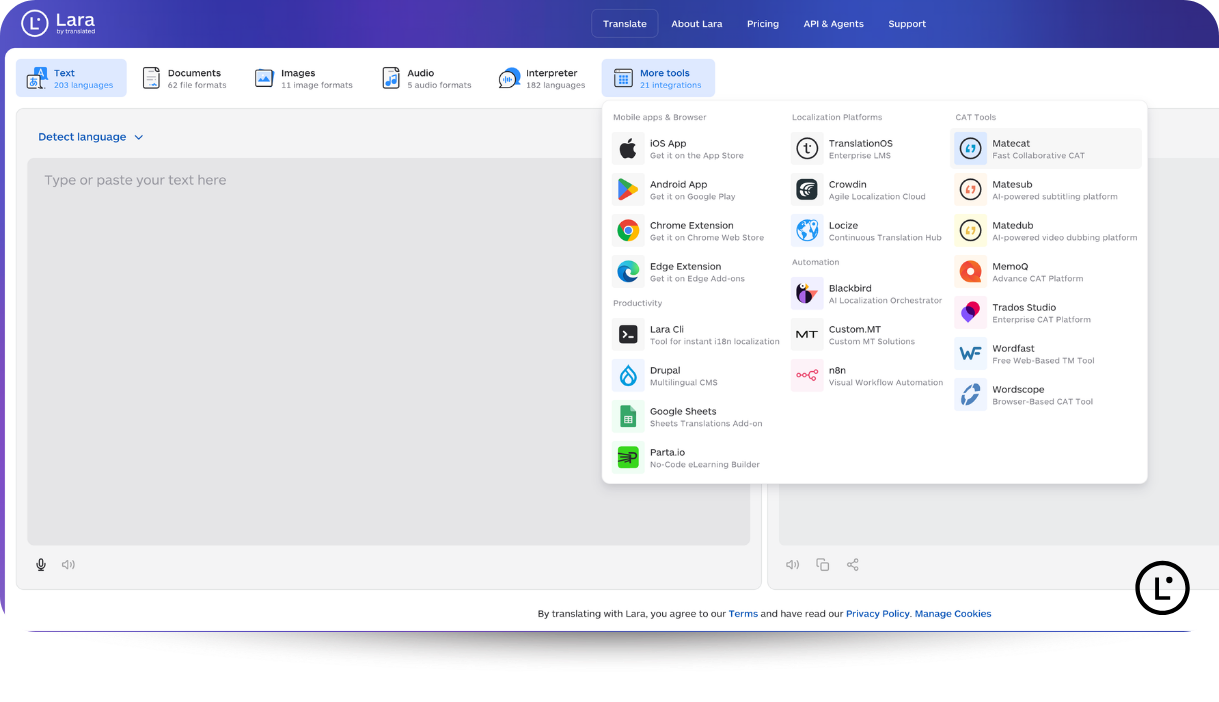
Lara Translate integrations for Lokalise and Phrase are in progress, while Smartcat and OmegaT don’t connect to Lara Translate. If your team works on a localization platform, Lara Translate already connects to Crowdin, Locize, and TranslationOS.
How to Choose the Right CAT Tool for Your Work
The right way to finalize a CAT tool for your work is to first discuss the client’s requirements, understand the overall budget, discuss the platforms they are comfortable with, and then finalize the AI engine.
Here are the detailed steps that would help you make a well-informed decision while choosing the right CAT tool.
Step 1: Start with Requirements: If your main agencies send Trados packages and SDLXLIFF files, Trados Studio is the low-friction choice. memoQ Translator Pro also accepts packages from memoQ servers and most major translation tools, which makes it a flexible second option.
Step 2: Understanding Platform Requirements: memoQ Translator Pro is built for Windows, and Trados Studio’s desktop app is officially Windows-only, so Mac users need a virtual machine such as Parallels. However, if you want to stay on a Mac but don’t want to install any software, browser tools such as Matecat, Wordscope, Wordfast Anywhere, Trados Go, and Phrase are ideal. Wordfast Pro runs natively on Mac.
Step 3: Analyze Budget: Matecat and OmegaT are free CAT tools, but Wordfast sells three-year licenses. Similarly, CAT tools like Trados, memoQ, Wordscope, and Phrase run on subscriptions, while Lokalise and Smartcat price for teams. You can choose the right tool that fits your overall translation budget.
Step 4: Check the engine options. A CAT tool locked to one engine limits your first drafts. Confirm that the tool connects to the engine you trust, then test it on real work.
Where Lara Translate Fits Inside Your CAT Tool
Lara Translate is not a CAT tool. It is an AI translation platform that acts as the machine translation engine that writes the first draft of each new segment. Your memories, termbases, and QA checks stay in the CAT tool you already use.
Context Across the Whole Document
An engine that translates one segment at a time can easily get a word like “bank” or “charge” wrong in context. But if you are using Lara as your default AI engine, then it will read the full document before suggesting a translation, so its drafts follow the topic and style of the whole file.
Learns From Your Memories and Corrections
Lara adapts to the corrections you make and, in memoQ, updates translation memories in real time as you confirm segments. In Matecat, the Lara for Matecat guide recommends keeping a private translation memory active, so Lara learns from your edits over time. You can also manage translation memories and glossaries inside Lara Translate itself.
Trained on Professional Translations
Lara is trained on high-quality professional translations and expert review, not scraped or generic text, and it covers 200+ languages. That background matters in a CAT tool, where every suggestion you accept ends up in a client delivery and can have an impact on the entire delivery cycle.
Security for Client Work
Translated, the company behind Lara, holds ISO 17100, ISO 27001:2022, and ISO 9001:2015 certifications, is SOC 2 Type 1 compliant, and is GDPR compliant. You can check each one in the Translated Trust Center. If you are an enterprise-grade company and wondering how the content is handled, then you can always visit the data security and GDPR sections.
What It Costs to Use Lara in a CAT Tool
The CAT tool and API usage via Lara Translate starts at $24.99 per million characters on the Pro plan ($9.99/month, billed annually) and $19.99/million characters on the Team plan ($29.99/month, billed annually).
Outside your CAT tool, Lara Translate also translates documents in 60+ file formats while preserving the layout, plus images and audio. For certified, sworn, or official documents, AI + Human translation adds a review by a professional linguist from Translated, which is also highly recommended for professionals across several domains.
Connect Lara Translate to Your CAT Tool
Connect Lara Translate to Trados Studio, memoQ, Matecat, Wordfast Anywhere, or Wordscope and translate with full-document context in 200+ languages. Using memoQ or Matecat? Follow the memoQ setup guide or the Matecat setup guide.
The Right CAT Tool Fits Your Clients, the Right Engine Fits Your Drafts
Every CAT tool on this list can stop you from translating the same sentence twice and let you enjoy the afternoon coffee as intended. What separates these tools from one another, and from the other CAT tools that didn’t make the cut, is client compatibility, platform, pricing model, and how much automation you need. Trados Studio and memoQ remain the safest bets for agency work, Matecat and OmegaT cover the free end, and Wordfast and Wordscope offer flexible ways to work on any machine.
The CAT tool decides how you work, but the engine inside it decides how much of each new segment you still have to fix. If you work in Trados Studio, memoQ, Matecat, Wordfast Anywhere, or Wordscope, Lara Translate can be that engine.
FAQs
What is a CAT tool in translation?
A CAT tool is software that helps a human translator work faster and more consistently. It splits text into segments, reuses past translations from a translation memory, flags approved terms, and runs quality checks.
Is a CAT tool the same as machine translation?
No. A CAT tool is the workspace where a human translates, while machine translation is an engine that produces a draft. Most CAT tools let you plug an engine such as Lara Translate into the editor to draft new segments.
What is the best free CAT tool?
The best free CAT tools are Matecat and OmegaT. Matecat runs in the browser with no installation, and OmegaT is an open-source desktop tool for Windows, macOS, and Linux that provides extra flexibility to solo translators.
Which CAT tool do most translators use?
Trados is the most widely used. In a ProZ.com survey of more than 3,000 professional translators, Trados ranked first, followed by Wordfast and memoQ.
Can I use AI translation inside Trados or memoQ?
Yes, you can use AI translation inside Trados and memoQ, as both of the CAT tools support machine translation plugins. These two can easily be integrated with Lara Translate’s plugin. Trados Studio also connects language models through its AI Bridge.
Do I still need a CAT tool if I use AI translation?
For professional work, usually yes, because AI gives you a draft, but the CAT tool keeps your terminology consistent, reuses approved translations, and checks the file before delivery.
Which CAT tools work on a Mac?
Several CAT tools work on Mac, including Matecat, Wordscope, Wordfast Anywhere, Trados Go, and Phrase. If you are looking for a native tool that works in the Mac ecosystem, then OmegaT is worth considering.
Is Lara Translate a CAT tool?
No, Lara Translate is not a CAT tool, but it’s an AI translation platform that is integrated with different CAT tools such as Trados Studio, memoQ, Matecat, Wordfast Anywhere, and Wordscope. Post-integration, Lara works as the machine translation engine that ensures a smooth translation of your files in 200+ languages.
This Article is About
- CAT tools for translation and how they work
- Translation memory, termbases and quality checks
- Matecat, memoQ, Trados Studio, Wordfast and Wordscope
- Lokalise, Smartcat, OmegaT and Phrase
- CAT tool pricing in 2026
- Free CAT tools for translators
- Machine translation engines inside CAT tools
- Lara Translate integrations for CAT tools
Sources
- CIOL Translators and Technology Survey Report (2021)
- ProZ.com: CAT tool use by translators, what are they using?
- Translated: Matecat, a complete guide to the free translation tool
- Lara Translate integrations and Lara Translate pricing
- memoQ pricing and memoQ individual pricing
- Trados pricing for freelance translators and Trados Studio
- Wordfast store, Wordfast buying FAQs and Wordfast Anywhere
- Wordscope documentation
- Lokalise pricing
- Smartcat pricing
- Phrase pricing and Phrase TMS
- OmegaT
- Lara for Trados Studio, Lara for memoQ, Lara for Matecat and Lara + Wordfast Anywhere
- Translated Trust Center