

A learner has finished a year of app lessons. They can order coffee and name the days of the week, but the first time they watch a TV show in Spanish, the dialogue moves too fast to follow. Textbook sentences did not prepare them for slang, filler words, or regional accents.
This guide compares video-based language learning platforms in 2027 that use real native-speaker content, interactive subtitles, and review tools, so learners and teachers can choose the one that fits their language, level, and budget.
|
TL;DR
|
What makes a video language learning platform worth using in 2027?
Authentic content comes first. Videos from native speakers expose learners to real pace, accents, and everyday vocabulary.
Interactive subtitles matter. Clicking a word for a definition, slowing playback, and looping a line turn passive watching into study.
Practice after watching reinforces the lesson. Use dictation, flashcards, and spaced repetition to revisit new words.
Level matching helps learners choose manageable material. Look for content graded from beginner to advanced.
Classroom tools help teachers. School accounts, assignments, and progress tracking make platforms usable in courses.
Lara Translate helps language schools and course creators translate lesson notes, worksheets, and course materials across 200+ languages and 60+ file formats while keeping the original formatting.
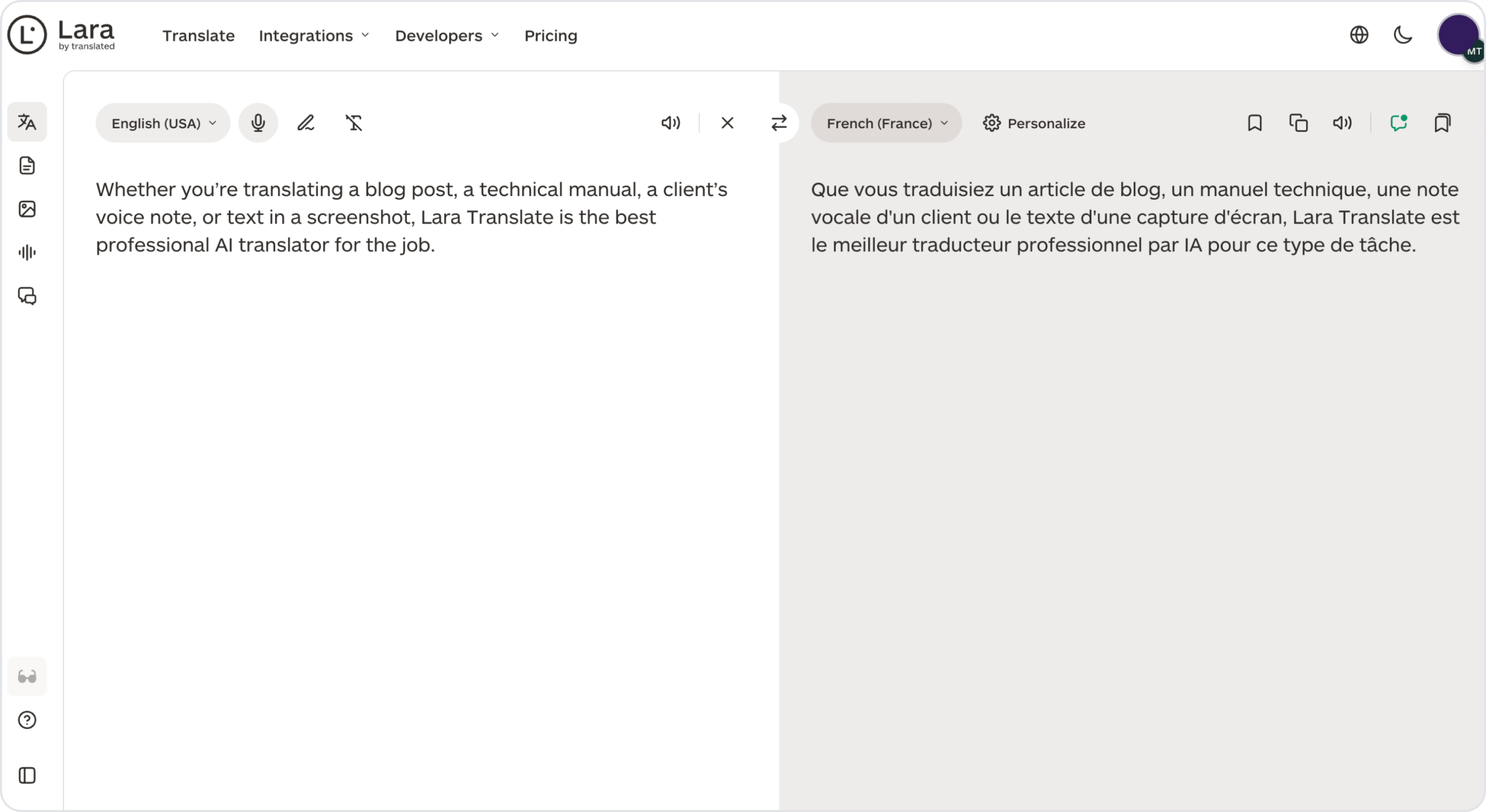
To connect Lara Translate with a video-based lesson workflow, prepare a worksheet or vocabulary guide for the chosen clip, translate the instructions for each learner group, and review the result before sharing it alongside the video. Keep the target-language examples unchanged when they are part of the exercise. This gives students support in their preferred language while keeping the listening task focused on the language they are learning.
Best video-based language learning platforms in 2027
| Provider | Best for | Model | Pricing |
|---|---|---|---|
| FluentU | Learners who want curated clips with quizzes in many languages | Subscription, web and mobile apps | Monthly or yearly plans, 14-day free trial |
| Lingopie | Learners who want to binge TV series with interactive subtitles | Streaming subscription | Paid plans, 7-day free trial |
| LingQ | Learners who want to import their own content and read along | Freemium, web and mobile apps | Free plan, Premium USD 14.99 per month |
| Yabla | Learners and schools who want authentic native-speaker videos with games and lessons | Subscription per language, school accounts | USD 12.95 per month or USD 99.95 per year, 7-day free trial |
| Language Reactor | Learners who already watch Netflix and YouTube | Browser extension, free and Pro | Free plan, paid Pro tier |
FluentU
Best for: Learners who want curated clips with quizzes in many languages.
FluentU turns real-world videos into lessons with word lookups, a video dictionary, personalized quizzes, and spaced repetition. One account covers Spanish, Chinese, French, English, Japanese, German, Korean, Russian, and Italian, on the web and on iOS and Android apps.
Pricing: Monthly or yearly plans with a 14-day free trial. Academic pricing is available for schools.
Verdict: Consider FluentU when you want to study more than one language in a single account.
Lingopie
Best for: Learners who want to binge full TV series with interactive subtitles.
Lingopie is a streaming service built for language learners, with shows and films that play with interactive subtitles, so learners can click words and review them later.
Pricing: Paid monthly and yearly plans with a 7-day free trial on all languages and features.
Verdict: Consider Lingopie when you learn best by following a story over many episodes.
LingQ
Best for: Learners who want to import their own content and read as well as listen.
LingQ supports more than 50 languages and builds lessons from audio with transcripts. Premium users can import content from YouTube, Netflix, and other sources, look up unlimited words and phrases, and review them with spaced repetition.
Pricing: Free plan with limits. Premium is listed at USD 14.99 per month in US-dollar app pricing; local currency and purchase channel can affect the price. Premium Plus adds more AI credits and transcription.
Verdict: Consider LingQ when you want to choose your own material and combine reading with listening.
Support the lesson in every learner’s language
Use Lara Translate to prepare translated instructions and worksheets to accompany your video lessons. Review the materials before sharing them with students.
Yabla
Best for: Learners and schools who want authentic native-speaker videos with games, daily practice, and structured lessons.
Yabla teaches Spanish, French, Italian, German, English, and Chinese through a library of more than 30,000 videos from native speakers, including TV, music, interviews, and documentaries for every level. Learners can click any word for a definition, slow the speed, loop a line, or hide subtitles to test themselves. Each clip connects to interactive games, including Scribe dictation, Speak pronunciation practice, fill-in-the-blank, and multiple choice, plus smart flashcards with spaced repetition. A guided daily Fluency Club offers about ten minutes of activities matched to the learner’s level, curated lessons cover grammar and vocabulary from A1 to C1, and Spanish learners can book small-group or private classes with native teachers, with a free private class included in the trial. Yabla also offers school accounts for teachers and students.
- More than 30,000 native-speaker videos
- Dictation, pronunciation, and quiz games for every clip
- Daily Fluency Club and A1 to C1 lessons
- Live classes for Spanish and accounts for schools
Pricing: From USD 12.95 per month per language, with discounts on longer plans and a 7-day free trial. Spanish plans can include live group and private classes. Group pricing is available for schools.
Verdict: Consider Yabla when you want real native-speaker content with structured practice around every video, for yourself or for a class.

Language Reactor
Best for: Learners who already watch Netflix and YouTube and want study tools on top.
Language Reactor is a browser extension that adds learning tools to streaming platforms such as Netflix and YouTube, including subtitle support, word saving, and an AI dictionary. The Pro tier adds speech recognition, machine translations, and saving words across all features, with export to Anki.
Pricing: Free plan available. Pro is a paid upgrade.
Verdict: Consider Language Reactor when you want to keep watching what you already watch and add study tools.
How to choose a video language learning platform
Step 1: Check the language. Confirm the platform covers your target language with enough content at your level.
Step 2: Test the videos. Use the free trial to see whether the clips hold your interest.
Step 3: Look at practice tools. Decide whether you need games, dictation, flashcards, or lessons beyond the videos.
Step 4: Compare pricing. Weigh monthly against yearly plans and per-language against multi-language access.
Step 5: Plan for teaching. If you teach, check school accounts, assignments, and progress tracking.
Prepare your next multilingual lesson
Translate course notes and vocabulary guides with Lara Translate, then adapt the wording to your students’ level and learning goals.
Conclusion
The right platform depends on your language, your level, and how you like to watch. Try two options with free trials before you commit.
Have a valuable tool, resource, or insight that could enhance one of our articles?
Send us an email at press@laratranslate.com
We’ll be happy to review it and consider it for inclusion to enrich our content for our readers! ✍️
Frequently asked questions
Can you learn a language from videos?
Yes, videos can support listening and vocabulary practice, especially when you replay short sections and review unfamiliar phrases. Combine watching with speaking, writing, and feedback to practise skills that passive viewing does not cover.
What should beginners look for in a video language learning platform?
Look for graded clips, clear subtitles, replay controls, and guided practice. Start with short videos whose main message you can follow, then review a few useful phrases before moving on.
How can teachers use language learning videos in class?
Use a short clip with a clear learning goal, then follow it with comprehension questions, dictation, or discussion. When choosing a platform, check classroom access, assignment tools, progress reporting, and licensing for school use.
Can I learn with free video language learning tools?
Yes, free tools can support subtitle-assisted viewing and basic vocabulary review. Compare limits on saved words, imports, and practice activities before deciding whether a paid plan fits your routine.
How do I translate course materials for students?
Translate instructions, worksheets, and glossaries into the languages your students need, then have a fluent reviewer check accuracy and reading level. Keep target-language examples where they are part of the exercise, and check that translated instructions preserve the learning goal.
This article is about
- Choosing video content that matches a learner’s language, level, and interests
- Using interactive subtitles, replay, and vocabulary review for active study
- Planning classroom activities around authentic native-speaker videos
- Comparing subscription access, free trials, and study-tool limits
- Preparing multilingual lesson notes and worksheets for learners
Useful links
This article was produced by the Lara Translate content team. Lara Translate is an AI translation platform built by Translated, with more than 25 years of professional translation experience. Language schools and course creators can use Lara Translate to prepare translated lesson notes, worksheets, and course materials, across 200+ languages and 60+ file formats.