

A conference team can spend months organizing speakers, sponsors, and a venue, then lose registrations to a confusing signup page or disconnected follow-up process. The technology needs to support the attendee journey as well as the event itself.
Event management and webinar platforms bring registration, session delivery, engagement, and reporting into connected workflows. This guide compares their event formats, implementation needs, and pricing, including how to prepare communications and materials for international attendees.
|
TL;DR
|
What makes an event management or webinar platform worth using in 2026?
Nearly every platform in this category shares the same underlying job: managing registration, delivering engaging sessions, and giving organizers the data to measure an event’s success. Where these platforms genuinely diverge is which event formats they’re built for, how much implementation support comes bundled in, and how deep their networking and engagement tools actually go.
Self-service setup and hands-on implementation involve different responsibilities. Some teams want to configure registration and websites themselves, while others need help with production, integrations, or onsite delivery. Confirm the services included in the contract.
Venue sourcing and public ticketing solve different problems. Cvent supports venue and logistics workflows, while Eventbrite focuses on event discovery, registration, and ticket sales. Compare the capabilities your program actually requires.
Networking and portfolio reporting emphasize different parts of an event. Test attendee profiles, messaging, meetings, and mobile access alongside the reporting and integrations needed by your organization.
Immersive virtual environments and straightforward hybrid delivery serve different kinds of virtual attendee experiences. vFairs builds 3D exhibit halls and virtual auditoriums for immersive online experiences, while other platforms in this comparison focus on more straightforward livestreaming and session delivery.
Translation capabilities vary by feature and event format. ON24 offers translated captions and translation services, so compare live, on-demand, and written-content support separately. Livestorm additionally offers real-time translated captions for live sessions. Check the scope and price of each capability before building a multilingual event around it.
Audit language coverage across the attendee journey. Registration forms, confirmation emails, slides, handouts, captions, and follow-up messages may use different translation workflows. A dedicated translation tool can help prepare content that sits outside the platform’s built-in capabilities.
The best event management and webinar platforms in 2026
| Platform | Best for | Model | Pricing |
|---|---|---|---|
| Bizzabo | Connected registration, onsite engagement, and portfolio reporting | Enterprise event experience platform | $499/user/month billed annually; 3-user minimum |
| Livestorm | Browser-based webinars with built-in live-translated captions | Webinar and virtual events platform | From €2.50/attendee credit |
| Cvent | Enterprise-scale venue sourcing and complex logistics | Enterprise event marketing and management platform | Custom, contact sales |
| Whova | Attendee networking and mobile engagement | Event app and engagement platform | Custom, contact sales |
| InEvent | White-label, all-in-one platform with dedicated implementation support | All-in-one virtual, hybrid, and in-person event platform | Custom, contact sales |
| WebinarGeek | Mid-market teams across Europe wanting a webinar platform with a genuinely multilingual interface out of the box | Full-lifecycle webinar platform | Tiered plans, contact sales |
| vFairs | Immersive virtual and hybrid exhibit experiences | Virtual and hybrid events platform | Custom, contact sales |
| Webex Events | Hybrid conferences and multi-track webinars | Hybrid event and webinar platform | Contact sales for Webex Events pricing |
| Swoogo | Registration and event website management | Registration-focused event platform | Professional from $11,800/year |
| EventMobi | Deep customization for teams with dedicated event tech capacity | Customizable event engagement platform | Custom, contact sales |
| ON24 | Webinar-first, virtual-heavy programs | Webinar and digital engagement platform | Custom, contact sales |
| Eventbrite | Simple, fast public event ticketing | Consumer event ticketing platform | Free tickets incur no ticketing fees; paid-ticket fees vary |
Bizzabo
Best for: Enterprise teams wanting registration, onsite engagement, and revenue data connected across an entire event portfolio
Bizzabo positions itself as an event experience operating system, unifying multi-track agenda building, a speaker portal, Klik SmartBadge networking, and Salesforce integration for organizations running complex, always-on event programs.
- Notable strength: Multi-track agenda building and Klik SmartBadge networking connected to full-portfolio revenue data
- Pricing: $499 per user per month, billed annually, with a 3-user minimum. The vendor also lists a starting annual package of $17,999; confirm the quote and any onsite add-ons.
- Known limitation: Its enterprise-operating-system scope and pricing suit large, complex event portfolios more than a single lightweight event
- Scale: Used by organizations running complex, always-on event programs
Verdict: Consider Bizzabo when connecting registration, onsite engagement, and ROI analytics across a full event portfolio outweighs a simpler, more standalone tool.

Livestorm
Best for: Marketing and sales teams running browser-based webinars who want AI built into the whole event workflow
Livestorm runs live, on-demand and automated webinars in the browser, with no download for hosts or attendees. It includes polls, Q&A and chat, plus native HubSpot, Salesforce and Marketo integrations. It is a verified Claude connector: teams can create events, register attendees, pull engagement analytics and sync leads to their CRM from Claude, ChatGPT or other MCP-compatible assistants. AI Studio turns replays into social clips, and AI post-event content drafts summaries, emails and social posts. Events can be localized into 24 languages (registration pages, emails, event room). Live Translations adds real-time subtitles in about 30 languages.
- Notable strength: Browser-based delivery with real-time translated subtitles for live sessions, no plugin or download needed. Also offers an AI-native workflow (MCP/Claude Connector, AI clips, AI content) on top of browser-based delivery
- Pricing: Usage-based, from about €2.50 per attendee credit on the Pro plan, with a custom Enterprise tier You only pay for people who actually attend, not registrants or no-shows.
- Known limitation: Live Translations covers real-time captions only.
- Scale: Supports up to 3,000 live attendees per event
Verdict: Consider Livestorm when browser-based simplicity and real-time translated captions for live sessions matter more than a full enterprise event operating system.
Cvent
Best for: Enterprise operations with heavy venue sourcing and complex logistics needs
Cvent includes advanced attendee management, detailed reporting, and round-the-clock support, suiting organizations whose event programs involve significant venue selection and logistics planning.
- Notable strength: Deep venue-sourcing tools and round-the-clock support for complex logistics
- Pricing: Custom, contact sales
- Known limitation: Its logistics-heavy feature set can be more than a team needs for simple virtual-only events
- Scale: Suited to enterprise operations managing significant venue selection and logistics planning
Verdict: Consider Cvent when complex venue sourcing and logistics planning are central to your event operations.
Whova
Best for: Organizers prioritizing attendee networking and mobile engagement
Whova combines an event app with agendas, attendee profiles, messaging, and engagement features such as gamification. It supports organizers who want participants to find sessions, connect with other attendees, and interact during a conference.
- Notable strength: Gamified networking features and a polished mobile app experience
- Pricing: Custom, contact sales
- Known limitation: Confirm that the package covers any venue sourcing or complex logistics workflows you need alongside attendee engagement.
- Scale: Designed for conferences and other events with attendee interaction requirements
Verdict: Consider Whova when attendee networking and mobile engagement quality matter more than deep enterprise logistics tooling.
InEvent
Best for: Enterprise companies wanting a white-label, all-in-one platform for virtual, hybrid, or in-person events, backed by hands-on implementation support
InEvent combines registration, event websites, onsite check-in, virtual delivery, and reporting with service and support options. Teams can use its platform across in-person, hybrid, and virtual programs, and arrange implementation or event-production assistance according to their requirements.
- Notable strength: Event software with implementation and production support options
- Pricing: Custom, contact sales
- Known limitation: Confirm which services are included in the proposal and which require a separate fee.
- Scale: Supports in-person, hybrid, and virtual event programs
Verdict: Consider InEvent when a white-label platform combined with dedicated implementation and project management support fits your event program better than a fully self-serve tool.
WebinarGeek
Best for: Teams wanting webinar delivery with multilingual attendee-facing settings.
WebinarGeek supports live, automated, and on-demand webinars with registration pages, engagement tools, and integrations. Its webinar language settings cover the registration page, webinar page, interactions, and emails; teams should check their required languages and content workflow before launch.
- Notable strength: Webinar delivery with configurable language settings for attendee-facing pages and emails
- Pricing: Tiered plans, contact sales or see the pricing page for exact rates
- Known limitation: Language settings do not remove the need to prepare and review your own session descriptions, slides, and other content.
- Scale: Plans vary by live-viewer capacity and required features
Verdict: Consider WebinarGeek when webinar delivery and configurable attendee-language settings fit your program.
Help attendees prepare in their own language
Translate approved registration copy, confirmation emails, and session materials with Lara Translate, then review the complete attendee journey.
vFairs
Best for: Organizers wanting immersive, visually rich virtual and hybrid events
vFairs manages 3D exhibit halls, virtual auditoriums, and networking lounges, appealing to organizers who want a genuinely immersive digital environment rather than a straightforward livestream-and-chat format.
- Notable strength: 3D exhibit halls and virtual auditoriums built for immersive online experiences
- Pricing: Custom, contact sales
- Known limitation: The immersive environment can be more setup than teams need for a straightforward webinar
- Scale: Used for both immersive virtual and hybrid exhibit experiences
Verdict: Consider vFairs when an immersive, visually rich virtual environment is the priority for your event’s digital experience.
Webex Events
Best for: Organizations managing in-person, virtual, and hybrid conferences
Webex Events combines registration, event apps, onsite check-in and badging, engagement, and streaming capabilities. It supports event programs with multiple sessions and attendee experiences; confirm the specific products and services included in your proposal.
- Notable strength: Registration, event apps, onsite operations, and virtual engagement in one event offering
- Pricing: Contact sales for a Webex Events quote based on your event requirements.
- Known limitation: Webex Events and Webex Webinars have distinct capabilities and commercial packages; confirm which product your quote covers.
- Scale: Supports in-person, virtual, and hybrid event programs
Verdict: Consider Webex Events when conference registration, attendee engagement, and onsite operations need to work together.
Swoogo
Best for: Teams prioritizing registration and event website management specifically
Swoogo combines registration logic, event websites, email communications, reporting, and integrations. It also provides an Event Hub for virtual events and options for onsite check-in and mobile apps, making it relevant to teams managing recurring event programs.
- Notable strength: Configurable registration and websites with unlimited events and registrations in its published Professional package
- Pricing: Professional starts at $11,800/year for one full user and one reporting user. Enterprise and optional upgrades are priced separately.
- Known limitation: Mobile apps, enhanced onsite tools, and some support services are optional upgrades.
- Scale: Positioned for registration-focused event programs
Verdict: Consider Swoogo when registration flexibility and event website management are central to your program.
EventMobi
Best for: Teams wanting a configurable event app and attendee experience
EventMobi provides event apps, registration, engagement, and virtual-event capabilities, with branding and configuration options for different event formats. Compare the package and support scope against the experience you want to create and the time your team has to manage it.
- Notable strength: Configurable event apps and engagement tools
- Pricing: Custom, contact sales
- Known limitation: Confirm the configuration work and support included for your chosen package.
- Scale: Supports single events and ongoing event programs
Verdict: Consider EventMobi when a configurable attendee experience and event app fit your requirements.
ON24
Best for: Organizations running webinar-first, virtual-heavy programs
ON24 focuses on webinars, digital engagement, analytics, and content reuse. It also offers caption translation and services for multilingual experiences. Teams should confirm language coverage and the distinction between automated on-demand capabilities and services for live events.
- Notable strength: Deep focus on webinar and digital engagement rather than broader event logistics
- Pricing: Custom, contact sales
- Known limitation: Evaluate separate requirements for physical venue sourcing, onsite logistics, and equipment.
- Scale: Suited to virtual-heavy, webinar-first event portfolios
Verdict: Consider ON24 when webinar-first, virtual-heavy programming is the core of your event strategy.

Eventbrite
Best for: Organizers wanting fast, simple setup for public-facing ticketed events
Eventbrite combines event discovery, ticket sales, registration, promotion, and mobile check-in. It can suit public-facing events where reaching an audience and managing ticketing are the main priorities, with tailored packages available for larger or more complex events.
- Notable strength: Fast setup and built-in social promotion for public ticketing
- Pricing: No ticketing fees for free tickets. Paid tickets incur fees that vary by country, currency, and package; check local service and payment-processing charges.
- Known limitation: Check whether your event needs additional tools for complex agendas, networking, venue sourcing, or CRM workflows.
- Scale: Positioned for simple, fast public event ticketing
Verdict: Consider Eventbrite when simple, fast public ticketing fits your event better than a full enterprise event management platform.
How to choose the right event management or webinar platform
Step 1: Match the platform to your event format. Test the required workflow for a webinar, public ticketed event, conference, or mixed event portfolio.
Step 2: Define the implementation support you need. Ask who will configure registration, integrations, production, and onsite equipment, and confirm the associated fees.
Step 3: Test networking and logistics separately. Attendee messaging and meetings serve different needs from venue sourcing, seating, and check-in.
Step 4: Check how immersive your virtual experience needs to be, and whether live-caption translation matters. vFairs builds genuinely immersive 3D environments; Livestorm adds real-time translated captions to a straightforward browser-based webinar format, useful if a live multilingual audience is a regular need.
Step 5: Audit multilingual content. Check built-in capabilities for each part of the journey and plan how to translate any remaining pages, emails, slides, and handouts.
Connect your event content workflow with Lara Translate
Use Lara Translate alongside your event platform to translate registration copy, confirmation emails, speaker materials, slide decks, and follow-up resources. Copy approved text or export a supported file, translate it with a glossary for event and product terminology, then return the reviewed version to your event website, email templates, or resource library.
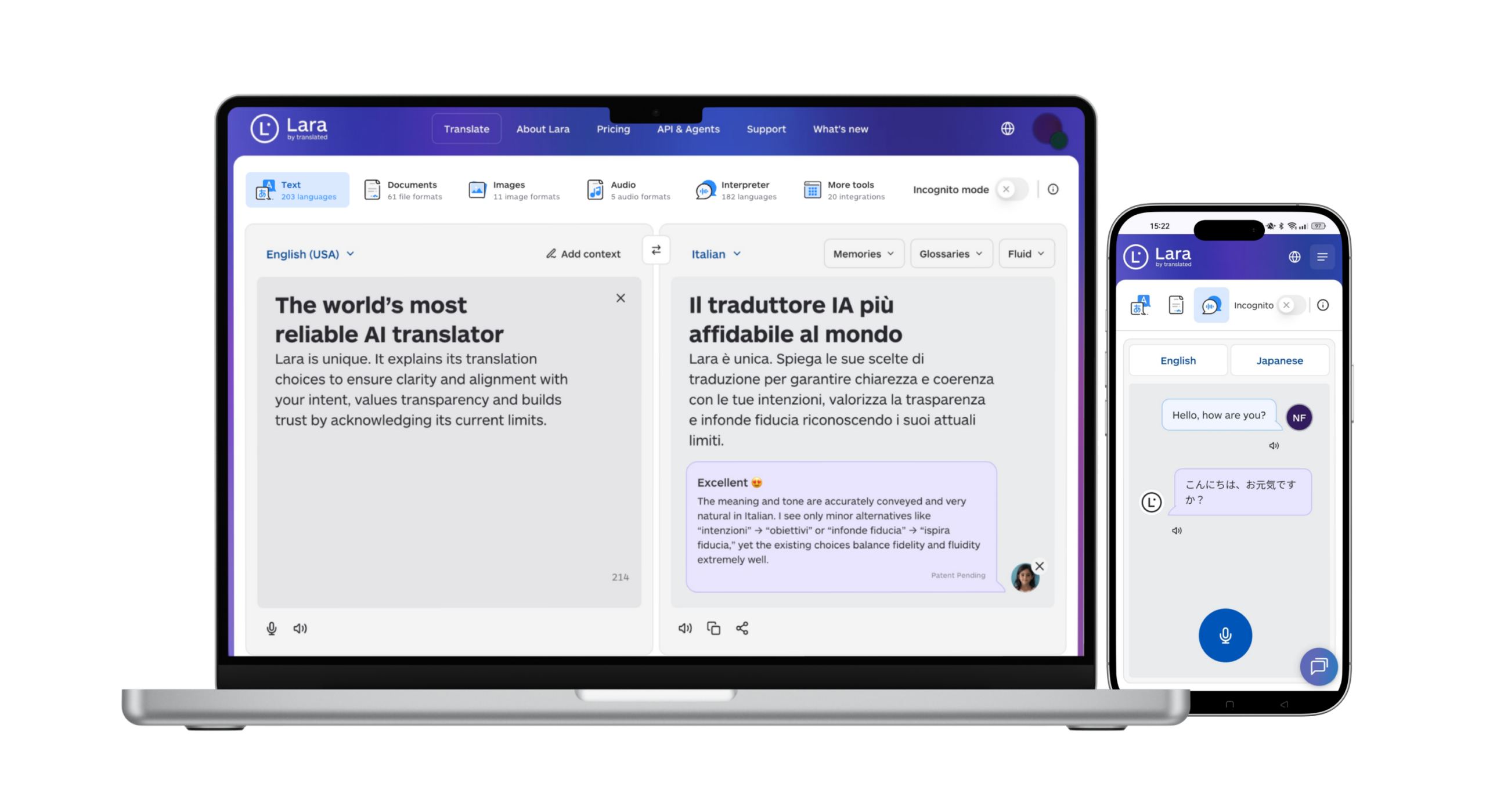
Lara Translate supports 200+ languages and 60+ file formats. Review dates, time zones, names, links, and layout before publishing. This workflow connects the tools through text or file transfer without assuming a native integration or live interpretation service.
Keep the event message consistent from invitation to follow-up
Use Lara Translate to prepare multilingual emails and session documents, then review them together before sharing with attendees.
Conclusion
The right event management or webinar platform depends on your event format, how much implementation support you need, and whether networking depth or logistics complexity matters more for your program. Whichever platform you choose, a well-run event still depends on registration pages and communication every attendee can genuinely understand.
Have a valuable tool, resource, or insight that could enhance one of our articles?
Send us an email at press@laratranslate.com
We’ll be happy to review it and consider it for inclusion to enrich our content for our readers! ✍️
Frequently asked questions
What is the best event management platform in 2026?
It depends on your priorities. A platform that connects registration, onsite engagement, and revenue data across a full portfolio suits large enterprise programs, while a platform focused on venue sourcing and logistics suits operations with complex physical events, and one focused on networking and mobile engagement suits association-style conferences.
What’s the difference between a self-serve event platform and one with implementation support?
Self-service software leaves more configuration and delivery work with your team. Implementation support adds help with tasks such as setup, integrations, training, or production. Compare the exact responsibilities and fees rather than assuming that either model includes every service.
How much do event management platforms cost in 2026?
Pricing varies significantly by platform and scale. Some platforms publish a starting per-user monthly rate, others price per attendee credit, and many enterprise-focused platforms are custom-quoted based on event scale and features needed.
What’s the difference between a full event management platform and a simple ticketing tool?
Ticketing tools focus on registration, ticket sales, and admission. Broader event management platforms may also cover agendas, speakers, networking, onsite operations, and portfolio analytics. The capabilities overlap, so compare your required workflow rather than relying on the category label.
Do webinar platforms translate content automatically?
Some platforms offer automatic captions, translated captions, localized interface text, or translation services. Coverage varies between live sessions, replays, pages, and emails. Test each required language and content type, and plan review for anything generated automatically.
Why does language matter for event management platforms beyond the event itself?
Attendees need to understand the event before and after the session, including registration instructions, access links, schedules, and follow-up resources. Prepare those touchpoints in the relevant languages and review names, dates, time zones, and links together.
This article is about
- How event format determines registration, session delivery, and onsite requirements
- How to compare self-service setup with implementation and production support
- Why networking features and venue logistics need separate evaluation
- How live captions, replay translation, and written-content localization differ
- How user licenses, attendee credits, ticket fees, and add-ons affect event costs
- How to prepare multilingual registration pages, emails, slides, and follow-up materials
Useful links
- Best Corporate Event and MICE Procurement Platforms in 2026
- Add-to-Calendar and Calendar Marketing Tools in 2026: 9 Options Compared
- Lara Translate: document translation
- Lara Translate: supported formats
This article was produced by the Lara Translate content team. Lara Translate is an AI translation platform built by Translated, with more than 25 years of professional translation experience. Event teams use Lara Translate to translate registration copy, emails, and session materials, across 200+ languages and 60+ file formats.