

An attendee’s experience begins with an invitation and continues through registration, joining instructions, the session itself, and the follow-up email. For an event team, every handover is a practical test: can people find the right information, participate easily, and receive useful material afterward?
Event platforms bring different parts of that journey together. This guide compares event management and webinar tools through the work organizers need to complete, from public ticketing and recurring webinars to conference networking and larger event programs. It also looks at where built-in language features help and where translated supporting content still needs a separate workflow.
|
TL;DR
|
Start with the journey your attendees will take
Registration and access. Write down what someone needs to do between opening an invitation and entering a session. Test forms, ticket choices, confirmation messages, and the mobile experience.
Participation and connection. Decide whether the event needs questions, polls, attendee messaging, exhibitor interaction, or a searchable agenda. Use those requirements to guide the demo.
Follow-up and reporting. Identify which attendance and engagement information should reach your CRM, and who will send recordings, slides, and follow-up messages.
Language and content ownership. Separate interface localization, translated captions, replay support, and translation of custom documents. Ask which features are included in the proposed package and which require add-ons.
Event platforms compared by workflow
| Platform | Workflow to evaluate | What to explore |
|---|---|---|
| Eventbrite | Public registration and ticketing | Event pages, ticket types, attendee management, and mobile check-in |
| Swoogo | Registration and event websites | Registration, websites, communications, and event reporting |
| WebinarGeek | Recurring webinar programs | Live, automated, and on-demand webinars with engagement tools |
| Livestorm | Browser-based webinar delivery | Webinar registration, session interaction, and follow-up |
| ON24 | Webinars and reusable campaign content | Webinar delivery, digital engagement, and content translation |
| Whova | Attendee networking and event apps | Agendas, attendee interaction, polls, and sponsor engagement |
| EventMobi | Branded event experiences | Event apps and tools for in-person, virtual, and hybrid events |
| vFairs | Exhibitions and virtual event environments | Tools for conferences, trade shows, and virtual or hybrid experiences |
| Webex Events | Programs spanning event formats | Event management for in-person, virtual, and hybrid audiences |
| InEvent | Registration and onsite delivery | Branded registration, badge printing, and onsite event technology |
| Cvent | Venue planning and broader event operations | Venue sourcing, event execution, and reporting |
| Bizzabo | Connected conference programs | Registration, agendas, event apps, networking, and follow-up |
The order follows event workflows and is not a performance ranking. The suggested fit is an editorial starting point for your evaluation.
Eventbrite
Consider for: Public registration and ticketing.
Eventbrite provides event registration, ticketing, promotion, and attendee management tools. Organizers can create event pages, collect registration information, and use the Organizer app for check-in.
Test before choosing: Test the checkout experience, ticket settings, and attendee messages for the market where you sell tickets.
Swoogo
Consider for: Registration and event websites.
Swoogo brings registration, event websites, attendee communications, integrations, and reporting into an event management platform. Its product also includes mobile apps and onsite check-in.
Test before choosing: Build a sample registration flow with your actual attendee categories and confirm how the data reaches your existing tools.
WebinarGeek
Consider for: Recurring webinar programs.
WebinarGeek supports live, automated, on-demand, and hybrid webinars. Registration pages, questions, polls, chat, analytics, and integrations support the work around a session. Its localization documentation also describes caption translation and translation of custom text on public pages.
Test before choosing: Check localization eligibility and add-ons against the plan you intend to buy, then test the registration and replay experience in the languages you need.
Livestorm
Consider for: Browser-based webinar delivery.
Livestorm provides browser-based webinars with registration pages, engagement tools, email workflows, and integrations. Its language settings cover registration-page elements, automated emails, and the event room, so its localization scope extends beyond live captions.
Test before choosing: Distinguish translated interface text from custom copy your team must supply. Test reminders, joining instructions, and the recording workflow.
ON24
Consider for: Webinars and reusable campaign content.
ON24 combines webinars with digital engagement and content workflows. ON24 Translate supports multilingual live and on-demand experiences and translation of content generated within the platform.
Test before choosing: Ask which translation capabilities, content types, and event formats are covered by your proposed agreement. Review the output with your own terminology.
Whova
Consider for: Attendee networking and event apps.
Whova offers an event app with agendas, attendee information, messaging, polls, and networking tools. Its platform also includes registration and sponsor or exhibitor features.
Test before choosing: Demonstrate how an attendee finds a session, connects with another participant, and receives an update when the agenda changes.
Prepare the content around your event
Use Lara Translate to translate invitations, session descriptions, and attendee guides before your team loads them into its event tools.
EventMobi
Consider for: Branded event experiences.
EventMobi offers event management and engagement tools for in-person, virtual, and hybrid programs. Its products include event apps, registration, check-in, and virtual event experiences.
Test before choosing: Use your agenda and branding in the demo, and establish who will configure the app and maintain event information.
vFairs
Consider for: Exhibitions and virtual event environments.
vFairs supports in-person, virtual, and hybrid events, including conferences, trade shows, career fairs, and training. Its offering spans event registration, attendee engagement, and virtual event experiences.
Test before choosing: Map the exhibitor and attendee journeys separately. Ask the vendor to show how visitors discover booths, connect with exhibitors, and move between sessions.
Webex Events
Consider for: Programs spanning event formats.
Webex Events presents an event management platform for in-person, virtual, and hybrid formats. Its official event page covers registration, event apps, streaming, and attendee engagement.
Test before choosing: Confirm the exact product and package in the proposal. Test how onsite and remote participants access the agenda and sessions.
InEvent
Consider for: Registration and onsite delivery.
InEvent combines registration tools with event delivery features for in-person, hybrid, and virtual programs. Its official offering includes customized forms, approval workflows, badge printing, hardware, and onsite support.
Test before choosing: Confirm which software, equipment, and support services are included, and assign responsibility for setup and event-day operations.
Cvent
Consider for: Venue planning and broader event operations.
Cvent supports event programs across in-person, virtual, and hybrid formats. Its platform connects venue planning, event execution, and measurement for organizers managing a broad operational workload.
Test before choosing: Use a representative event brief to check the venue search, planning process, attendee workflow, and reporting requirements together.

Bizzabo
Consider for: Connected conference programs.
Bizzabo brings registration, website and agenda editing, mobile event apps, networking, and marketing communications into its Event Experience OS. Its product suite also includes sponsor, exhibitor, and speaker management.
Test before choosing: Check how registration, onsite engagement, and follow-up data connect across your event program, and which integrations your team will maintain.
Build a shortlist around your team’s workload
Run a complete rehearsal. Register as an attendee, open the confirmation on a phone, join a session, submit a question, and check what happens afterward. Repeat the exercise in each priority language.
Compare the full proposal. Ask vendors to itemize software, attendee allowances, integrations, localization, equipment, training, and support. Check what changes when your event volume grows.
Name the person responsible for each handover. Assign ownership for registration data, agenda updates, speaker materials, translations, and follow-up. A clear workflow gives the team a way to spot missing steps.
Check the language experience beyond the live session. Review the invitation, forms, confirmation, agenda, slides, and replay materials separately. Built-in localization may cover some of these surfaces, while custom content can require your own translated copy.
Where translated event materials fit
Several platforms in this comparison include localization or translation features. ON24 documents live and on-demand translation, Livestorm provides localized event elements and automated emails, and WebinarGeek documents localization for captions and public-page content. Coverage depends on the product, settings, and package, so ask for a demonstration of the specific content your attendees will see.
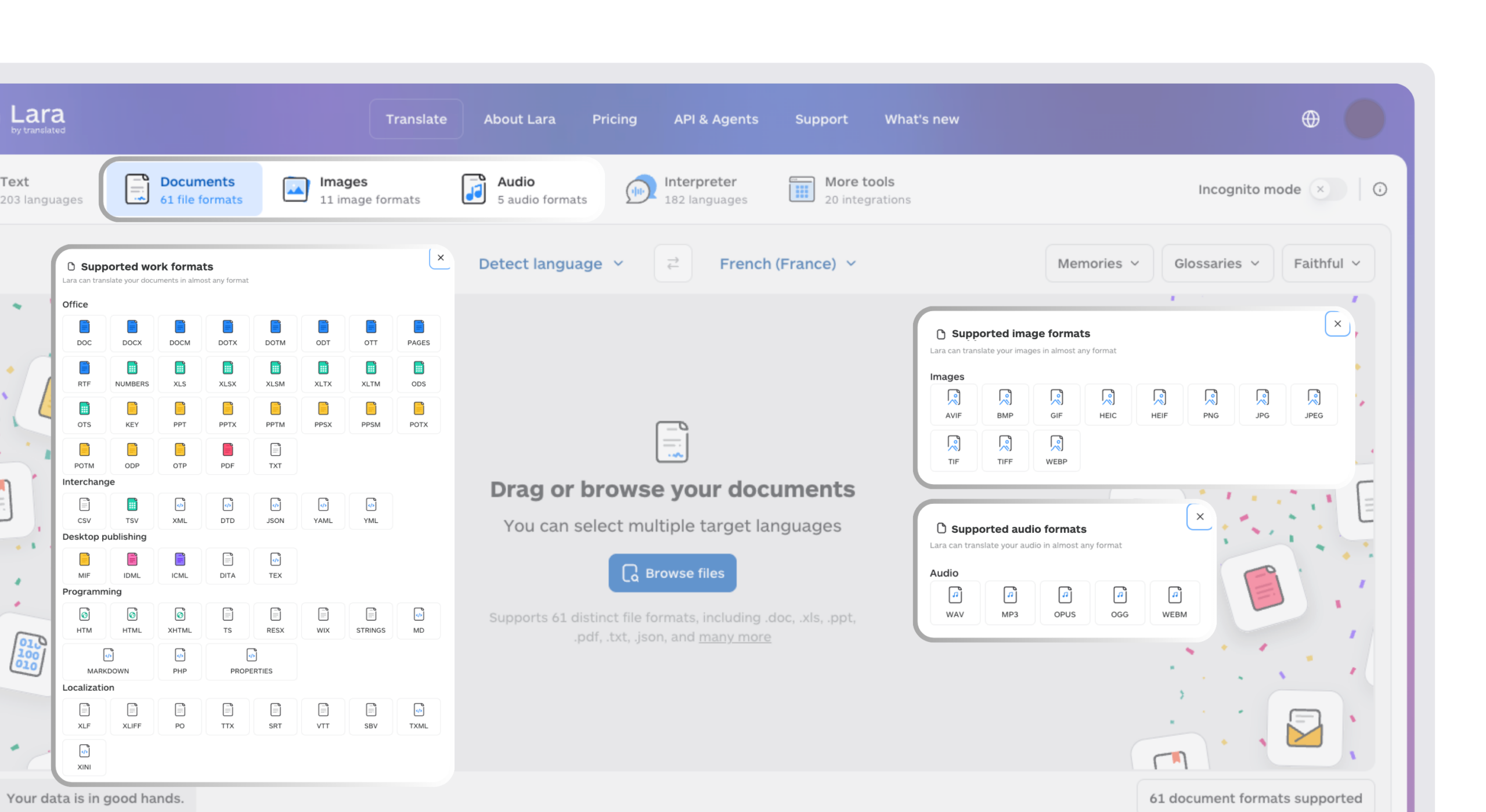
Lara Translate can support the separate content workflow for invitations, speaker presentations, attendee guides, and follow-up documents. Translate the source materials, review terminology and event details, then publish the approved versions through your chosen platform. Keep a record of the source version so later agenda changes reach every language.
Keep event updates consistent across languages
When a session title, joining instruction, or speaker guide changes, translate the updated source and review each version before publishing. Lara Translate helps your team prepare that multilingual content.
Choose the workflow your team can run well
The most useful demo ends with a working attendee journey and a clear division of responsibilities. Choose a platform your team can configure, maintain, and connect to its existing tools. Then give registration, session delivery, and follow-up the same attention, including the language versions your audience will actually use.
Have a valuable tool, resource, or insight that could enhance one of our articles?
Send us an email at press@laratranslate.com
We’ll be happy to review it and consider it for inclusion to enrich our content for our readers! ✍️
Frequently asked questions
How do I choose an event platform?
Start with your event format and test the full attendee journey. Compare registration, participation, integrations, reporting, and the work your team must handle manually.
What is the difference between event management software and webinar software?
Event management software generally covers broader planning and attendee operations, while webinar software centers on online session delivery. Product boundaries overlap, so evaluate the actual features in the proposed package.
What should I ask during an event platform demo?
Ask the vendor to run your registration flow, joining process, attendee interaction, and follow-up workflow. Include a mobile participant and the languages your audience needs.
Can event platforms translate attendee content?
Some provide translation or localization features. ON24, Livestorm, and WebinarGeek document different language capabilities, so check custom text, interface labels, captions, and replay content separately.
How should I compare event software costs?
Compare itemized proposals for the same event brief. Include attendee capacity, integrations, language features, equipment, implementation, and support in the comparison.
How can I keep multilingual event materials consistent?
Maintain an approved source version and update each language whenever event details change. Lara Translate can help translate the supporting content; review names, dates, session terminology, and joining instructions before publication.
This article is about
- Evaluating event platforms through registration, participation, and follow-up.
- Matching webinar, ticketing, networking, and conference workflows to the event brief.
- Testing integrations and internal responsibilities during a practical rehearsal.
- Separating built-in localization from translation of custom event materials.
- Comparing complete vendor proposals against the same operational requirements.
Useful links
- Best Event Management and Webinar Platforms in 2026
- Lara Translate document and text translation
- Translated company history
This article was produced by the Lara Translate content team. Lara Translate is an AI translation platform built by Translated, with more than 25 years of professional translation experience. Event teams use Lara Translate to translate invitations, attendee guides, presentations, and follow-up materials, across 200+ languages and 60+ file formats.