

Digital courseware platforms for higher education combine digital reading with tools such as practice activities, assessments, collaborative annotation, and virtual labs. The right choice depends on what students need to learn, what they can afford, and how the platform fits your teaching workflow.
This guide compares courseware by discipline, pricing, interactivity, LMS integration, and accessibility, including support for students learning in another language.
|
TL;DR
|
What makes a courseware platform worth adopting?
Discipline fit matters more than overall platform reputation. Compare activities against your syllabus: programming practice, lab simulations, and social reading serve different needs, while a business-focused platform like MyEducator will fit an accounting or marketing course better.
Cost model: Calculate the total student charge, including platform access, required content, subscription duration, and optional formats. Free textbook access does not necessarily include every assessment or teaching service.
Interactivity and engagement: Choose activities that support your learning objectives. Pilot the assignments and assess whether the feedback helps students act on mistakes.
LMS integration: Test sign-in, assignment links, enrollment, and grade transfer in your own learning management system before adoption.
Accessibility and language access: Check assistive-technology compatibility, captions, keyboard navigation, and translated content separately. An accessible interface does not establish that all course materials are available in a student’s preferred language.
Digital courseware platforms compared
| Platform | Best for | Discipline focus | Pricing |
|---|---|---|---|
| Top Hat | Engagement-focused general courseware | Cross-disciplinary | $35/4 months; $58/year; $96/4 years, platform access |
| Perusall | Social annotation and collaborative reading | Cross-disciplinary | $5 to $25 platform fee, book purchase, or institutional license |
| zyBooks | Interactive, “less text, more action” STEM textbooks | STEM (programming, math, engineering) | Varies by adopted title and subscription |
| Labster | Virtual lab simulations | Science lab courses | Custom, contact sales |
| Lumen Learning | Affordable, OER-based gen-ed courseware | General education | $35/student/term, standard implementation |
| MyEducator | Customizable business and professional courseware | Business, finance, accounting, analytics | Custom, contact sales |
| OpenStax | Free, peer-reviewed open textbooks | Broad, cross-disciplinary | Free |
| Cengage (MindTap) | Comprehensive, established publisher platform | Broad, cross-disciplinary | Varies by title and access option |
| McGraw Hill Connect | Adaptive learning with SmartBook 2.0 | Broad, cross-disciplinary | Varies by title and access option |
| FlatWorld | Budget-friendly, AI study help included | Cross-disciplinary | Basic usually $34.95 to $41.95/title; other packages available |
Prices are in US dollars and were checked on October 1, 2026. Title, access duration, package, and institutional arrangements can change the total.
Top Hat
Best for: Instructors who want strong classroom engagement tools built into a customizable courseware platform
Top Hat brings interactive response tools, customizable textbooks, assessments, and engagement insights into one courseware platform. Instructors can adapt content and use polls or questions during class, with LMS integration supporting the teaching workflow.
Pricing: $35 for four months, $58 for one year, or $96 for four years of platform access. Assigned interactive textbooks have a combined platform-and-textbook price; institutional arrangements vary.
Verdict: a strong choice for instructors who prioritize real-time classroom engagement and want the flexibility to customize content.

Perusall
Best for: Instructors who want students to arrive at class having actually engaged with the reading
Perusall centers on social annotation: students discuss readings and other course materials alongside the content. Instructors can use the discussion to identify questions before class and organize collaborative preparation.
Pricing: $5 to $25 per student under the Course Choice platform-fee model, or access through an assigned catalog book or institutional license. Confirm the model for your course.
Verdict: A useful fit for reading-heavy courses that build class discussion around student annotations.
zyBooks
Best for: STEM courses that need interactive practice alongside concise explanations
zyBooks combines concise explanations with interactive activities for programming, computer science, engineering, mathematics, and related STEM subjects. Instructors can evaluate the content and choose activities aligned with their syllabus.
Pricing: Varies by the adopted zyBook and subscription; confirm the student price for your course.
Verdict: A focused option for instructors whose STEM syllabus aligns with its interactive content.
Labster
Best for: Science courses that need lab experience without full physical lab access
Labster offers virtual science labs with curriculum mapping, quizzes, automated grading, and LMS connections. Simulations can support preparation and practice alongside physical lab teaching; check which practical skills still require in-person work.
Pricing: Contact sales for the course or institutional purchase option.
Verdict: A practical option for supplementing science teaching with repeatable virtual lab activities.
Lumen Learning
Best for: Institutions wanting affordable, predictable courseware pricing across general education courses
Lumen Learning builds courseware around open educational resources, adding practice, feedback, and teaching support. Check its general-education catalog against your syllabus and confirm which courseware product and payment arrangement your institution will use.
Pricing: $35 per student per term for standard implementation on its published payment-options page. Institutional arrangements and bookstore charges can differ.
Verdict: a strong choice for institutions that want transparent, predictable per-student costs, provided the target course is among Lumen’s offerings.
MyEducator
Best for: Business, finance, and analytics courses needing customizable, author-driven courseware with built-in AI support
MyEducator provides interactive digital courseware across business disciplines, accounting, finance, marketing, entrepreneurship, data analytics, and more, built by expert authors and customizable to an instructor’s own course structure. Its built-in AI teaching assistant can be trained on an instructor’s own syllabus and policies, answering routine student questions and reducing instructor workload. MyEducator’s AI teaching assistant also provides translation into a variety of languages, including Spanish, German, French, Italian, Portuguese, Japanese, and Tagalog. LTI integration syncs assignments, exams, and grades directly with existing LMS platforms.
Discipline focus: Business, finance, accounting, entrepreneurship, data analytics, HR
Notable feature: AI teaching assistant trainable on instructor-specific materials; includes multilingual translation capability
Integration: LTI-based LMS sync for assignments, exams, and grades
Pricing: Custom, contact sales
Verdict: a strong choice for business and professional-discipline instructors who want customizable, author-driven content with built-in AI support.
Make supporting course materials easier to understand
Translate instructor-created guides and subject glossaries, then review them before sharing with multilingual students.
OpenStax
Best for: Institutions prioritizing zero-cost access above all else
OpenStax is a nonprofit initiative at Rice University offering peer-reviewed, openly licensed textbooks free in web and PDF formats. Some titles are available in Spanish, with Polish adaptations available through OpenStax Polska. Check language availability for the specific book and edition you plan to adopt.
Pricing: Free web and PDF textbooks; print editions and additional services can carry separate charges.
Verdict: A strong starting point for courses prioritizing free textbook access, with interactive activities and assessment workflows evaluated separately.
Cengage (MindTap)
Best for: Institutions wanting a comprehensive, established publisher platform with deep content libraries
Cengage offers MindTap as a guided digital learning platform with course content, quizzes, homework, customizable activities, and progress insights. Instructors can organize a learning path and connect the course to their LMS.
Pricing: Varies by title, access duration, and purchasing arrangement; check the specific course product.
Verdict: A useful choice when the adopted textbook and its supporting activities closely match the course syllabus.
McGraw Hill Connect
Best for: Instructors who want adaptive learning technology backed by a major publisher’s content library
McGraw Hill Connect combines digital course resources, assignments, and learning tools, including SmartBook adaptive study. Evaluate the chosen title’s activities and accessibility documentation alongside the LMS workflow students will use.
Pricing: Varies by title, access option, and institutional arrangement; check the assigned product.
Verdict: A suitable option for instructors who want publisher content and adaptive study within one course workflow.

FlatWorld
Best for: Budget-conscious departments that still want AI study support included
FlatWorld sells digital textbooks with homework, quizzes, and its SmartHelper AI study tool included. The Standard package adds a downloadable PDF, audiobooks in 32+ languages, and chapter podcasts where available. Check the package and title before treating audio features as included.
Pricing: Basic online access is usually $34.95 to $41.95 per title, with some titles from $24.95 and some at $49.95. Standard is usually $54.95 to $61.95. Students pay per title; print packages cost more.
Verdict: A useful option for departments comparing published textbook prices and bundled study support, especially when the selected package includes the audio formats students need.
How to choose the right courseware platform
Match the platform to your discipline first. Test representative activities against course objectives. Business disciplines are better served by platforms like MyEducator. Confirm that your chosen title and exercises cover the topics you actually teach.
Model the full student cost: Include the book, platform, access period, optional formats, and any bookstore charges. Compare the cost across all required courses, not only one purchase.
Test the teaching workflow: Run a sample reading, activity, assessment, and grade transfer. Include students in the pilot to check clarity and usability.
Check accessibility and language support: Request current accessibility documentation and test the required devices and assistive technologies. Ask which languages are supported for content, audio, instructions, and feedback.
Connecting courseware with a multilingual content workflow
Lara Translate can support translation of instructor-created syllabi, study guides, terminology lists, and other materials you have permission to translate. A practical workflow is to export the document, translate it using a subject glossary, review terminology and assessment instructions, and upload the approved version to the LMS.
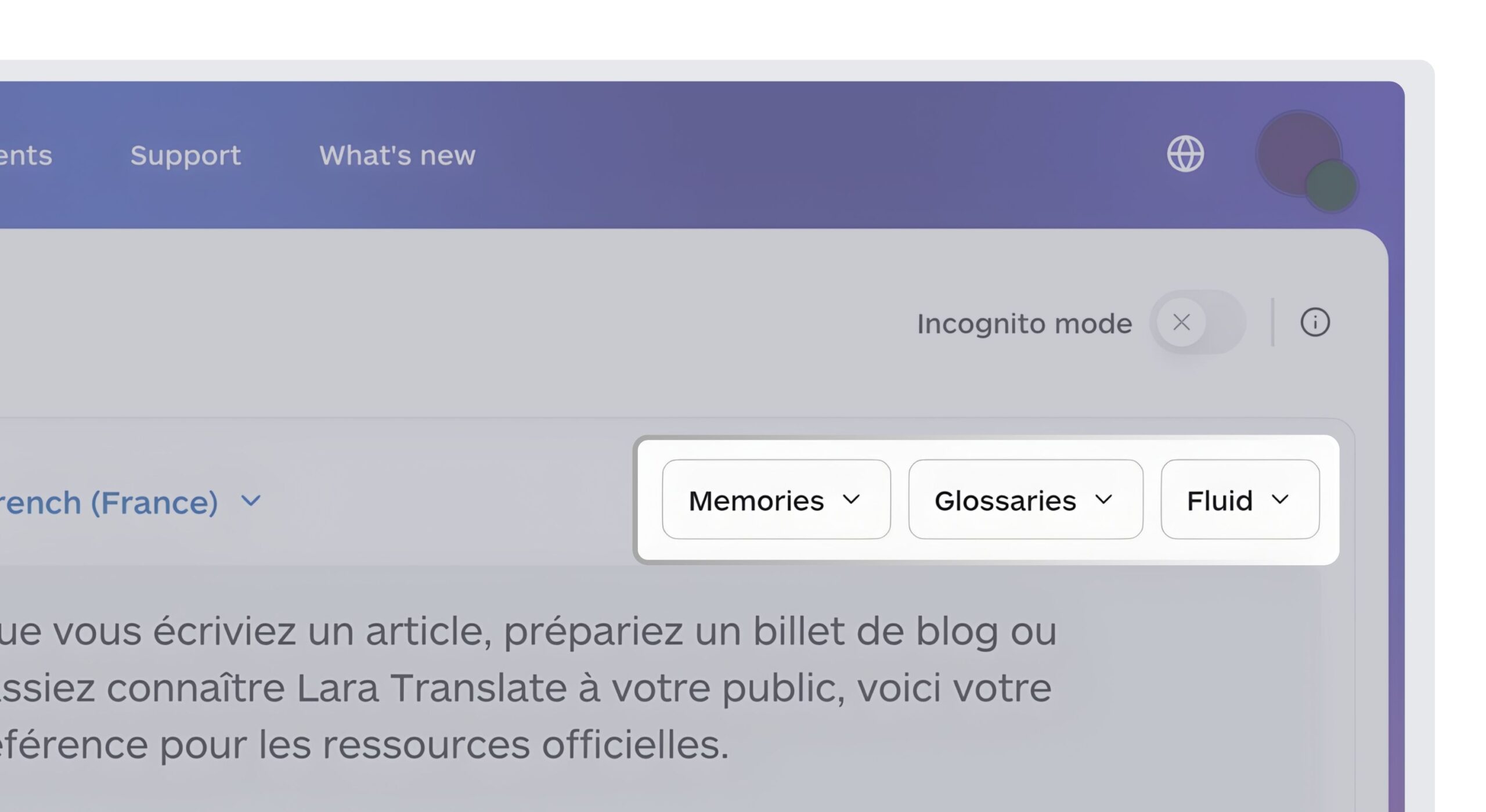
For recurring updates, a technical team can connect its content workflow to the Lara Translate document translation API. The API supports document translation and glossary selection. This is a proposed custom workflow, rather than a claim that every courseware platform listed here has a native integration. Keep translated files tied to the original version so later course changes remain aligned.
Build language access into course preparation
Use Lara Translate to prepare multilingual versions of supporting materials, with consistent subject terminology and an instructor review before publication.
Conclusion
Start with the syllabus and the student experience. A focused pilot will show whether the content, activities, price, and LMS workflow fit your course. Treat accessibility and language support as adoption requirements, then plan how supporting materials will be maintained throughout the term.
Have a valuable tool, resource, or insight that could enhance one of our articles?
Send us an email at press@laratranslate.com
We’ll be happy to review it and consider it for inclusion to enrich our content for our readers! ✍️
FAQ
How do I choose digital courseware for a university course?
Start with the learning objectives and required activities. Shortlist suitable content, compare the total student cost, and pilot the platform in your LMS. Include accessibility and language-support checks before committing.
Can free digital textbooks replace paid courseware?
Yes, when the textbook covers the syllabus and the course can provide its own activities and assessments. Free content and a complete interactive teaching platform are different purchasing decisions; assess both against your needs.
How much does digital courseware cost?
Costs range from free textbook access to paid title purchases, platform fees, and institutional licenses. Compare access duration, required content, homework tools, audio packages, and bookstore charges rather than relying on one headline price.
What is the difference between OER and publisher courseware?
Open educational resources carry licenses that permit specified forms of reuse and adaptation. Courseware may add paid tools and support around those resources. Proprietary publisher content has its own access and reuse terms; check the license for each material.
What LMS integrations should I test before adopting courseware?
Test single sign-on, assignment links, roster handling, grade transfer, and access after course-copying. Confirm compatibility with your institution’s LMS version and configuration using a real student account.
How can courseware support multilingual students?
Provide clear instructions, subject glossaries, and language support for the materials students must use. Check which titles and features are actually translated. Review any newly translated material for terminology, meaning, and alignment with the original course.
This article is about
- Matching digital courseware to discipline and learning objectives.
- Comparing full student costs across content, platform access, and optional packages.
- Choosing interactive practice, collaborative reading, and simulation tools for the course format.
- Testing LMS integration and accessibility before adoption.
- Planning multilingual course materials with terminology review and version control.
Useful links
- My boss asked me to integrate AI in our company’s workflows to reduce costs. Where do I start?
- Best Custom eLearning Content Development Companies in 2026
- Lara Translate document API
This article was produced by the Lara Translate content team. Lara Translate is an AI translation platform built by Translated, with more than 25 years of professional translation experience. Lara Translate can help educators translate glossaries, study guides, and supporting course documents, across 200+ languages and 60+ file formats.