

Machine Translation Post-Editing (MTPE) is the process of reviewing and improving machine-translated content. MTPE ensures the translation is accurate, natural, and suitable for its intended audience. While machine translation can produce a usable first draft, it may miss context, use incorrect terminology, or change the original meaning.
For example, a product description might translate “water-resistant” as “waterproof.” Both terms sound natural, but they make very different promises to customers. This is where human post-editing becomes important.
Depending on the content and its purpose, editors may make only essential corrections or refine the translation more thoroughly. This guide explains how MTPE works, the difference between light and full post-editing, and how to choose the right approach.
|
TL;DR
|
What is Machine Translation Post-Editing (MTPE)
Machine Translation Post-Editing, or MTPE, starts with a draft that a translation system creates. A human editor compares that draft with the source text and makes the required changes.
The editor needs to understand both the language and the subject. Reading the translation alone can reveal awkward wording. Comparing both texts reveals if the translation says the right thing.
You may also see the term written as machine translation post-editing or post-editing. Some providers describe the service as post-machine translation editing. These names refer to the same basic task.
Machine Translation Post-Editing differs from translating from scratch because the editor starts with existing output. It also goes beyond a final spelling check.
For example, “your subscription may renew” and “your subscription will renew” both read correctly. Only a comparison with the original reveals which one reflects the intended meaning.
What Does Post-Editing Look Like
Imagine a French retailer translating a return policy into English. The original says:
“Vous pouvez retourner les articles non utilisés dans les 30 jours suivant la livraison.”
The intended meaning is that customers can return unused items within 30 days of delivery. The following example illustrates possible editing choices. It does not show actual output from a translation tool.
| Stage | Example wording |
|---|---|
| Illustrative machine draft | You can return used articles in the 30 days following delivery. |
| Light post-edit | You can return unused items in the 30 days following delivery. |
| Full post-edit | You can return unused items within 30 days of delivery. |
The light edit fixes the reversed meaning (‘used’ to ‘unused’) and replaces the false friend ‘articles’ with ‘items’. The full edit also makes the sentence sound natural (‘within 30 days of delivery’).
This shows the main purpose of Machine Translation Post-Editing: preserve the message first, then refine the wording to the agreed standard.
The human contribution depends on what the draft gets wrong and what the reader needs.
Light vs. Full Post-Editing: Which Do You Need
Choose light editing when readers need an accurate basic understanding of low-risk content. Choose full editing when the translation needs to meet publication requirements. First consider what a mistake could cause before deciding how much review to apply.
Light Post-Editing for Basic Understanding
Light post-editing corrects errors that affect meaning or make the text difficult to understand. The editor can leave slightly awkward wording if it remains clear and meets the brief.
Take an internal update about office furniture. Your team needs to understand which desks will arrive and when. Here, polished brand language adds little value.
The reviewer should still correct a wrong delivery date. “Light” describes the editing scope, not permission to leave important errors.
Full Post-Editing for Publication
Full post-editing checks accuracy and completeness. It also addresses grammar and the style that the audience expects.
A customer-facing product page needs clear claims and consistent terminology. Its instructions should sound natural and match the product’s actual features.
ISO 18587:2017 sets requirements for full human post-editing and post-editors’ skills. Its scope specifically covers full post-editing of machine translation output. The standard is currently being revised.
| Question | Light post-editing | Full post-editing |
|---|---|---|
| Main goal | Accurate basic understanding | Text that meets publication requirements |
| Meaning errors | Correct them | Correct them |
| Style changes | Make them when clarity requires them | Adjust style to the agreed brief |
| Typical example | Low-risk internal update | Customer-facing product page |
| Final check | Does it communicate the information clearly? | Does it meet the full content brief? |
When planning Machine Translation Post-Editing, judge the content by its purpose and risk. An internal safety instruction can need more care than a public event announcement.
When Should You Use MTPE
MTPE works best when the machine draft gives a skilled reviewer a useful starting point. Repeated content and clear source writing can make that easier.
Consider MTPE translation for:
- Product descriptions that follow a consistent format
- Help articles with clear instructions
- Routine business documents
- Updates to content you have translated before
However, MTPE may not always be the most practical choice. If the machine-generated draft contains too many errors or requires extensive rewriting, editing it may take more time and effort than translating the content from scratch.
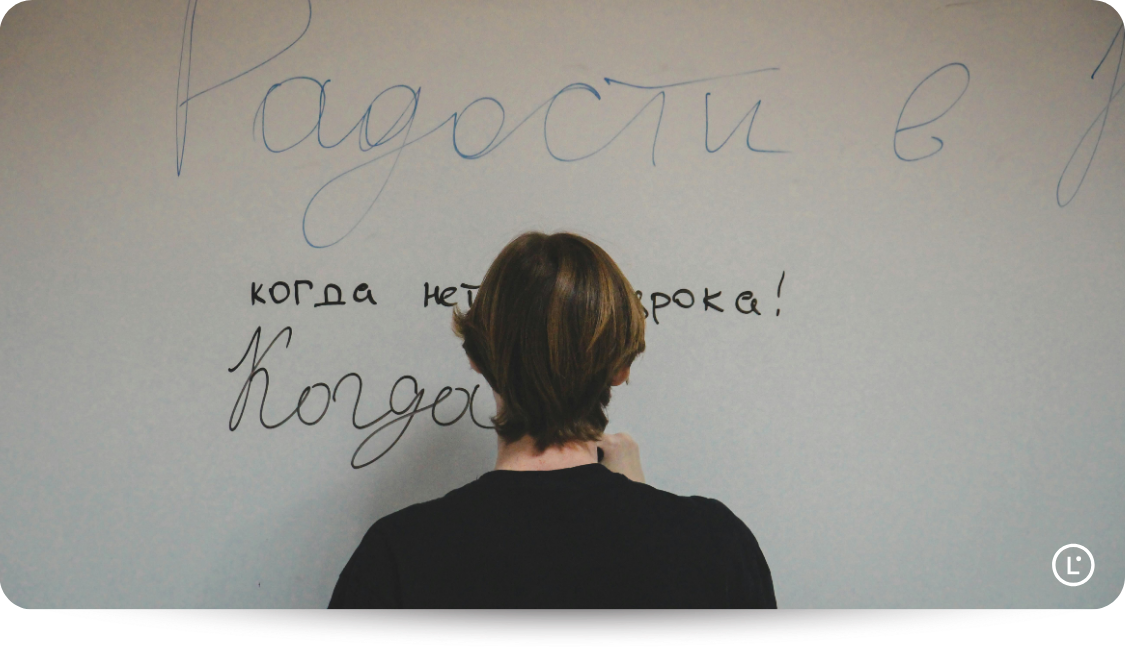
The same applies to creative content, such as marketing campaigns, slogans, or messages that rely on humor and cultural references. These often need more than accurate translation. A professional translator may need to adapt the message so it feels natural and relevant to the target audience.
Before choosing an MTPE translation service, check what the provider includes. Confirm whether they offer light or full post-editing, what quality standards they follow, and whether they include a final quality check. This will help you choose an approach that matches your content and quality requirements.
Need professional review for an important document?
Lara Translate’s AI + Human service pairs AI translation with review by a professional linguist from Translated.
How Does the MTPE Process Work
A useful post-editing process starts before anyone edits a sentence. Set the requirements first so the reviewer knows what to keep and what to change.
Step 1: Set the Audience and Quality Requirements
Tell the reviewer who will read the translation and what those readers need to do.
A short brief should cover:
- The target language and regional variant
- The content’s purpose
- The required editing level
- Approved terms and product names
- Tone and delivery requirements
For example, a setup guide for first-time users should use simple, familiar language so they can follow the instructions easily. In contrast, a technical specification may require specialized terminology to communicate precise information, even if those terms are unfamiliar to beginners.
Step 2: Prepare the Source and Generate the Translation
Fix unclear source wording before translation.
Suppose an instruction says, “Place it beside the unit before switching it on.” Identify what “it” means in each part of the sentence.
A clearer version might read: “Place the sensor beside the control unit. Then switch on the control unit.”
Also check that the source uses the same name for the same feature. Switching between “account panel” and “user dashboard” can create unnecessary terminology decisions later.
Once the source text is clear, you can use a translation tool like Lara Translate to generate the translation, applying relevant glossaries, translation memories, and a suitable translation style to guide the output.
Step 3: Compare the Translation With the Original
During Machine Translation Post-Editing, check each part of the draft against the source. Pay particular attention to details that change what readers understand or do.
Check:
- Missing or added information
- Names and product references
- Dates and quantities
- Units and prices
- Conditions and exceptions
- Words such as “must” and “may”
For example, “save up to 20%” makes a different claim from “save 20%.” Smooth wording cannot resolve that difference. The source determines the correct message.
Step 4: Edit to the Agreed Level
Fix meaning errors before polishing sentences.
For light editing, keep wording that communicates the information clearly. For full editing, also align the text with the tone and style requirements.
Avoid changing a correct phrase just because you prefer another. Each edit should solve a problem or meet a requirement.
If the source itself remains unclear, ask the content owner to explain it. Guessing can carry the ambiguity into another language.
Step 5: Check the Final Text and Layout
Read the edited translation as a complete piece. Then check how it appears in the final document or page.
Look for broken links and text that runs outside its space, and check that headings match the sections below them.
Once you’re done, save approved terminology for future projects. Where your workflow supports translation memories, retain approved translations for reuse.
For a deeper review process, see the AI translation quality assurance guide.
Common Post-Editing Mistakes to Avoid
Even when a machine-translated draft reads naturally, it may contain easy-to-miss errors. Some affect only wording, while others can change a sentence’s meaning or confuse readers. Here are some common MTPE mistakes and how to avoid them.
- Focusing on fluency instead of accuracy: A sentence can sound perfectly natural and still convey the wrong information. For example, translating “Customers may qualify for a refund” as “Customers qualify for a refund” removes an important condition. Always compare the translation with the source rather than judging it by how well it reads.
- Overlooking small details that change the meaning: Words such as not, only, unless, and within can completely change an instruction or policy. Numbers, measurements, dates, and product specifications also need careful attention. Check these details against the original, especially when an error could affect a customer’s decision.
- Using inconsistent terminology: If a software product calls a feature “Workspace,” translating it as “Project” in one section and “Workspace” in another can confuse users. Refer to the approved glossary or terminology guide and use the same terms consistently, particularly for product features, technical concepts, and interface labels.
- Making unnecessary changes to correct translations: Post-editing doesn’t mean rewriting every sentence. If the translation already communicates the intended meaning clearly and follows the style guidelines, changing it simply because another phrase sounds better can introduce errors and increase editing time. Focus on changes that improve accuracy, clarity, or compliance with the brief.
- Ignoring the target audience and context: A technically correct translation may still be difficult for its intended readers. For example, instructions written for first-time software users should match the terminology they see in the interface. Check whether the wording suits the reader’s knowledge, the content’s purpose, and the target language’s conventions.
- Skipping the final layout check: A translation may look correct in an editing document but create problems once published. Longer translated text can be cut off in buttons, headings may lose their formatting, and placeholders or links may break. Review the content in its final format to catch issues that aren’t visible in the text alone.
AI tools can help identify potential errors or suggest alternative wording during post-editing. However, a second AI-generated translation doesn’t prove the first one is incorrect. Still check any suggested changes against the source text, approved terminology, and project requirements before accepting them.
How Lara Translate Supports an AI + Human Workflow
Lara Translate supports post-editing of machine translation through draft preparation and an optional professional review service.
Prepare the Draft With Terminology and Context
Start by giving the translation system useful information.
In Lara Translate, glossaries let you define preferred translations for terms. You can apply them to text and document translation.
Lara Translate uses full-document context to produce translations that remain consistent with the surrounding content. It also adapts in real time to approved translations, terminology, and instructions, helping teams maintain consistency across their content. Lara’s underlying language AI is trained on high-quality professional translations and expert review, not scraped or generic text.
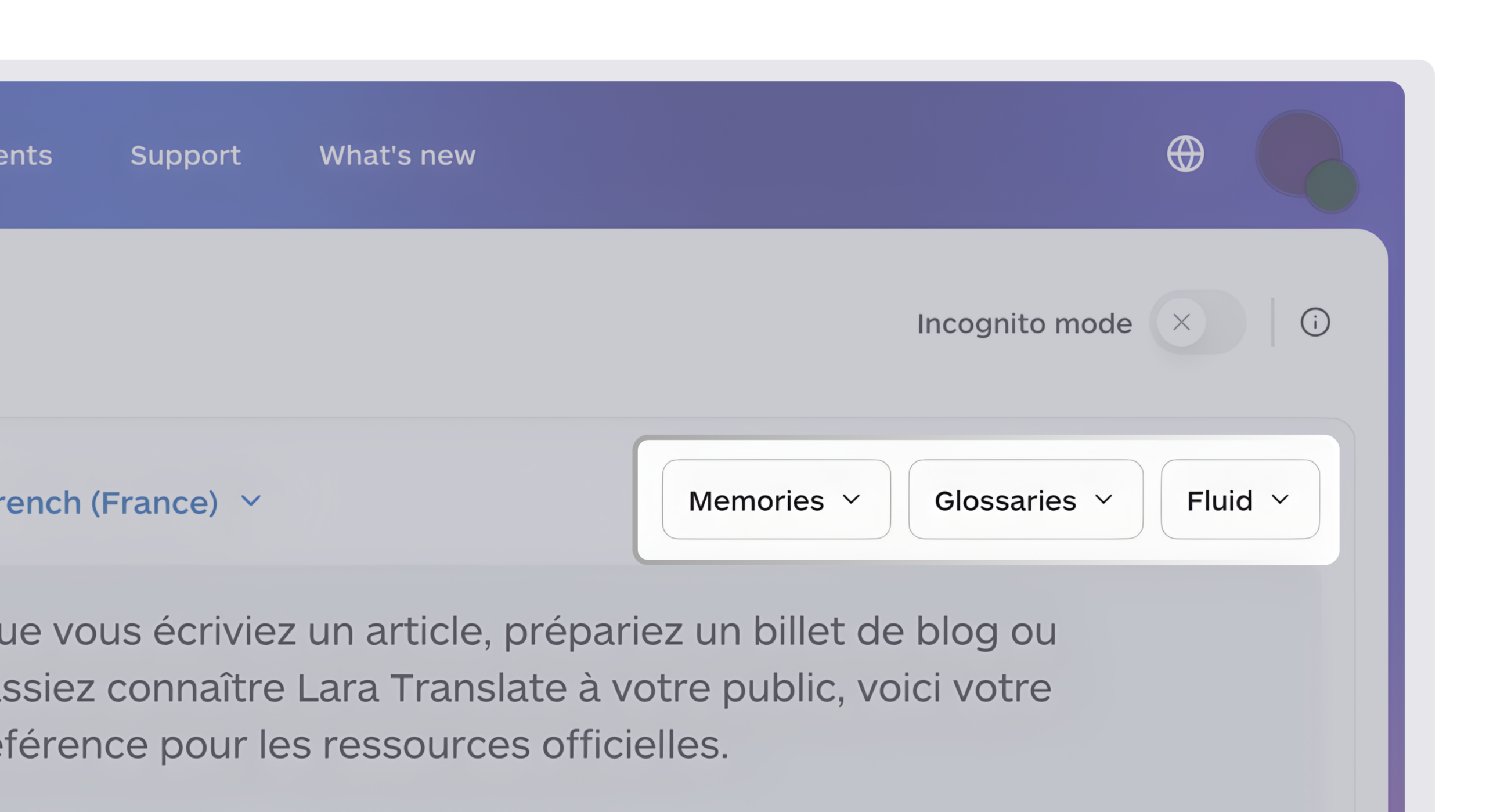
For example, a software company can specify its preferred translation for “workspace.” The reviewer then has a clear terminology choice to check.
Translation memories let you bring previous translations into the workflow. Lara Translate supports importing TMX files and selecting memories before translating text or documents.
You can also choose among Faithful, Fluid, and Creative translation styles for both text and document translation. Select the style that fits the content, then review the result against your requirements.
For text translation, Add Context lets you explain background or clarify an ambiguous term. This feature currently applies only to text translation.
Post-Edit Inside Your CAT Tool
Professional translators often work in computer-assisted translation (CAT) tools, where they review and confirm individual translation segments. Lara Translate integrates with the best CAT tools for translators, such as Trados Studio, memoQ, Matecat, Wordfast Anywhere, and Wordscope, allowing translators to use Lara as their machine translation engine within their existing workflows.
In Trados Studio and memoQ, confirming a segment updates your connected Lara Translate translation memory in real time. This allows approved post-edits to inform subsequent translation drafts, helping teams build on previous work rather than repeatedly correcting the same terminology and phrasing.
Add Professional Review When the Content Needs It
For sensitive or business-critical content that requires professional review, Lara Translate offers an AI + Human translation service. A professional linguist from Translated’s network of 600,000 linguists reviews the translation, with the reviewer matched to the project’s subject area.
The service can be useful for certified translations and official documents that require additional scrutiny. Pricing depends on the word count and complexity of the project. After you submit the request form with your requirements, the team provides a tailored proposal.
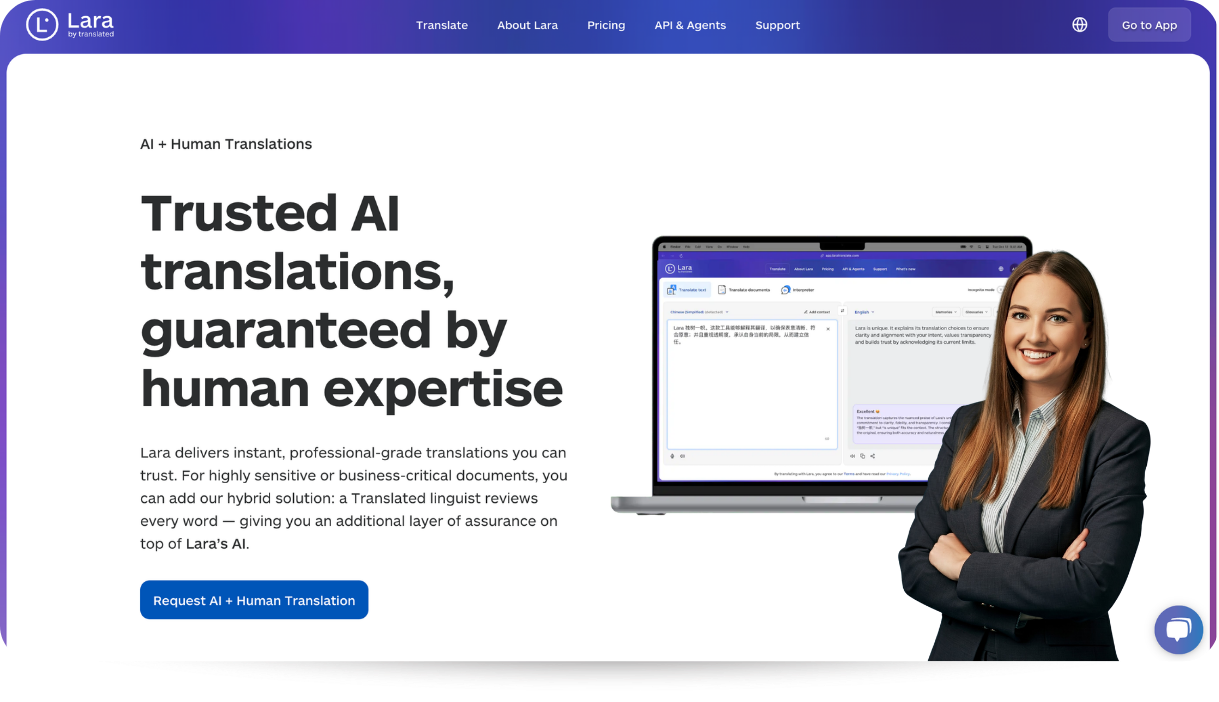
To request a proposal, share details such as the language pair, approximate word count, and content type. This helps the team understand your requirements and recommend an appropriate level of review.
Since human review is offered as a separate service, confirm the scope of work and pricing before proceeding, rather than assuming it’s included in your AI translation subscription.
Conclusion
Machine Translation Post-Editing works best when you define what the finished text needs to achieve. Give the reviewer a clear brief and a usable draft. Choose an editing level based on the reader’s needs and the consequences of an error.
A careful review can preserve AI speed while correcting the details that matter. Start with a sample and assess the actual work before expanding the process.
Start your next translation with Lara Translate
Whether you are translating product descriptions, help articles, or business documents, Lara Translate can help you prepare an AI-generated draft using your preferred terminology and context.
FAQs
What is post-editing in translation?
Post-editing means checking and correcting a machine-generated translation. A human editor compares it with the original and makes the changes needed for the intended use.
How does MTPE improve speed and quality?
The machine provides a first draft, reducing the amount of writing a translator needs to do. The human reviewer checks meaning and corrects errors. The benefit depends on the draft’s quality and the review requirements.
How does post-editing differ from proofreading?
Post-editing includes checking an AI draft against the source and correcting translation errors. Proofreading usually focuses on final surface errors such as spelling and punctuation. Clarify the scope with your provider because service descriptions can vary.
Can I post-edit a translation myself?
You can if you understand both languages well and know the subject. You need to recognize meaning errors and awkward wording. For content beyond your language skills or subject knowledge, use a qualified professional.
Is MTPE cheaper than translation from scratch?
Machine Translation Post-Editing can cost less when the draft needs only minor corrections. Extensive rewriting can reduce or remove that saving. Ask for a sample review and a quote that covers the required checks.
Is MTPE better than pure human translation?
The better approach depends on the content and the quality of the starting draft. MTPE suits clear, repetitive material. Translation from scratch may suit work that needs substantial creative adaptation or starts with poor machine output.
Have a valuable tool, resource, or insight that could enhance one of our articles?
Send us an email at press@laratranslate.com
We’ll be happy to review it and consider it for inclusion to enrich our content for our readers! ✍️
This Article is About
- What machine translation post-editing means
- Choosing light or full editing
- Reviewing an AI translation step by step
- Avoiding common editing mistakes
- Using Lara Translate’s AI + Human service
Sources
- Lara Translate: AI Translation
- Lara Translate: AI + Human Translation
- ISO: Translation Services: Post-Editing of Machine Translation Output (ISO 18587:2017)
- Lara Translate Blog: AI Translation Quality Assurance
- Lara Translate Support: How Glossaries Work in Lara
- Lara Translate Support: Using Translation Memories in Lara’s UI
- Lara Translate Support: Translation Styles
- Lara Translate Support: How to Use Context
- Lara, context-aware translation AI for enterprise
- Integrations | Lara