

Your company runs on one AI assistant now. People draft emails, summarize reports, and build agents inside Langdock without thinking twice. Then a supplier sends a contract in Portuguese, a support ticket arrives in Japanese, or a policy doc has to go out in twelve languages at once, and the same general-purpose assistant that writes your Slack updates starts guessing at the translation.
That guess is the problem. General AI models translate without knowing your industry, your terminology, or the difference between two meanings of the same word. Lara Translate now connects directly to Langdock through the Model Context Protocol (MCP), so your teams get specialized, context-aware translation inside the agents and workflows they already use. No new tool to open. No API keys to manage.
|
TL;DR
|
The use case: one AI assistant, dozens of languages
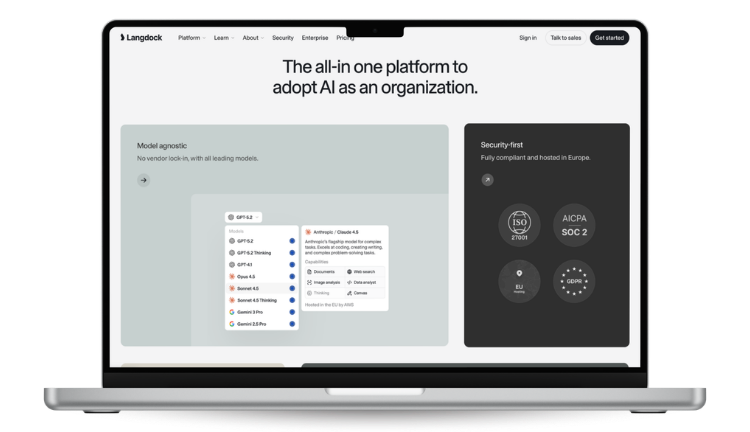
Langdock is an enterprise AI platform used by more than 10,000 companies, including Merck, BASF, Würth, and Trumpf. At Merck alone it reports more than 33,000 monthly active users. When AI adoption reaches that scale, translation stops being a specialist task handled by a localization team and becomes something thousands of employees do casually, several times a day.
That is exactly where general translation falls down. An operations manager translating a compliance memo has no way of knowing the assistant rendered the same legal term three different ways across three paragraphs. A support lead answering a German ticket does not catch that the tone landed wrong for a formal customer. Each case looks fine on its own. Multiply it across an entire workforce and the inconsistency becomes a real cost: reworked documents, mixed terminology in the same report, and messages that quietly undermine how the company sounds in each market.
Until now, an ops team using Langdock had two options, and neither was good. The first was to paste the text into the general model inside Langdock, which guesses at context, uses different terminology each time, and remembers nothing about past choices. The second was to leave Langdock, open a separate translation tool, and paste the result back, which breaks any automation and, for regulated industries, raises the question of where sensitive content was sent. The integration removes that trade-off.
What the integration does
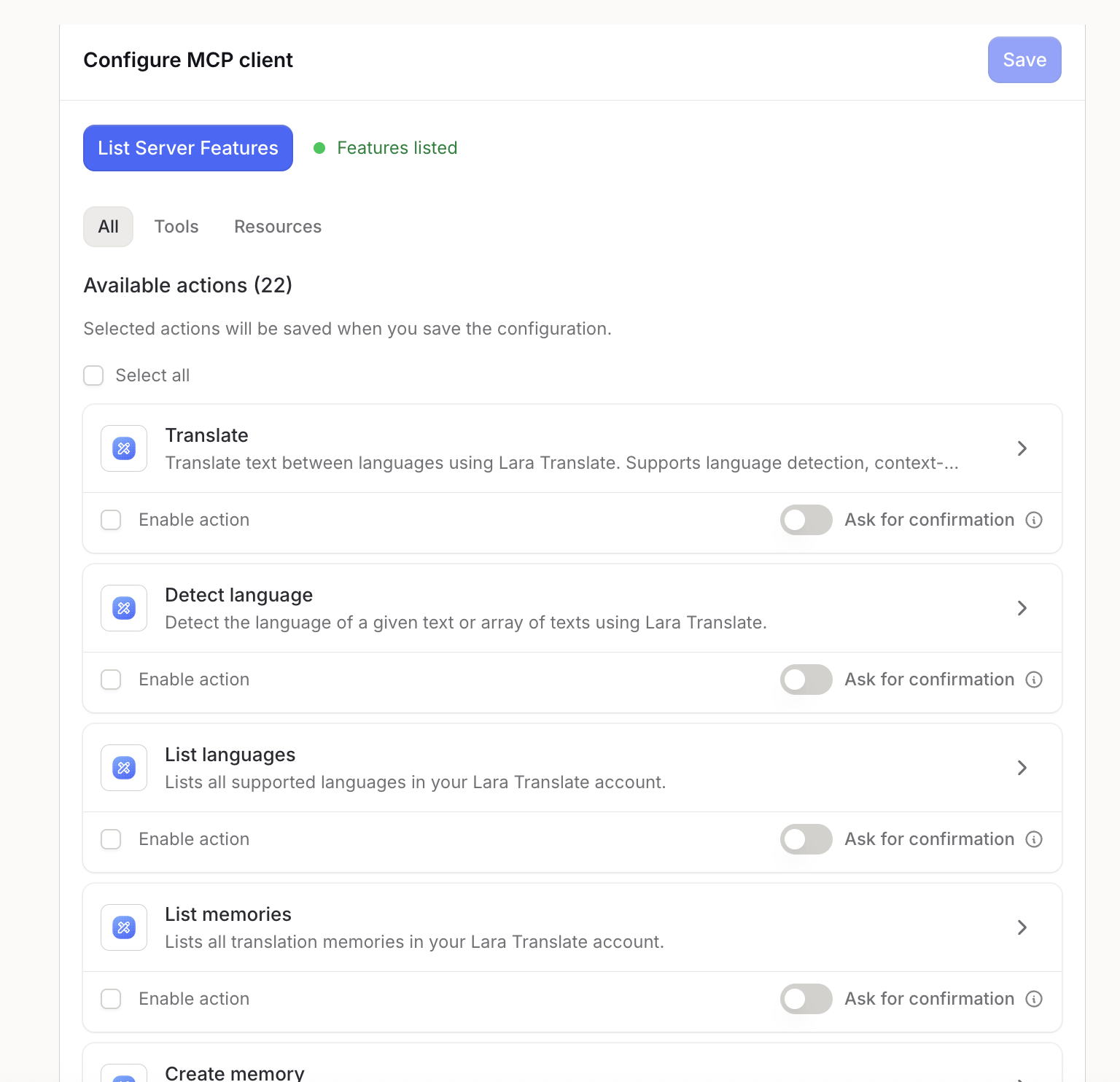
The integration connects Lara Translate to Langdock over the Model Context Protocol, an open standard that lets a platform like Langdock call an outside service directly. In practice, the Lara Translate MCP server acts as a bridge between Lara’s translation models and your Langdock environment. Once it is connected, Lara’s actions show up as tools that any agent or workflow can use: Translate, Detect language, List languages, List memories, Create memory, and more.
That means translation becomes a step you can build into automations, not a manual copy-and-paste job. A support workflow can read an incoming email, detect its language, translate the body with Lara, and draft a reply, all without leaving Langdock. An agent that summarizes weekly reports can pull in updates written in four languages and return one clean summary in yours.
The quality difference comes from what Lara is. It is built only for translation, trained on 25 million human-translated documents, and designed to read context rather than translate word by word. Ask a general model to translate “terra” in a text about tennis, and it may return “earth”; Lara understands the sport and returns “clay.” On top of that, Lara applies your translation memories and glossaries, so a term your company has already agreed on stays the same everywhere it appears. For teams with strict data requirements, Lara Translate operates under GDPR, and its Incognito Mode processes translations without keeping any history.
How it helps
For an enterprise ops team, the practical gains are direct. Translation lives where the work already happens, so people stop switching between tools. Terminology stays consistent at scale, because memories and glossaries carry the same choices across every agent and every user. Quality holds up on real business content, since Lara reads domain and context instead of guessing. The connection itself is simple and controlled: it uses OAuth 2.0, so there are no API keys to distribute or rotate, and you can turn on an “Ask for confirmation” step if you want a human to approve actions before they run. And it covers the full range of content a company actually moves: emails, documents, support tickets, reports, marketing copy, and even code comments.
See what Lara Translate adds to Langdock
Professional, context-aware translation across 200+ languages, connected to your agents and workflows in a single OAuth step.
How to set it up
You need two things before you start: an active Langdock account and an active Lara Translate account. From there, the whole setup takes a few minutes.
- In Langdock, click your profile icon in the bottom-left corner and select Integrations.
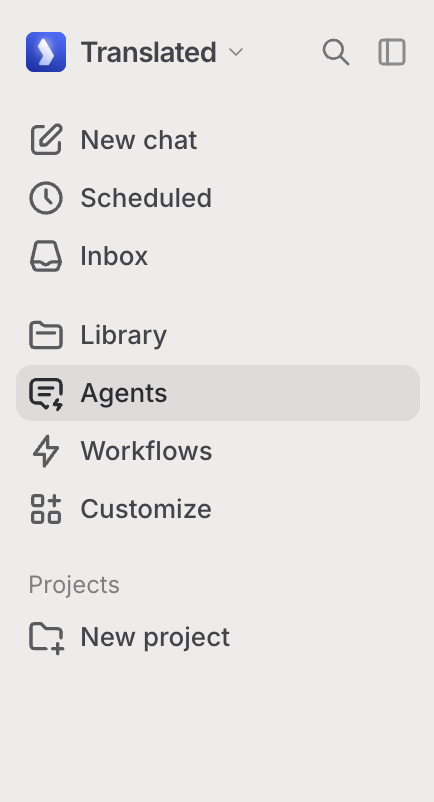
- Click Add integration, then Start from scratch, and choose Connect remote MCP as the type.
- Enter the Lara Translate server URL:
https://mcp-v2.laratranslate.com/v1 - For authentication, choose OAuth 2.0 (Dynamic Client Registration), then click Create and connect.
- When the login window appears, sign in to your Lara Translate account.
- Select List Server Features to see the available actions, then enable the tools you want, such as Translate, Detect language, and List languages. You can optionally toggle Ask for confirmation for manual approval, then save.
Once you save, Lara’s translation actions are available to any Langdock agent or workflow. You can test it right away by asking an agent to translate a short phrase into another language.
Follow the full setup guide
Step-by-step instructions, screenshots, and the complete list of available tools are in the Lara Translate help center.
The bottom line
When a whole company standardizes on one AI assistant, translation becomes everyone’s job whether they realize it or not. The Langdock integration means that job is handled by a system built for it: Lara reads context, keeps your terminology consistent, and works inside the agents and workflows your team already uses, without adding a tool or an API key to manage. For an ops team juggling supplier messages, tickets, and internal docs across markets, that is the difference between translation that quietly works and translation you have to check.
Have a valuable tool, resource, or insight that could enhance one of our articles?
Send us an email at press@laratranslate.com
We’ll be happy to review it and consider it for inclusion to enrich our content for our readers! ✍️
Frequently asked questions
What is the Lara Translate + Langdock integration?
It is a connection that brings Lara Translate’s translation engine into Langdock through the Model Context Protocol (MCP). Once set up, any Langdock agent or workflow can translate text across 200+ languages, detect languages, and use translation memories without leaving the platform.
Do I need an API key to connect Lara Translate to Langdock?
No. The integration uses OAuth 2.0, so you connect by signing in to your existing Lara Translate account when Langdock prompts you. There are no API keys to create, distribute, or rotate.
Which languages does Lara Translate support in Langdock?
Lara Translate supports more than 200 languages, covering the world’s most widely used languages for both text and document translation.
Where can I use Lara Translate inside Langdock?
Anywhere Langdock uses tools. After you enable the integration, Lara’s actions are available to any Langdock agent or workflow, so you can add translation as a step in an automation or call it directly from an agent.
How is this better than translating with a general AI model?
Lara is built only for translation and trained on 25 million human-translated documents, so it reads context and domain rather than translating word by word. It also applies your translation memories and glossaries, which keeps terminology consistent across every user and workflow, something a general model does not do on its own.
Is the connection secure?
The integration authenticates through OAuth 2.0 rather than shared keys, so there are no long-lived credentials to leak. Lara Translate operates under GDPR and offers an Incognito Mode that keeps no translation history. Langdock itself is built for enterprise use, with ISO 27001 certification, SOC 2 Type II auditing, GDPR alignment, and EU hosting for its application and most models.
This article is about
- Lara Translate now connects to Langdock through the Model Context Protocol, adding translation to agents and workflows.
- Enterprise teams on Langdock get context-aware translation across 200+ languages without switching tools.
- The connection uses OAuth 2.0 with no API keys, and setup takes a few minutes.
- Lara reads context and applies your memories and glossaries, so terminology stays consistent company-wide.
- Full setup instructions live in the Lara Translate help center, linked above.
Sources
- Lara Translate in Langdock via MCP (Lara Translate help center)
- Lara Translate + Langdock integration page
- Getting started with the Lara Translate MCP server
- Langdock security and compliance (ISO 27001, SOC 2 Type II, GDPR, EU hosting)
- Langdock (official site)
This article was produced by the Lara Translate content team. Lara Translate is an AI translation platform built by Translated, with more than 25 years of professional translation experience. Organizations running Langdock use Lara Translate to translate emails, documents, tickets, and reports across 200+ languages, directly inside their AI agents and workflows.