

Translating an InDesign file looks simple until the rebuild opens with a broken style ID on page 3 and every frame after it shifts. IDML translation is really a roundtrip problem: get the text out cleanly, translate it without disturbing the structure, and put it back so InDesign opens the file exactly as it did before.
Translate IDML by extracting text from the IDML package, running it through translation memory and machine translation with human post-edit, then rebuilding and QA-testing the package for a clean roundtrip into Adobe InDesign. That sequence works for most projects. For complex layouts, bulk localization, or automation pipelines, convert first to XLIFF or JSON before translating, then convert back.
TL;DR
|
Recommended workflow at a glance:
- Preflight the IDML package (fonts, linked assets, overset text, bidi/RTL scripts)
- Extract story XML or convert to XLIFF/JSON using a library like SimpleIDML
- Translate with TM and glossary applied; add MT plus human post-edit for speed and accuracy
- Rebuild the IDML package and re-link all assets
- QA in InDesign: layout review, preflight report, pseudo-translation check
When to convert to XLIFF/JSON instead of translating in-place:
- Complex multi-spread layouts where direct XML editing risks breaking style IDs
- Bulk or automated localization runs across many language pairs
- Pipelines where a CAT tool or MT engine needs clean, tag-safe segments
Pro Tip: Run a single representative spread through the full roundtrip before committing to a full-document pipeline. Catching a broken style ID or a missing font on page 3 costs minutes; catching it after 200 pages costs hours.
Key Takeaways
Reliable IDML translation depends on three decisions made before translation starts: a clean preflight, a structured extraction method, and a validated roundtrip on a sample spread.
| Point | Details |
|---|---|
| Extract before translating | Unzip the IDML package and extract story XML or convert to JSON/XLIFF before sending to any translation engine. |
| Use TM and glossary first | Apply translation memory and glossary before MT to maximize leverage and enforce terminology consistency. |
| Choose format by project type | Use IDML-native CAT tools for small jobs; convert to JSON or XLIFF for automation, bulk runs, or complex layouts. |
| QA in InDesign before delivery | Run preflight, check overset text, verify asset links, and compare a PDF proof against the source before delivering. |
| Lara Translate fits the pipeline | Lara Translate’s API, TM, glossary, and MT plus human post-edit workflow integrate directly into IDML-to-JSON rebuild pipelines. |
What is an IDML file and why does its structure matter for translation?
IDML stands for InDesign Markup Language. An IDML file is a ZIP archive containing a structured set of XML files that together describe every element of an Adobe InDesign document: stories (the actual text), spreads (page layout), styles (paragraph and character formatting), master pages, and linked resources. Rename any .idml file to .zip, unzip it, and you will find folders named Stories, Spreads, Resources, and XML, each holding discrete XML files.
That structure has direct consequences for translation. Text lives exclusively in story XML files, not in the spread or resource files. Reading order is not guaranteed by file order within the package; InDesign determines sequence through threading and frame links, which means a script that processes story files alphabetically can produce garbled output. As SimpleIDML’s documentation notes, the library separates content from structure precisely because naive XML manipulation breaks that threading.
A few points translators frequently misread:
- Images and linked assets are external references, not embedded in story XML. Moving or renaming them breaks the link silently.
- Fonts are referenced by name in style definitions; if the target-language font differs, style mapping must be updated explicitly.
- Local overrides (character-level formatting applied on top of paragraph styles) live as inline XML attributes and must be preserved exactly, or the visual output diverges from the original.
- Anchored objects (inline frames, footnotes, sidebars) are embedded within story XML and must travel with the surrounding text segment.
The idml2html-python project documents the reading-order challenge directly: stories split across frames require ordered-story extraction routines to produce linear, translatable text rather than a scrambled sequence.
How to translate IDML files: a step-by-step workflow
Step 1: Preflight
Before touching any XML, inventory the document. Check for overset text (text that does not fit its frame), missing fonts, unresolved linked assets, and any bidi or RTL content. Note the language pair’s expansion ratio: German typically runs significantly longer than English; Arabic requires RTL toggles and different hyphenation rules.
Step 2: Extract text
Unzip the IDML package. Identify all story XML files in the Stories folder. For simple projects, you can work directly in those XML files. For anything involving automation or a CAT tool, convert to XLIFF or JSON first. The BitAndBlack idml-json-converter handles this via two CLI commands: idml:convert:json to extract and json:convert:idml to rebuild.
Step 3: Translate
Apply your translation memory and glossary before sending segments to MT. TM leverage on repeat segments in InDesign documents (headers, footers, boilerplate legal text) can be substantial. Use MT with human post-edit for new content; human-only review for high-fidelity print or regulated content. Preserve every inline tag: character style markers, anchored object references, and footnote indicators must survive the translation step intact.
Step 4: Rebuild
Map translated XML back into the IDML package. Re-link all external assets using their original file names and paths. Import into InDesign and check immediately for overset text indicators (the red plus icon on a frame). Reflow is expected when the target language expands; plan for it.
Step 5: QA and deliver
Run a full QA pass (detailed checklist in the QA section below). Deliver the localized IDML package, a packaged InDesign folder with fonts and links, a PDF proof, and a style-mapping report.
Timeline benchmarks:
| Job size | Page count | Approximate turnaround |
|---|---|---|
| Small | 1 to 5 pages | 1 to 2 business days |
| Medium | 10 to 50 pages | 3 to 7 business days |
| Large | 50+ pages | 2 to 4 weeks with review cycles |
Pro Tip: For large jobs, break the document into logical sections (chapters, spreads) and process them in parallel. Merge back into a single IDML package at the end using SimpleIDML’s assembly functions.
Plug Lara Translate into your IDML roundtrip
Feed extracted JSON strings to the API, apply your TM and glossary, and get post-edited output ready to rebuild, across 200+ languages.
Best practices and common pitfalls when translating IDML
Preserve style IDs, never replace them. Paragraph and character style names are referenced by ID throughout the IDML package. Stripping or renaming a style ID during translation breaks every frame that uses it. Map style IDs in a manifest file before you start; update the manifest if you add new styles for the target language.
Plan for text expansion and overset. Languages like Finnish, German, and Brazilian Portuguese regularly expand source text significantly. Build that buffer into layout planning before translation begins, not after. Pagination shifts are normal; what is not acceptable is discovering overset text only at the client review stage.
Handle inline tags with care. XLIFF and JSON pipelines that strip inline tags to produce “clean” segments for MT will corrupt the rebuild unless those tags are reinjected precisely. Verify tag integrity in every segment before rebuild.
Maintain original asset links. Never rename linked image files or move them relative to the IDML package. InDesign resolves links by path; a renamed file becomes a missing link, which breaks preflight and can cause export failures.
Language-specific typography requires explicit settings. Hyphenation dictionaries, line-break rules, date formats, and number separators are all set at the paragraph or document level in InDesign. For Japanese, Korean, or Arabic, the composer setting (World-Ready Composer vs. Adobe Paragraph Composer) must match the target language or line breaks will be wrong.
Key insight: The most common source of IDML rebuild failures is not bad translation, it is a broken style ID or a missing font that was never flagged in preflight. A five-minute preflight check before extraction prevents the majority of late-stage rework.
Pro Tip: Run a single representative spread through the complete roundtrip (extract, translate, rebuild, InDesign import) before processing the full document. This sample roundtrip validates your style mapping, font availability, and tag handling in under an hour.
How to handle IDML files and the main tooling options
Tooling for InDesign file translation falls into four practical categories, each suited to different project profiles.
InDesign-native workflows use the application itself for import and export. A translator or DTP operator works directly in InDesign, replacing text frame by frame. This approach preserves layout perfectly but does not scale, offers no TM integration, and requires an InDesign license for every person in the chain.
CAT and localization platforms with IDML support accept IDML as a source file, extract translatable text into segments, apply TM and glossary, and export a rebuilt IDML. The key features to evaluate: native IDML import (not just XLIFF passthrough), WYSIWYG preview or InDesign roundtrip, inline tag handling, and API or CLI access for automation.
Conversion utilities translate between IDML and interchange formats. The BitAndBlack idml-json-converter converts to JSON and back via CLI. Transpect’s idml2xml converts to Hub XML with pipeline steps for tagging extraction, embedded image handling, and debug behavior. These tools fit automation-heavy pipelines where translation happens in a structured format and the IDML is rebuilt programmatically.
Preview and conversion apps like IDMarkz let you open and preview INDD and IDML files without an InDesign license, and export to formats including PDF, HTML, and IDML. This is particularly useful for auditing legacy files before translation: you can verify fonts, check linked resources, and export a clean IDML from a legacy INDD without touching InDesign.
Evaluation checklist when choosing a tool or platform:
- Native IDML import with style-ID preservation
- WYSIWYG preview or InDesign roundtrip for layout verification
- TM and glossary import/export (TMX, TBX, or CSV)
- MT integration with human post-edit workflow
- API or CLI access for batch and automated processing
- Enterprise security: data encryption, access controls, audit logs
- Pricing model that fits project volume (per-word, per-file, or subscription)
When to convert to XLIFF or JSON: choose structured conversion for automation runs, large volume, or when your CAT tool does not natively handle IDML. Translate in-place (directly in story XML or via a CAT tool’s native IDML filter) for smaller, one-off projects where a human DTP operator will handle final layout anyway.
Developer libraries and conversion options for IDML automation
For engineers building automated IDML localization pipelines, four open-source tools cover most use cases.
| Library | Language | Primary function | Key feature |
|---|---|---|---|
| idml-json-converter | PHP | IDML ↔ JSON roundtrip | CLI commands for batch conversion |
| SimpleIDML | Python | Package manipulation, content/structure separation | XPath-based content insertion |
| idml2xml | XSLT/XML | IDML to Hub XML pipeline | Multi-step tagging extraction |
| idml2html-python | Python | Story extraction to HTML/text | Reading-order handling |
A typical conversion flow looks like this: unzip the IDML package, parse each story XML file to extract text segments with their style IDs and inline tag markers, write those segments to JSON or XLIFF, feed the file into your translation engine (MT, CAT, or both), receive translated segments, and inject them back into the story XML using the same element IDs. Rebuild the ZIP with the original folder structure and rename it .idml.
In PHP, the idml-json-converter makes this a two-command operation:
idml:convert:json source.idml output.json
json:convert:idml translated.json output.idml
In Python, SimpleIDML lets you target specific stories by XPath and insert translated content without disturbing surrounding XML nodes. The idml2xml pipeline adds a production-grade step for extracting tagging metadata, useful when downstream systems need structured Hub XML rather than raw story content.
Developer insight: The most fragile point in any IDML automation pipeline is the rebuild step, not the extraction. Extraction errors are visible immediately; a mismatched style ID on rebuild produces a document that opens in InDesign but renders incorrectly, sometimes on a single frame that is easy to miss in a 50-page document.
Pro Tip: Maintain a manifest file that maps every story ID, style ID, and resource URI from the original IDML to its translated counterpart. This single file prevents the majority of style-ID mismatches during large batch rebuilds, as SimpleIDML’s architecture demonstrates by separating content from structure at the library level.
QA and testing checklist to validate localized IDML
A localized IDML package is not production-ready until it passes each of these checks in order.
- File integrity: Unzip the rebuilt IDML and verify the folder structure matches the original. Confirm all story, spread, and resource files are present.
- Pseudo-translation test: Before linguistic review, run a pseudo-translated version (replace all text with expanded placeholder strings) to expose overset text and layout breaks without waiting for real translation.
- Linguistic QA: Review translated segments against source for accuracy, terminology consistency (glossary compliance), and register. Flag any segment where inline tags were dropped or duplicated.
- Layout review in InDesign: Open the rebuilt IDML in InDesign. Check every spread for overset text (red plus icon), misaligned frames, broken anchored objects, and incorrect hyphenation.
- Preflight report: Run InDesign’s built-in preflight against a profile that checks for missing fonts, missing links, and overset text. Zero errors before delivery.
- Asset verification: Confirm all linked images and resources resolve correctly. Verify that no asset was accidentally embedded or re-encoded during rebuild.
- Reading-order check: For documents that will be exported to HTML, EPUB, or accessible PDF, verify reading order using the Articles panel or an extraction script. The idml2html-python project documents common reading-order failures that only appear at export time.
- Final roundtrip test: Export the localized IDML to PDF and compare visually against the source PDF at 100% zoom. Check headers, footers, page numbers, and any language-specific typographic settings (RTL direction, composer settings, date formats).
Deliverables checklist:
- Localized IDML package (zipped, with original folder structure)
- InDesign package folder (fonts, links, IDML, and IDML preview PDF)
- Style-mapping report (source style IDs to target style IDs)
- Updated TM (TMX) and glossary (TBX or CSV)
- Issue log with any unresolved layout or linguistic flags
Language-specific QA flags: For Arabic and Hebrew, verify RTL text direction and bidi rendering in every frame. For CJK languages, check line-break rules and that the correct composer is active. For European languages, confirm hyphenation dictionaries are installed and active for the target locale.
How automation via IDML-to-JSON conversion scales reliable localization
Converting IDML to a structured format like JSON or Hub XML before translation is not just a developer convenience. It changes the economics of localization at scale.

When text lives in structured JSON, translation memory applies consistently across every segment because the TM engine sees clean, tag-normalized strings rather than raw XML with embedded formatting attributes. Glossary enforcement works the same way: a term that appears in 40 story files is a single entry in the JSON output, so a glossary hit applies once and propagates everywhere.
Automation also makes QA reproducible. A script that validates tag integrity in a JSON file before rebuild catches dropped or duplicated inline tags before they reach InDesign. That check is difficult to run reliably on raw story XML because the tag structure varies by InDesign version and document complexity.
The workflow position for conversion is clear: it sits between preflight and translation, and again between translation and rebuild. Pre-translation conversion standardizes the content; post-translation conversion reconstructs the IDML. Both steps are scriptable, which means the same pipeline runs identically on a 5-page brochure and a 500-page catalog.
- Structured conversion enables consistent TM leverage across all story files
- JSON/XML pipelines support automated tag-integrity checks before rebuild
- Scriptable pipelines scale from small brochures to large catalogs without workflow changes
- Maintaining a style-ID and story-ID manifest prevents the majority of rebuild errors in batch runs
Pro Tip: Before scaling a new pipeline to production volume, run the full conversion cycle on a representative 10-page sample and compare the rebuilt IDML against the original in InDesign’s Story Editor. Any style-ID mismatch or tag drop will appear there before it affects 500 pages.
What seasoned localization engineers do differently on high-risk IDML projects
The gap between a competent IDML workflow and a reliable one usually comes down to a few decisions made before translation starts, not during it.
On high-fidelity print projects, conservative workflows win. That means human-only translation for body copy, no MT on regulated or legally sensitive text, and a DTP operator who reviews every spread in InDesign before the file leaves the team. Automated pipelines are faster, but a single corrupted story XML in a 200-page annual report can cost more in rework than the time saved.
For digital content (web PDFs, ebooks, marketing collateral), automated IDML-to-JSON pipelines with MT and human post-edit are the right call. The tolerance for minor layout variation is higher, turnaround expectations are tighter, and the volume often makes human-only translation economically impractical.
Client communication is where most IDML projects go wrong. Layout shifts are inevitable when translating into languages with different text expansion ratios or typographic rules. Set that expectation in writing before the project starts. Agree on what constitutes an acceptable visual difference (a line break that moves, a text frame that grows by two points) versus a defect (overset text, a missing frame, a broken anchored object). That agreement prevents the most common source of client disputes on localization projects.
Keep a golden master spread: one representative page from the source document, fully styled and linked, that you use as a visual regression baseline for every language. Differences that pass preflight but fail the visual check almost always trace back to a font substitution or a style-ID mismatch.
Lara Translate fits directly into your IDML localization pipeline
IDML localization at scale requires MT speed, TM consistency, human accuracy, and API access in one place. Lara Translate delivers all four without requiring you to stitch together separate tools.
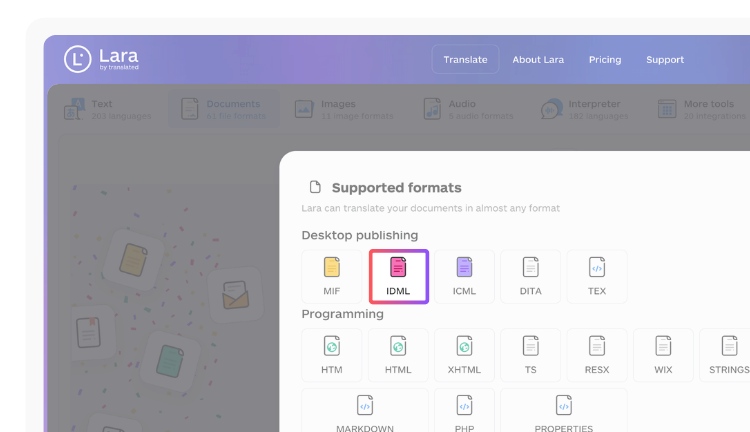
Feed translated JSON strings from your IDML-to-JSON pipeline directly into Lara Translate’s API, apply your glossary and translation memory, and receive post-edited output ready for IDML rebuild. The platform supports AI plus human translation across 200+ languages, with human validation by professional linguists available for high-fidelity print runs. Enterprise-grade security, bulk file processing, and style adaptation (faithful, fluid, or creative) mean the same platform handles a 5-page brochure and a 500-page catalog. For English-centric workflows, the English translation hub covers every major language pair.
Run a sample-spread roundtrip
Test Lara Translate’s TM and glossary on a representative spread before you commit a full-document pipeline.
Have a valuable tool, resource, or insight that could enhance one of our articles?
Send us an email at press@laratranslate.com
We’ll be happy to review it and consider it for inclusion to enrich our content for our readers! ✍️
FAQ
What is an IDML file in the context of translation?
An IDML file is a ZIP archive of XML files that describes an Adobe InDesign document, including stories (text), spreads (layout), and styles. For translation, text is extracted from story XML files, translated, and reinjected before the package is rebuilt.
How do you extract text from an IDML file for translation?
Rename the .idml file to .zip, unzip it, and locate the Stories folder. Extract text from each story XML file directly, or use a library like SimpleIDML or the idml-json-converter to convert to XLIFF or JSON for CAT tool or MT processing.
When should you convert IDML to JSON or XLIFF instead of translating in-place?
Convert to a structured format when running automated or bulk localization, when your CAT tool does not natively support IDML, or when the layout is complex enough that direct XML editing risks breaking style IDs. For simple, one-off projects with a DTP operator available, translating in-place is faster.
What causes the most IDML rebuild failures after translation?
Broken or mismatched style IDs and missing fonts are the leading causes. A preflight check before extraction and a style-ID manifest maintained throughout the pipeline prevent most of these failures.
Can Lara Translate handle IDML translation workflows?
Lara Translate’s API, translation memory, glossary support, and MT plus human post-edit workflow integrate with IDML-to-JSON pipelines: feed extracted strings into the API, receive translated output, and inject it back into the rebuild script. The platform offers broad language coverage with enterprise security.
This article is about
How to translate IDML (InDesign) files without breaking the layout: understanding the IDML package structure, a five-step workflow from preflight to QA, when to convert to XLIFF or JSON, the main tooling and developer libraries for automation, a full QA checklist, and how Lara Translate’s API, TM, glossary, and MT plus human post-edit fit an IDML-to-JSON pipeline.
Sources
- BitAndBlack/idml-json-converter
- Starou/SimpleIDML
- IDMarkz (InDesign to Affinity, QXP & More) macOS – Markzware
- idml2xml
- roverbird/idml2html-python
Recommended
- Lara Translate AI: Reliable, Fast, Free
- AI + Human Translation | Lara
- Translate to and from English with Lara Translate