

Imagine a prospective client opening your portfolio from another country. Your images make an impression, but the client cannot understand your service descriptions or booking terms. A clear portfolio needs both strong visuals and information its audience can use.
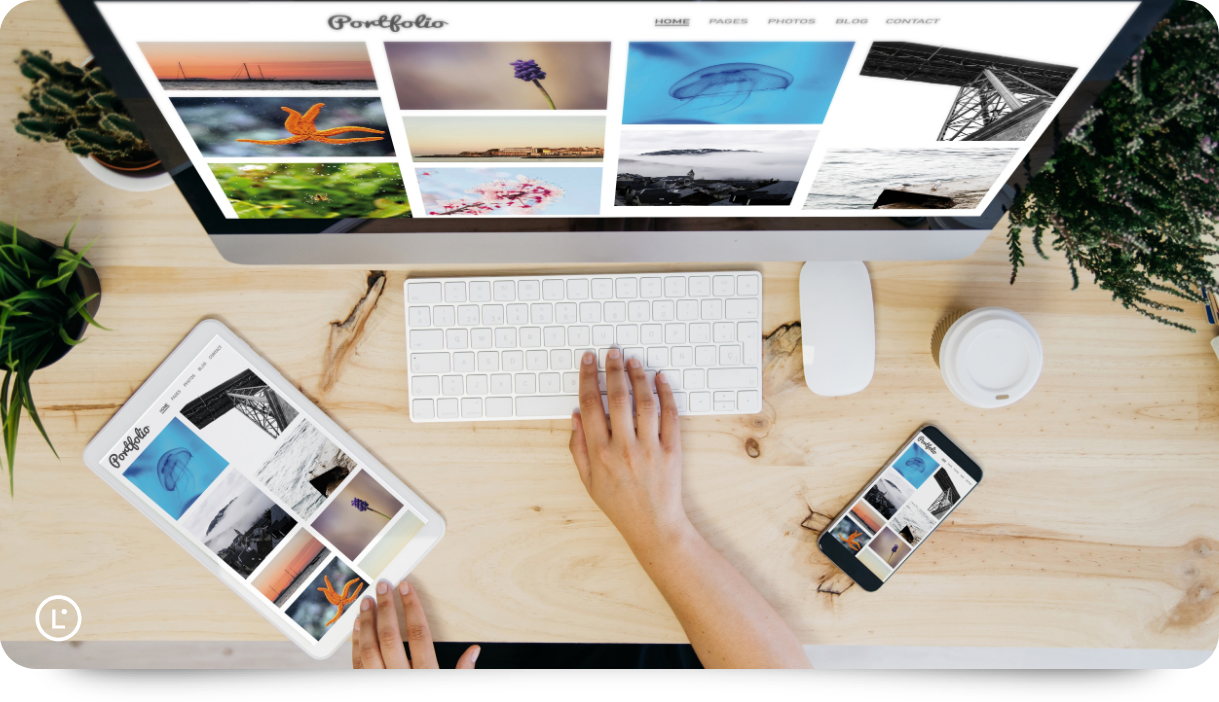
Portfolio website builders give photographers, designers, and artists one place to show work, sell prints, share client galleries, and get found. This guide compares builders in 2026 on gallery delivery, design tools, pricing, and the needs of a multilingual audience.
|
TL;DR
|
What makes a portfolio website builder worth using in 2026?
Some builders are portfolio tools and others are full business platforms. Cargo and Adobe Portfolio focus on presenting work, while Pixpa, Format, and Squarespace add stores, blogs, and client tools in the same account.
Client galleries are either built in or a separate product. Pixieset, SmugMug, and Zenfolio are built around proofing, delivery, and print sales, while Wix and Cargo are general site builders where galleries are one feature among many.
Commissions and image limits decide the real cost. Portfoliobox and Pixpa advertise zero commission on store sales, Pixieset lists a 15% commission on its free store plan, and several builders cap images or pages on entry plans.
Integrations can simplify publishing for working photographers. Format, SmugMug, Portfoliobox, and Adobe Portfolio offer Lightroom connections, with availability depending on the product and plan.
Multilingual support depends on the builder. Check whether your chosen platform offers language tools, supports a translation service, or requires separate language pages. Plan translations for the supporting content too, including proposals, captions, blog posts, and client emails.
Best portfolio website builders for photographers and creatives in 2026
The recommendations below reflect different workflows. Prices and plan terms were checked in October 2026; confirm billing terms, taxes, and renewal rates before purchasing.
| Provider | Best for | Model | Pricing |
|---|---|---|---|
| Squarespace | Creatives wanting polished templates and business tools | Website builder | Four plans, 14-day free trial |
| Pixieset | Photographers who deliver and sell galleries | Client gallery and website platform | Free plan, paid from $8/month (annual) |
| Format | Photographers wanting Lightroom publishing and a store | Portfolio website builder | Three plans, free trial |
| Pixpa | Creatives wanting site, store, blog, and galleries in one | All-in-one website builder | Four plans, 15-day free trial |
| Wix | Creatives wanting maximum design flexibility | Website builder | Free plan, four paid plans |
| Portfoliobox | Creatives wanting a low-cost portfolio with a store | Portfolio website builder | Free plan, paid from $8.90/month (annual) |
| SmugMug | Photographers selling prints with fulfillment | Photo hosting and sales platform | Three plans plus Enterprise |
| Zenfolio | Photographers wanting proofing and a website | Client gallery and website platform | Basic, Professional, Advanced; check current billing options |
| Cargo | Designers and artists wanting one flat price | Design-led site builder | $14/month (annual) |
| Adobe Portfolio | Creative Cloud subscribers | Portfolio website builder | Included with eligible Creative Cloud plans |
Squarespace
Best for: Creatives wanting polished templates and business tools in one editor.
Squarespace is a website builder with designer templates for portfolios, stores, and services. Its features include a drag-and-drop editor, SEO tools, video hosting, invoicing, memberships, and 24/7 customer support. It offers extensions and a CSS editor for customization.
Pricing: Four plans (Basic, Core, Plus, Advanced) with discounts for annual billing. 14-day free trial.
Verdict: Consider Squarespace when template polish and a broad set of business tools matter more than photographer-specific delivery features.
Pixieset
Best for: Photographers who share, proof, and sell galleries to clients.
Pixieset is a photography platform with separate products for client galleries, websites, stores, and studio management. Its features include unlimited galleries, custom branding, full-resolution downloads, email campaigns, and a mobile gallery app. It also offers AI editing and culling for photographers.
Pricing: Client Gallery has a free plan, with paid plans from $8/month billed annually. Website plans are priced separately.
Verdict: Consider Pixieset when delivering and selling galleries is the main job and the website is secondary.
Format
Best for: Photographers wanting Lightroom publishing and a commission-free store.
Format is a portfolio website builder for photographers and creatives. Its features include portfolio templates, client galleries, a commission-free online store, copyright protection, and an email subscriber form. It integrates with Lightroom and offers a free mobile app.
Pricing: Three plans (Basic, Pro, Pro Plus), billed monthly or annually. Free trial.
Verdict: Consider Format when publishing directly from Lightroom into a clean portfolio is the priority.
Pixpa
Best for: Creatives wanting a portfolio, store, blog, and client galleries in one account.
Pixpa is an all-in-one website builder for photographers, artists, and designers. Its features include a drag-and-drop builder with 200+ templates, client galleries, a zero-commission online store, a built-in blog, and SEO tools. It connects with 100+ apps and integrations and adds multilingual sites through Gtranslate and Weglot.
Pricing: Four plans (Basic, Creator, Professional, Advanced) with yearly and 2-yearly discounts. 15-day free trial, no credit card.
Verdict: Consider Pixpa when one login for your site, store, blog, and galleries matters more than a separate best-in-class tool for each.
Wix
Best for: Creatives wanting maximum design flexibility and a large template library.
Wix is a website builder with a drag-and-drop editor and thousands of templates. Its features include AI creation tools, scheduling and services, eCommerce, marketing tools, and customer care. Storage, collaborators, and selling features depend on the plan; eligible annual plans include a domain voucher for the first year.
Pricing: Free plan, plus four paid plans (Light, Core, Business, Business Elite). 14-day money-back guarantee.
Verdict: Consider Wix when design freedom and a wide set of built-in business features matter more than photographer-specific tools.
Make your portfolio easier to understand
Use Lara Translate to prepare service descriptions, captions, and client documents in your audience’s language, then review and publish them in your chosen builder.
Portfoliobox
Best for: Creatives wanting a low-cost portfolio with a zero-commission store.
Portfoliobox is a portfolio website builder for creatives. Its features include a free portfolio plan and paid options for custom domains. The Professional plan adds a zero-commission store, appointments, invoicing and quotes, custom email, and client file sharing. It also offers a Lightroom plugin for Professional subscribers.
Pricing: Free plan, Personal from $8.90/month and Professional from $15.90/month with annual billing. Prices exclude applicable VAT.
Verdict: Consider Portfoliobox when a low monthly price and built-in invoicing matter more than a large template catalog.
SmugMug
Best for: Photographers selling prints and digital downloads with fulfillment.
SmugMug is a photo hosting and sales platform with portfolio websites. Its features include unlimited photo storage and privacy controls, with website customization, watermarking, print and digital sales, and customer order fulfillment on selling plans. It integrates with Lightroom and offers live human support.
Pricing: Three plans (Direct, Portfolio, Pro) plus a custom Enterprise plan.
Verdict: Consider SmugMug when print sales with fulfillment handled for you matter more than website design flexibility.
Zenfolio
Best for: Photographers wanting proofing, selling, and a website together.
Zenfolio is a client gallery and website platform for photographers. It combines gallery proofing with a customizable website, custom domain support, and photo and video storage. Selling tools, blogging, and storage allowances depend on the subscription, so compare the feature list for the plan you intend to buy.
Pricing: Basic, Professional, and Advanced plans. Pricing depends on billing term and promotional offers; check the current quote and renewal terms.
Verdict: Consider Zenfolio when proofing and selling are as important as the portfolio itself.

Cargo
Best for: Designers and artists wanting one flat price and several sites.
Cargo is a site builder for designers, artists, and studios. Its features include unlimited public sites on one account, real-time multi-user editing, and an ongoing library of templates. One custom domain connection is included, and additional domains cost extra.
Pricing: $14/month billed yearly, or $19/month billed monthly. Commerce costs an additional $5.50/month billed yearly or $9/month billed monthly; extra custom domain connections cost more.
Verdict: Consider Cargo when an experimental, design-led site at a single flat price matters more than store or gallery tools.
Adobe Portfolio
Best for: Creative Cloud subscribers with an eligible plan who want a portfolio at no added subscription cost.
Adobe Portfolio is a portfolio website builder included with eligible Adobe Creative Cloud plans. Its features include responsive themes, up to five sites, privacy controls at the site or page level, and custom domains. It syncs with Lightroom and Behance.
Pricing: Included with eligible paid Creative Cloud plans. Confirm that your subscription includes Portfolio before relying on it for publishing.
Verdict: Consider Adobe Portfolio when you already pay for Creative Cloud and need a simple site without a store or blog.
How to choose a portfolio website builder
Step 1: Decide what you sell. If you deliver client galleries and sell prints, compare gallery storage, commissions, and fulfillment first. If you mainly show work, template quality and editing flexibility matter more.
Step 2: Check image and page limits on the plan you would buy. Entry plans on several builders cap images, pages, or blogs, so count your archive before you pick a tier.
Step 3: Compare store commissions. Zero-commission stores and commission-based stores give very different results once sales grow, so read the fee terms on the exact plan.
Step 4: Test the editor with real images. Start a free trial, upload a real gallery, and check loading speed and mobile layout before you pay.
Step 5: Plan for international clients. Check the builder’s language and navigation options, then translate key pages, captions, proposals, and client emails. Review the translated content in its final layout before publishing.
Connect your portfolio workflow with Lara Translate
Use Lara Translate alongside your website builder to translate your About page, service descriptions, gallery captions, and client emails. Paste text or upload supported documents, review the translations, and place the finished copy into the language pages your builder supports.
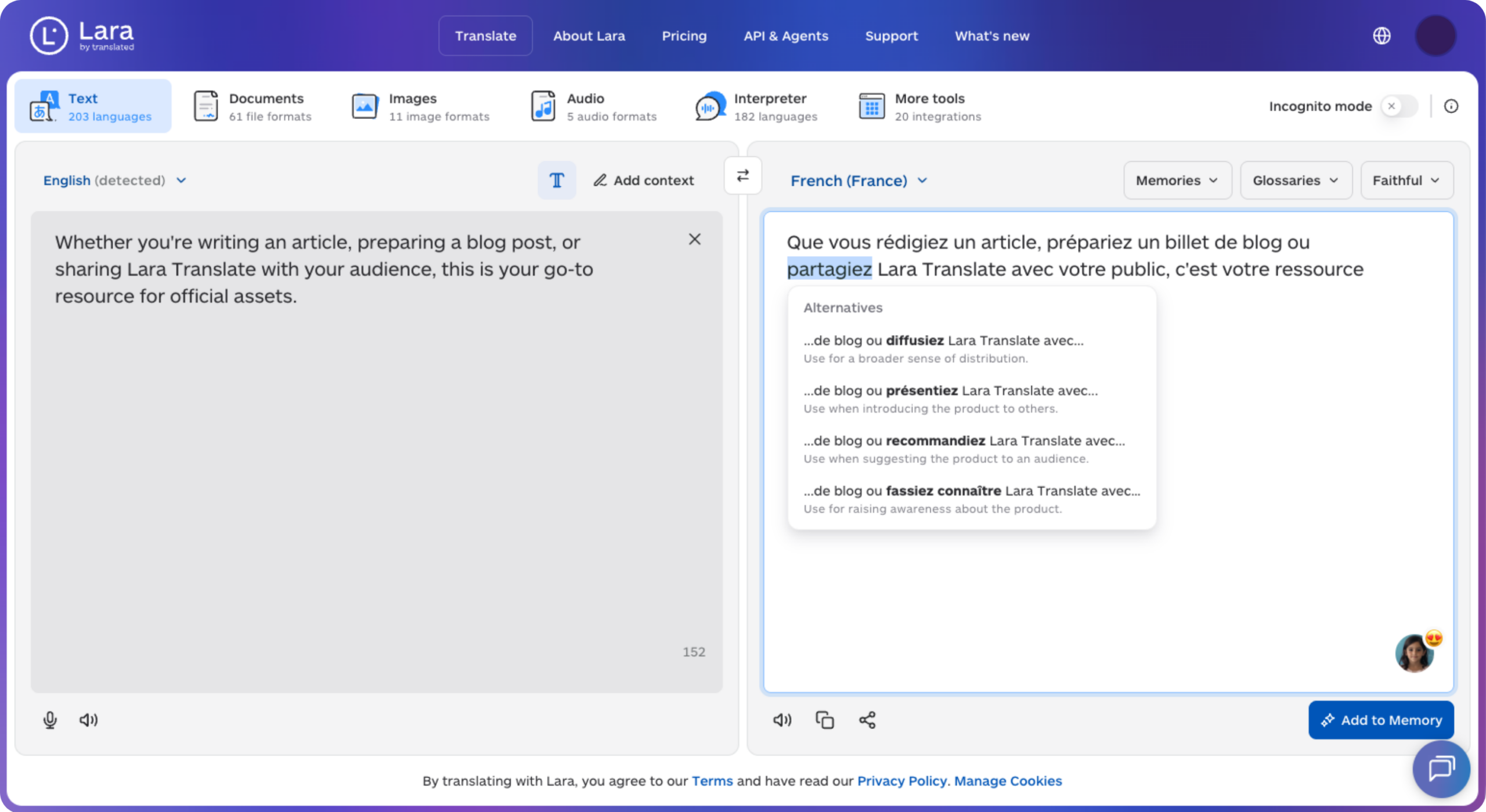
Lara Translate supports 200+ languages and 60+ file formats, and glossaries help keep service names and photographic terms consistent. This workflow also covers proposals and other documents that sit outside the website.
Keep client communication consistent across languages
Translate project briefs, shot lists, and proposals with Lara Translate. Use a glossary for recurring terms, then review each document before sharing it with clients.
Conclusion
The right portfolio builder depends on what you sell, how many images you store, and who your clients are. Whichever you choose, the people viewing your work need to understand the terms they are booking.
Have a valuable tool, resource, or insight that could enhance one of our articles?
Send us an email at press@laratranslate.com
We’ll be happy to review it and consider it for inclusion to enrich our content for our readers! ✍️
Frequently asked questions
What is a portfolio website builder?
A portfolio website builder lets photographers, designers, and artists publish a website without coding. Most include templates, image galleries, a custom domain, and SEO tools, and many add a blog, a store, or client galleries.
What is the difference between a portfolio builder and a client gallery platform?
A portfolio builder presents your best work to the public. A client gallery platform delivers, proofs, and sells private galleries to specific clients. Some products combine both, while others specialize in one.
How much does a portfolio website cost in 2026?
Free plans can cover a basic portfolio, while paid subscriptions depend on storage, custom domains, selling features, and billing term. For example, Pixieset Client Gallery starts at $8/month with annual billing, while Cargo costs $14/month billed yearly before commerce add-ons. Compare the full workflow cost, including payment processing, domains, and renewal prices.
Do I need an online store on my portfolio site?
Only if you sell prints, downloads, or services directly. Check whether the store charges a commission, caps the number of products, or limits features on entry plans.
How many images can I upload to a portfolio site?
Limits vary by plan. Some entry plans cap images or pages, while higher tiers offer unlimited uploads. Count your archive first and choose a tier that fits.
How do I make a portfolio website multilingual?
Use the language features your builder supports, a compatible translation service, or separate pages for each language. Translate navigation, service descriptions, image captions, and contact forms, then check the language switcher and mobile layout. Give each language version clear page titles and URLs where the platform supports them.
This article is about
- Portfolio website builders range from design-led tools to all-in-one business platforms
- How portfolio platforms compare on client galleries, store commissions, integrations, and pricing
- Image limits and store fees change the real cost of a plan
- Lightroom integration and gallery delivery separate photographer-focused tools from general builders
- How translated portfolio copy and client communication support an international audience
Useful links
This article was produced by the Lara Translate content team. Lara Translate is an AI translation platform built by Translated, with more than 25 years of professional translation experience. Photographers and creatives use Lara Translate to translate portfolio copy, proposals, captions, and client emails, across 200+ languages and 60+ file formats.