

A customer sends a screenshot of an error message in Japanese. A student photographs a textbook page that was never translated into English. A traveler snaps a photo of a menu they can’t read. In every case the text is right there, visible, perfectly readable to a native speaker, and useless to anyone who isn’t one.
Copy and paste does not work on a picture. You cannot select text in a JPEG. That gap between “the words are visible” and “the words are usable” is exactly what translate text in images tools exist to close, and Lara Translate does it in three steps: extract the text with OCR, translate it, and rebuild the image with the translated text in place, same format, same layout.
TL;DR
|
Five real reasons people need to translate text in images
1. Customer support teams decoding screenshots
 Support tickets rarely arrive as clean text. They arrive as screenshots: an error code in a popup, a billing page in the customer’s local language, a settings menu that looks nothing like the English version the support team trained on. An agent in Dublin getting a screenshot from a user in Seoul has no fast way to read what’s actually on that screen.
Retyping the visible text by hand is slow, and it introduces typos fast, especially with non-Latin scripts. What the agent actually needs is the screenshot translated as a screenshot, layout intact, so they can match what they see to what the customer is describing.
2. Students and researchers working with untranslated sources
 A lot of academic material simply does not exist in English. Scanned archive pages. Photographed diagrams from a foreign-language textbook. A chart copied from a paper that was never localized. Finding the right source is only half the job; getting past the language barrier is the other half.
Manually retyping a scanned page into a translator is tedious, and footnotes or labeled diagrams make it worse. Skip that step entirely. Translate the image directly, and the original page comes back in a language you can actually read, layout and labels intact.
3. Travelers reading what a phrasebook can’t cover
Phrasebooks cover greetings. They don’t cover the specific menu in front of you, the dosage instructions on a box of foreign medicine, or the safety notice posted at a train station. Real travel is a constant stream of small, specific text that no app preloads.
A photo of the menu or the label is the fastest way to capture that text. What you need next is for the photo to come back readable, extracted and translated without losing what made the original useful: the dish name still lined up with its price, the ingredient list still next to the warning.
Translate any image with Lara Translate
Upload a screenshot, scan, or photo and get the translated image back, same format, same layout.
4. Marketing and e-commerce teams localizing visual assets
 A product listing photo with text baked into the image. A social graphic with a headline overlaid on a background. An infographic exported as a flat PNG. None of this is editable text in the conventional sense, but every piece of it needs to say something different in each market a brand sells into.
Going back to the original design file every time a new language is needed isn’t always realistic. Sometimes the source file is lost, locked in someone else’s software license, or simply never organized. Translating straight from the exported image is the practical fallback, and for fast iteration across many languages, it’s often the quicker path even when the source file does still exist.
5. HR and administrative staff processing scanned documents
 Forms, ID documents, certificates, scanned contracts: a meaningful share of these arrive as images rather than editable files. A scanned diploma. A photographed ID card. A PDF that’s really just a picture of a paper document. Someone still has to understand what it says before they can act on it.
It’s the same underlying problem as the support and research cases above: visible text that standard tools can’t touch. The fix is the same too. Extract it, translate it, keep the structure intact so the result is still recognizable as the document it came from.
What actually makes this possible: OCR
Every one of these cases depends on the same starting step: getting the text out of the image in the first place. That step is called OCR, optical character recognition. It’s the technology that converts an image of text into machine-readable text. According to AWS’s explainer on OCR, OCR matters because so much business and personal information still arrives as printed or scanned material: forms, receipts, contracts, screenshots. Without it, that text stays locked inside a picture. A computer can display the image. It cannot read it, search it, edit it, or translate it.
Wikipedia’s overview of optical character recognition traces the technology back to the 1920s, when Emanuel Goldberg built a machine that could read characters and convert them into telegraph code. Early OCR systems had to be trained character by character on a single font. Modern systems run on neural networks instead, and that’s what lets them handle a much wider range of fonts, layouts, and even handwriting, across writing systems including Latin, Cyrillic, Arabic, and Chinese.
In practice, OCR runs through a few stages. First the image gets cleaned up: straightened, denoised. Then the system detects where the text blocks and lines actually sit on the page. From there it recognizes the characters or words, and outputs plain text the system can work with. Once the text exists as text rather than pixels, it can be translated, searched, or edited like anything else.
This is why image translation is really two technologies working together, not one. OCR reads the image. Translation converts what it reads. The quality of the final result depends on both steps landing well, and that’s also why resolution, text clarity, and contrast all affect the outcome: a blurry photo of a sign gives the OCR step less to work with, which limits what the translation step can do with it.
How Lara Translate handles it
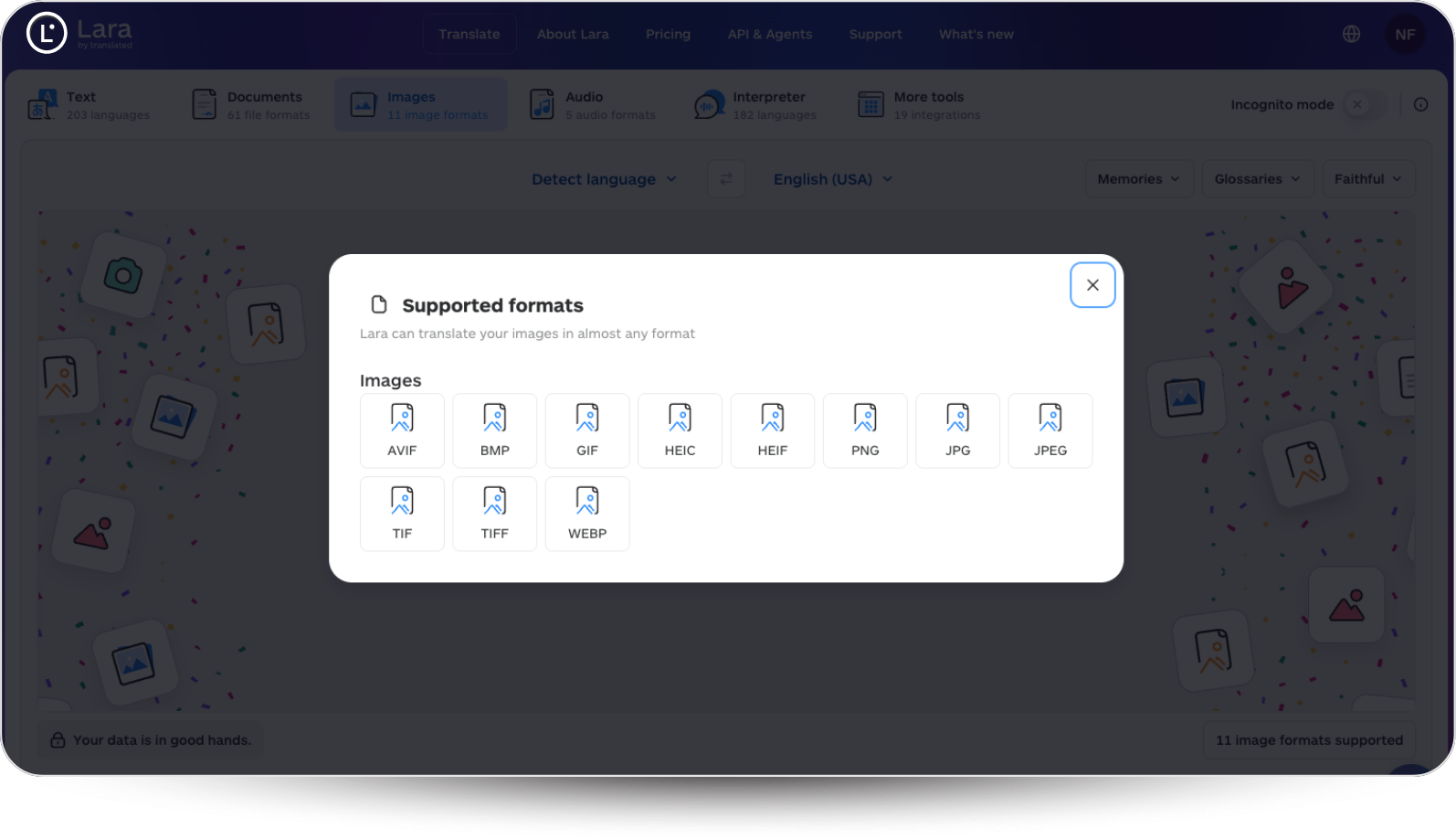
Lara Translate’s image-to-image translation follows that same two-step process, end to end, in one upload. Drop in a standalone image, PNG, JPG, JPEG, TIFF, WEBP, HEIC, HEIF, BMP, GIF, or AVIF are all supported, and Lara extracts the text using OCR, translates it into your target language, and reconstructs the image with the translated text placed back where it belongs. The output comes back in the format you uploaded, with the original layout and positioning preserved as closely as possible.
That covers the screenshot from a customer, the scanned textbook page, the menu photo, the product image, and the scanned form, all the same way: the text comes out, gets translated, and goes back into the picture where it belongs. No design file required, no manual retyping, no copy-paste workaround that doesn’t actually work on a picture.
The common thread across every use case here is the same gap: information that’s visible but not usable, until it’s translated. Closing that gap used to mean retyping, guessing, or just giving up on the source. It doesn’t anymore.
Thank you for reading 💜
As a thank you, here’s a special coupon just for you: IREADLARA26.
Redeem it and get 10% off Lara PRO for 6 months.
FAQs
Can you translate text directly in an image without retyping it?
Yes. Tools built for this, including Lara Translate’s image-to-image translation, use OCR to extract the text from the picture, translate it, and place the translated text back into the image automatically. You upload the image and get a translated version back, no retyping required.
What is OCR and why does it matter for image translation?
OCR, optical character recognition, is the technology that converts an image of text into machine-readable text. It matters because translation tools can’t process pixels directly. Without OCR pulling the actual characters out of the picture first, there’s nothing for a translation engine to work with.
Which image formats can Lara Translate handle?
Lara Translate’s image-to-image translation supports PNG, JPG, JPEG, TIFF, WEBP, HEIC, HEIF, BMP, GIF, and AVIF. The output comes back in the same format you uploaded.
Does translating an image preserve the original layout?
Yes, as closely as the source image allows. Lara Translate reconstructs the image with the translated text placed where the original text sat, so a menu still has its prices lined up and a screenshot still looks like the screen it came from.
Why does a blurry photo translate worse than a clear one?
Because OCR accuracy depends on image quality. A blurry, low-contrast, or poorly lit photo gives the OCR step less to work with, which means more characters get misread before translation even starts. Clear, well-lit, high-resolution images produce noticeably better results.
This article is about
- Why text inside images is invisible to copy-paste and standard translation tools.
- Five real-world cases: customer support, academic research, travel, marketing, and HR.
- What OCR is, how it works, and why it’s the first step in any image translation.
- How OCR and translation work together to turn a picture into usable, translated content.
- How Lara Translate’s image-to-image translation handles the full process in one upload.
Have a valuable tool, resource, or insight that could enhance one of our articles? Submit your suggestion
We’ll be happy to review it and consider it for inclusion to enrich our content for our readers! ✍️