

February 2026 shipped workflows, not just features. This month’s updates focus on three things: translating where you already work (browser), automating localization in developer pipelines (CLI), and expanding multimedia translation (audio-to-audio), plus a few high-impact improvements to understanding and billing. Here is a quick overview of Lara Translate February 2026 updates: what shipped and why it matters.
TL;DR
|
What changed in Lara Translate in February 2026, and why does it matter?
In February 2026, Lara Translate launched a Chrome Extension for in-browser translation, released Lara CLI for automated localization in developer workflows, added audio-to-audio translation via SDK, introduced Explain words in context inside the editor, and expanded billing options with USD currency support alongside existing EUR billing.
If translation is part of how you ship, February is about making it easier to translate in-place (browser), in-pipeline (CLI), and in-media (audio), while reducing friction from understanding and billing. The goal is simple: fewer manual steps, fewer “where did this text come from?” moments, and more output you can actually publish or deliver.
What are the February 2026 updates?
These February 2026 release notes cover six updates, in order of practical impact: the Chrome Extension, Lara CLI, audio-to-audio SDK, Explain in-editor, and USD billing. Each one targets a common bottleneck: translation that is technically correct, but slow to produce, hard to operationalize, or annoying to pay for.
Can I translate web pages directly in my browser with Lara Translate?
Yes. The Lara Translate Chrome Extension lets you translate web content while browsing, without copying text into another tool. It is built for the everyday reality of multilingual work: reading source material, checking competitor sites, reviewing customer feedback, or validating localized pages in staging.
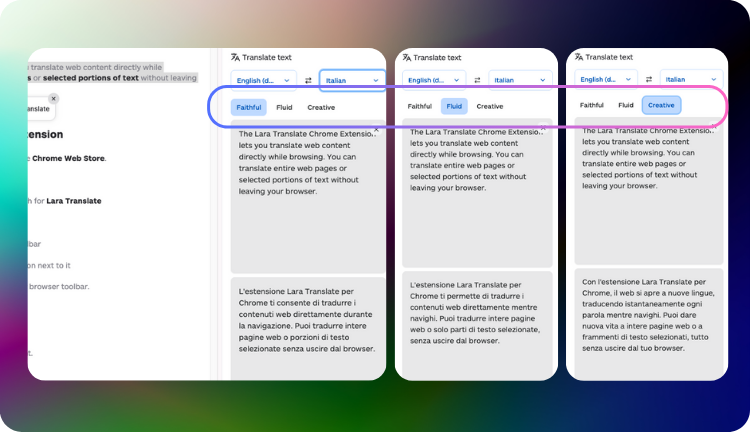
- Translate full pages when you want fast comprehension while keeping layout and structure intact.
- Translate selected text when you only need one paragraph, a headline, or a specific UI string.
- Stay consistent by using the same translation engine you already use for documents and text workflows.
If your workflow includes research, QA, support, or marketing review, this is a “small” change that saves hours of context switching over a month.
Try the Lara Translate Chrome Extension
Translate pages and snippets while browsing, so you can research, review, and validate multilingual content without copy-paste.
Read the full guide to the Lara Translate Chrome Extension.
See the Chrome Extension in action (blog walkthrough).
What is Lara CLI and what does it help you automate?
Lara CLI is now available, allowing teams to automate localization directly within development and build workflows, so translation becomes part of the pipeline instead of a manual post-release task. If you ship product UI, docs, or release notes on a cadence, the CLI helps you turn translation into a repeatable step that is easier to test, review, and maintain.
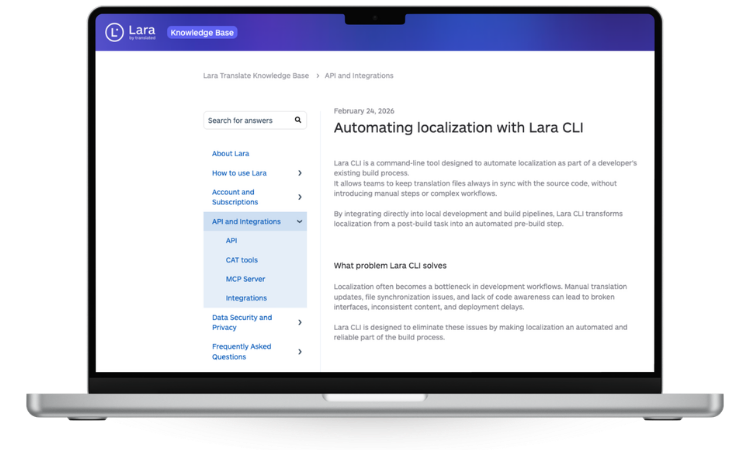
- Keep translation files in sync with source code so the latest strings do not get stuck in spreadsheets or forgotten branches.
- Reduce operational mistakes: fewer manual exports, fewer “wrong file uploaded” moments, fewer missing keys.
- Build a workflow that scales: translate, review, and ship multilingual updates on a schedule.
In other words: Lara CLI is for teams that want localization to behave like engineering, not like a last-minute scramble.
Try Lara CLI in a real dev workflow
Set up a repeatable localization step for your app or site and keep translation files synced as your product changes.
See the Introduction to Lara CLI (developer docs).
Can Lara Translate do audio-to-audio translation via SDK?
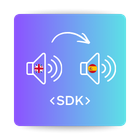 Yes. Lara Translate now supports audio-to-audio translation via SDK, so you can translate spoken content from one language to another and receive the result as audio. This is useful when your “source” is not a written document: a voice note, a recorded interview, a support call snippet, or training content that needs to be accessible across languages.
- Built for workflows where both input and output are audio, not just text transcription.
- Removes the need to stitch together separate speech-to-text and text-to-speech tools.
- Processed asynchronously, which is a better fit for real-world media jobs and pipelines.
If you produce multilingual training, onboarding, podcasts, or customer success content, audio-to-audio translation is the fastest path to “same content, more audiences.”
See Translate Audio (SDK reference).
Can Lara Translate explain a word’s meaning in context before I translate?
 Yes. Explain helps you understand a word or short expression directly inside the editor, based on the surrounding context. This is especially helpful when a translation choice depends on nuance: product naming, legal phrasing, idioms, or terms that change meaning depending on industry.
- Select a word (or up to 10 words) in the source text.
- Choose Explain.
- Lara Translate returns a short explanation of how that word is used in that specific sentence.
The payoff is not “more information.” It is fewer wrong choices, fewer rework cycles, and faster alignment between subject matter experts and linguists.
Learn how Explain works (words in context).
Can I pay for Lara Translate in USD now?
Yes. As of February 2026, Lara Translate supports billing in both US Dollars (USD) and Euros (EUR). Previously, all subscriptions were billed exclusively in EUR.
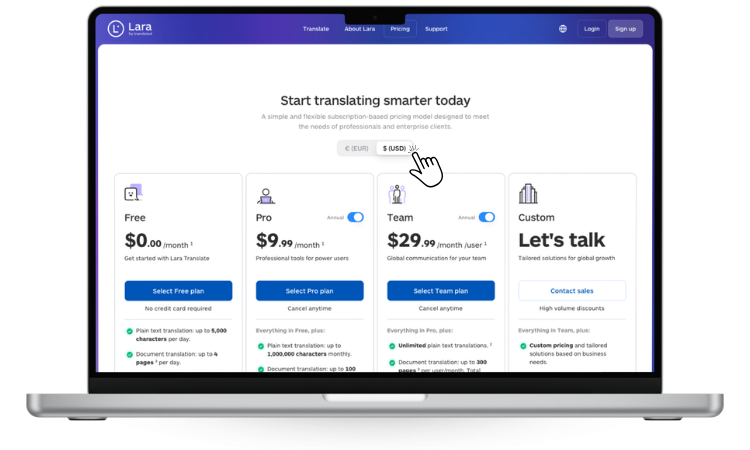
This matters most for US-based teams and global organisations that manage budgets in USD: no more manual currency conversion when reconciling invoices, and cleaner internal reporting across regions.
When you start a new subscription or change your plan, you can select your preferred currency at checkout. If your existing plan was billed in EUR and you want to switch, contact the Lara Translate support team to confirm your options.
Note: if you pay with a card issued in a currency other than your chosen billing currency, your bank may apply conversion fees. Check with your provider for their rates.
See how billing currencies work in Lara Translate.
What’s next for Lara Translate?
February’s direction is clear: translate where work happens (browser), make localization repeatable (CLI + SDK), and remove friction from understanding and billing. You can follow future updates on the What’s New page and test these features in your own workflows as you ship.
FAQ
What are the February 2026 updates in Lara Translate?
They include the Chrome Extension, Lara CLI, audio-to-audio translation via SDK, Explain words in context in the editor, and USD currency support alongside existing EUR billing.
What can I do with the Lara Translate Chrome Extension?
You can translate full web pages or selected text while browsing, switch between original and translated content, and reduce copy-paste across research, QA, and review workflows.
What is Lara CLI used for?
It helps developers automate localization by keeping translation files synced with source code as part of build and development workflows, so multilingual shipping becomes repeatable.
Is audio translation synchronous?
No. Audio-to-audio translation requests are processed asynchronously, which is better for media workflows and larger files.
How does Explain work?
You select a word or short expression in the editor and Lara Translate returns a concise explanation based on that sentence’s context, helping you disambiguate meaning before translating.
Can I pay for Lara Translate in USD?
As of February 2026, Lara Translate bills in both USD and EUR. You can select your preferred currency when starting a new subscription or changing your plan. If you want to switch currency on an existing plan, contact support to confirm what is available for your account.
This article is about:
- Breaking down Lara Translate’s February 2026 updates, ordered by workflow impact.
- Showing how the Chrome Extension and Lara CLI reduce tool switching and manual localization steps.
- Explaining how audio-to-audio SDK translation and Explain in-editor support faster, clearer multilingual work.
- Summarising the billing update: USD support alongside EUR for cleaner global invoicing.
Useful links and articles:
- Lara Translate Chrome Extension
- Translate web pages fast with the Lara Translate Chrome Extension
- Using the Lara Translate Chrome Extension (Help Center)
- Introduction to Lara CLI
- Translate Audio (SDK reference)
- Explaining words in context with Lara Translate
- Understanding billing currencies
- What’s New: Lara Translate changelog