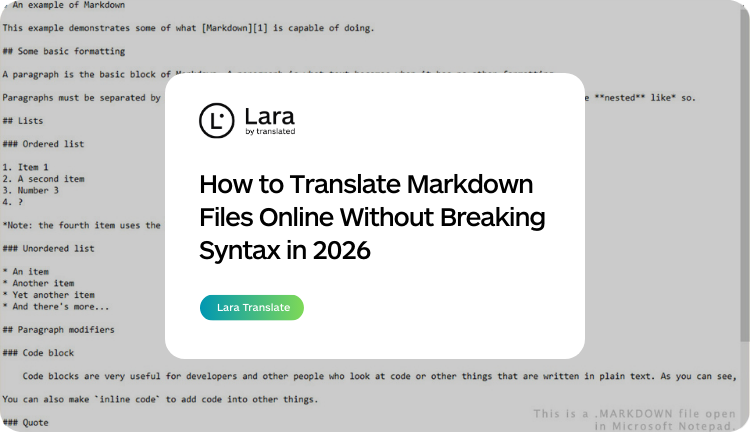


If you need to translate a Markdown file online, a general translation tool will break it. Markdown looks like plain text, but it’s a structured format — headers, code blocks, link syntax, front matter, and inline code all have precise meanings that a renderer depends on. Paste a .md file into Google Translate and you’ll get back a file where code examples are translated into the target language, link URLs are partially rewritten, and YAML front matter keys have been changed. The resulting document won’t render correctly — or won’t render at all.
|
TL;DR
|
Short answer
To translate a Markdown file without breaking syntax, you need a tool that understands the format — not a general translator. Upload your .md file to Lara Translate, select your target language, and download a translated file where code blocks, link URLs, image paths, and front matter are preserved exactly as in the source.
Why it matters: Markdown is the content format for GitHub READMEs, Docusaurus docs, MkDocs sites, Hugo blogs, and thousands of developer tools. If translated Markdown files break rendering, break code examples, or break navigation — localized documentation actively harms users instead of helping them.
Translate Markdown files without touching the syntax
Upload any .md or .markdown file. Lara protects code fences, link URLs, front matter, and inline code automatically — and only translates the prose. Ready to drop into your docs framework.
What Is a Markdown File?
Markdown is a lightweight markup language using plain-text formatting conventions to define document structure. A file ending in .md or .markdown contains a mix of prose and syntax that a Markdown renderer converts to HTML, PDF, or other formats.
Markdown files are the standard for developer documentation (README files, Docusaurus, MkDocs), static site content (Hugo, Jekyll, Gatsby), and technical writing tools like Notion, Obsidian, and GitHub.
The syntax elements that must survive translation intact:
- Headers: #, ##, ### — define document structure and generate anchor links
- Code blocks: content inside triple backtick fences should never be translated
- Inline code: content inside single backticks is a code reference, not prose
- Links: in [text](url) syntax, only the link text may be translated — the URL must stay intact
- Images: in , alt text can be translated but the image path cannot
- Front matter: the YAML block delimited by — at the top of many Markdown files — key names must not be altered
Who Needs to Translate Markdown Files
Open source maintainers who want their README files, contributing guides, and wikis accessible to international contributors. A Japanese or Brazilian developer landing on an English-only README is less likely to contribute.
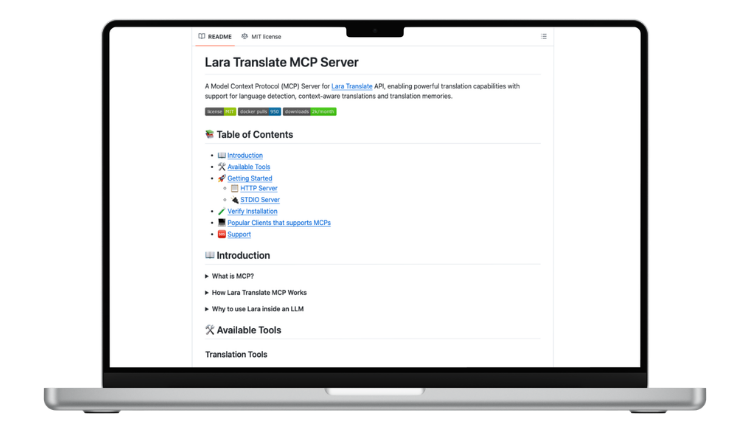
Developer documentation teams expected to ship docs in multiple languages alongside the product. If your site runs on Docusaurus, MkDocs, or Hugo, your content files are .md files — localization means translating them correctly.
Technical writers and DevRel teams producing tutorials and guides in Markdown for audiences in markets like Japan, Germany, Brazil, and Korea — where developer communities have strong preferences for content in their own language.
SaaS and product teams using headless CMS tools like Contentful or Strapi that store content as Markdown, localizing product copy across multiple markets.
Three Ways to Translate Markdown Files
Option 1 — Lara Translate (syntax-aware, online)
Lara’s Markdown translator understands the format. It detects code fences and protects everything inside them. It preserves link URLs, image paths, front matter structure, and inline code. Only the human-readable prose gets translated. The output is a valid, renderable Markdown file.
Option 2 — Dedicated i18n platforms (SimpleLocalize, Crowdin)
Some localization platforms support Markdown in their pipelines. These work well for teams with established localization infrastructure — but require project setup, contributor access, and workflow configuration that’s overkill for a single README or small docs site.
Option 3 — Manual translation or general AI tools
Copying Markdown into Google Translate or prompting a general AI to “translate this” produces unreliable results. Code blocks get translated, link syntax gets mangled, front matter key names get changed. It can work for short, simple files but fails at scale.
How to Translate a Markdown File with Lara — Step by Step
- Go to laratranslate.com/translate-markdown
- Upload your .md or .markdown file
- Select your source and target languages (200+ supported)
- Add a glossary for technical terms, product names, or UI labels that should stay untranslated
- Choose a translation style — Faithful for documentation, Fluid for blog content
- Click Translate and download the output file
Lara’s engine automatically detects and protects code fences, inline code, link URLs, image paths, and front matter. No pre-processing required.
What to Check After Translating a Markdown File
 Code blocks: Render the output and verify all code examples display correctly. Content inside triple backtick fences should be identical to the source — no translated variable names, no altered syntax.
Links: Click through links in the rendered output. The URL portion of [text](url) should be unchanged. Anchor links (#header-name) should still point to valid headings — check whether translated heading text matches anchor references in the file.
Front matter: Confirm that key names like title:, description:, slug:, and lang: haven’t been altered. Value strings like title can be translated; slug values generally shouldn’t be.
Text expansion: German, Finnish, and Dutch are common expanders. If your Markdown renders in a docs site with fixed-width columns or table cells, check that longer strings don’t break the layout.
More Markdown files to translate?
Lara supports bulk uploads — translate an entire docs folder or GitHub repo’s worth of .md files in a single session. 200+ languages, syntax preserved throughout.
FAQ
Does Lara translate content inside code blocks?
No. Lara’s Markdown processor detects triple backtick fences and treats everything inside them as untranslatable. Inline code (single backticks) is also protected.
What happens to YAML front matter when I translate a Markdown file?
Lara preserves front matter structure. Key names are not translated. Value strings like title and description can be translated where appropriate. Technical values like slug, date, lang, and layout are left unchanged.
Can I translate Markdown files for a Docusaurus or MkDocs site?
Yes. Both frameworks use .md files as content sources. Translate the files with Lara, place the output in the appropriate locale directory, and the framework serves the translated version to users in the corresponding locale automatically.
Can I translate multiple Markdown files at once?
Yes. Lara supports bulk uploads — an entire docs site or repository folder’s worth of .md files in a single session.
Does Lara support MDX files (Markdown with JSX)?
MDX files follow Markdown syntax but embed JSX components. Lara’s processor protects code blocks and inline code, which covers most JSX content. For heavily JSX-embedded MDX files, review the output carefully to confirm component syntax hasn’t been affected.
This article is about
- Explaining why Markdown files require syntax-aware translation rather than a general-purpose tool.
- Identifying the three main failure points: code block translation, broken link structure, and altered front matter.
- Comparing methods for translating .md files online: Lara Translate, dedicated i18n platforms, and manual approaches.
- Walking through the step-by-step workflow for translating a Markdown file with Lara and what to validate in the output.
- Covering use cases: README localization, developer documentation, static sites, and headless CMS content.
Translate Your Markdown Files
Upload your .md or .markdown file at laratranslate.com/translate-markdown and get an accurate translation where every code block, link, and front matter field is exactly where it should be.
Also in this series: