

Set Lara Translate as your default translation app on iPhone. You can now choose Lara Translate as your default translation app on iOS, so you can translate directly inside the apps you already use, without switching tools.
TL;DR
|
How do you set Lara Translate as your default translation app on iPhone?
You can set Lara Translate once in iOS settings, then use it anywhere iOS shows the Translate action. This makes translation feel built-in, because it shows up exactly when you need it.
See the full guide to Set Lara as your default translation app on iPhone.
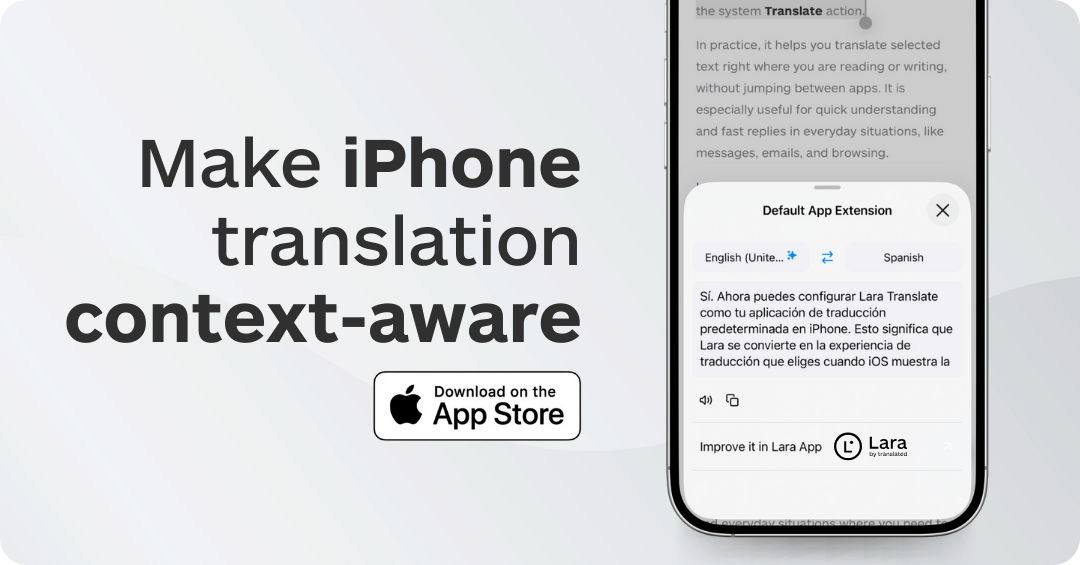
Set it up in 3 steps
- Open iPhone Settings and go to the translation settings.
- Select Lara Translate as your default translation app.
- Translate inside your apps whenever iOS shows the Translate action.
What can you translate with the default iOS Translate action?
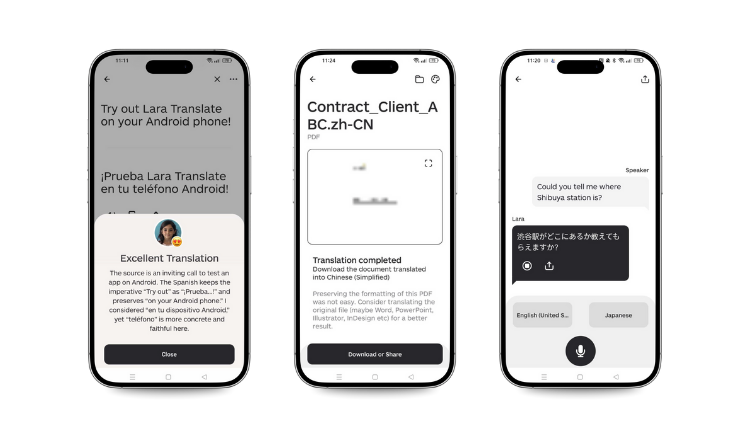 Any time iOS offers “Translate”, you can use Lara Translate instead of switching to another app. That means less friction and fewer steps.
- Messages and emails: translate text while reading or replying.
- Websites: understand foreign pages without leaving your browser.
- Short texts: translate phrases while traveling, studying, or working.
Why is setting a default translation app useful?
Because most translations happen in context. Not in a dedicated “translation moment”, but while you are doing something else.
If you have to copy, paste, switch apps, and come back, you lose time and often lose the thread of the conversation.
Using Lara Translate as the default translation app removes that friction. It keeps translation closer to the moment you need it.
Common situations where this saves you time
- Work: replying to a message from an international customer or partner.
- Travel: understanding instructions, confirmations, or quick messages.
- Study: decoding short passages without breaking focus.
- Daily life: handling small interactions where you just need clarity fast.
Try it on iPhone
Set Lara Translate as your default translation app and translate faster inside your everyday apps.
 |
Android addendum
This default translation app feature will soon be available on Android too. If you use Lara Translate on Android, you will be able to set it as your default translation option in a similar way. In the meantime, download the Android app here.
FAQ
Can I set Lara Translate as my default translation app on iPhone?
Yes. Set it once in iOS settings, then use Lara Translate whenever iOS shows the Translate action.
Where will it work?
It works wherever iOS offers translation as an action, including in messages, emails, and web browsing.
Do I need to copy and paste?
In most cases, no. The point is to translate directly where you are, with fewer steps.
Where do I download Lara Translate for iOS?
https://lara.to/ios
This article is about
- Default iOS translation: how to set Lara Translate as your default translation app on iPhone.
- Everyday usage: translating messages, emails, websites, and short texts without switching apps.
- What’s next: the same default translation experience is coming soon on Android.
Useful articles