

Global operations should not force your team to copy-paste content into a translator every time a workflow crosses languages.
For many teams, “going multilingual” still means exporting text or files, translating elsewhere, reimporting, then fixing formatting and consistency by hand. You lose time in handoffs instead of shipping work.
The official Lara Translate community node for n8n removes that friction. You set a multilingual workflow in n8n for text and documents as a native step inside your automation, with language detection, context-aware output, and quality controls like Translation Memory and glossaries.
How do you automate translation with n8n? Once connected, n8n can trigger a workflow (ticket, form, upload, webhook), send the content to Lara Translate, receive the translation, then route it to review, publish, archive, or notify. No more “translation as a separate project.”
TL;DR
|
What is n8n?
n8n is a workflow automation platform where teams build visual, multi-step automations that connect apps, triggers, and data. It supports both quick drag-and-drop workflows and more technical setups depending on your needs.
In practice, n8n is where “work” moves across tools: forms → CRM, tickets → Slack, uploads → storage, webhooks → databases. The Lara Translate node adds translation inside that chain, instead of making it a manual detour.
Why does this integration matter for automation teams?
Without a translation step in the workflow, multilingual work becomes a bottleneck. Someone has to copy content out of a tool, translate it, paste it back, rename files, notify stakeholders, and hope terminology stays consistent. It is slow, error-prone, and hard to scale.
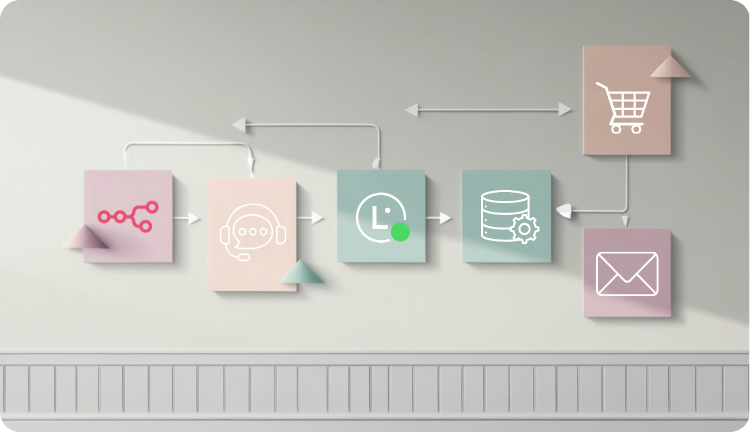
With Lara Translate inside n8n, translation becomes a repeatable, auditable automation step. You can translate, route, and publish automatically: ingest → translate → review/approve → deliver. That is exactly what automation is for.
This is especially useful when:
- You handle high volumes (support tickets, leads, notifications).
- You need consistency (brand, product names, compliance terms).
- You want a scalable template (clone the workflow for new languages, teams, or regions).
Built for multilingual scale and controlled output
The Lara Translate node supports language detection, context-aware translations, plus Translation Memories and glossaries to keep terminology stable across automations.
It also supports both text and document translation. For documents, Lara Translate can return a translated file while preserving structure and formatting, which is ideal for workflows involving Drive, S3, and email attachments.
How to set up a multilingual workflow in n8n with Lara Translate?
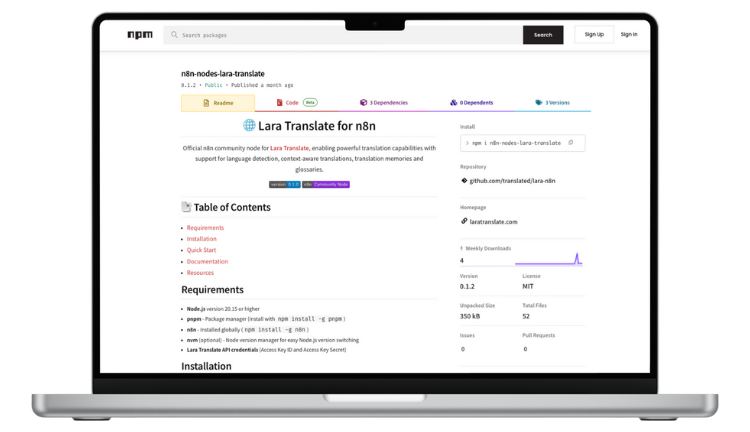
Setup is intentionally simple: install the community node, add your API keys, then choose whether you want to translate text or documents.
Here are the main steps:
- Install the node
- In n8n, install the community node package (n8n-nodes-lara-translate) using the Community Nodes installation flow.
- Note: installing from npm is available on self-hosted instances.
- Create Lara Translate API credentials
- You will need an Access Key ID and an Access Key Secret.
- Add the Lara Translate node to a workflow
- Click “+”, search for Lara Translate, and add it to your canvas.
- Connect credentials
- Select Credential → Create New → paste your keys → Save.
- Choose your operation
- Translate Text for messages, fields from other nodes, or XLIFF strings.
- Translate documents for files like PDF, Word, Excel, PowerPoint, HTML, XML, while maintaining formatting.
- Configure languages and map inputs
- Set source language (or Detect language), set target language(s), then map the text or file from previous nodes.
- Test and activate
- Execute Node (Test Step), validate output, then activate the workflow. :contentReference[oaicite:18]{index=18}
Translate Text vs Translate Document: which one should you use?
| Mode | Best for | Typical inputs in n8n | Output |
| Translate Text | Tickets, emails, chat messages, DB fields, CMS strings, XLIFF content | JSON fields, text variables, webhook payloads | Translated text you can route, store, or publish |
| Translate Document | PDFs, Office files, HTML/XML, attachments that must keep structure | Binary data from Drive/S3/Email nodes | Translated file, with formatting preserved |
Lara Translate also supports many localization and multimedia formats (including XLIFF and subtitle formats like SRT and VTT) across its broader document workflows.
Try Lara Translate with n8n
Install the node, connect your API keys, and add translation to a real workflow in minutes.
How to keep terminology consistent with Translation Memory and glossaries
Automation makes translation fast. Consistency makes it safe.
In multilingual workflows, the risk is not only “wrong language.” It is inconsistency: product names drift, UI labels vary, compliance terms change, and your team spends hours fixing things after the fact.
The Lara Translate node supports Translation Memories and glossaries so you can enforce terminology across repeated workflows and high volumes.
Examples of where this matters most:
- Support macros and templates: keep standard replies consistent across languages.
- Product and feature naming: prevent UI and documentation drift.
- Legal and procurement terms: keep contractual wording stable.
Three scenarios where Lara Translate + n8n shine
1. Customer Support Ops: translate incoming tickets, route, and reply faster
A support team receives tickets in multiple languages. They want every ticket translated to the team language, then routed to the right queue, with consistent templates.
- Trigger: New ticket in Zendesk/Intercom.
- Translate Text with Lara Translate (detect source language).
- Route: assign by language or topic.
- Optional: translate the agent reply back into the customer language.
Result: faster handling, less manual translation, fewer mistakes in sensitive replies.
2. Marketing Ops: localize content in your campaign pipeline
A marketing team ships weekly campaigns and needs localized versions for email, landing pages, and social snippets.
- Trigger: new campaign draft (CMS, Notion, Airtable, or form submission).
- Translate Text for subject lines, sections, and CTAs.
- Add glossary rules for brand terms and product names.
- Route for review, then publish or schedule automatically.
Result: campaigns scale to more markets without multiplying manual work.
3. Document intake: translate files and deliver a formatted output automatically
A team receives documents (PDF, Word, Excel, PowerPoint) via email or Drive and needs a translated version saved to the right folder and sent back to stakeholders.
- Trigger: file uploaded to Drive/S3, or received as an email attachment.
- Translate Document with Lara Translate, preserving structure and formatting.
- Store: save translated file to a target folder and notify in Slack/Teams.
Result: a clean, repeatable “upload → translated file” pipeline.
Putting it all together: a practical workflow template
If you want a simple starting point, build a workflow like this:
- Trigger: ticket created, form submitted, file uploaded, webhook received.
- Prepare data: extract the fields (text) or binary (file) you need.
- Translate with Lara Translate
- Choose Translate Text or Translate Document.
- Set source language (or Detect) and target language(s).
- Apply Translation Memory and glossaries when consistency matters.
- Review and routing: send to a reviewer, or route based on language, region, or topic.
- Publish or deliver: post to a CMS, store in Drive/S3, update CRM, notify Slack, or reply to the requester.
This is the core advantage: translation becomes a reusable building block that fits your existing automations.
Is Lara Translate + n8n the missing piece in your multilingual automation workflow?
This integration is not about adding another tool. It is about making translation an always-on capability inside the workflows you already run: support, marketing ops, localization, IT automation, and document handling.
If you are scaling across languages, n8n gives you the orchestration layer and Lara Translate gives you controlled, context-aware translation with support for Translation Memories and glossaries. Together, you can move faster without losing consistency.
Connect Lara Translate with n8n
Build one workflow, then replicate it across teams, languages, and markets.
FAQs
Do I need a Lara Translate subscription to use the n8n integration?
No. You can create a free Lara Translate account and use the API to get started. If you need higher volumes, you can upgrade to a paid plan.
Who is this integration for?
Teams that automate work in n8n and need multilingual output, including marketing, operations, localization, and support. Workflows are configured visually, so you do not need advanced development skills to get value quickly.
Can it handle documents, not just text?
Yes. The node supports Translate Document for full files while preserving structure and formatting, which is ideal for Drive, S3, and email attachment workflows.
What can I translate with the Lara Translate node?
You can translate text fields (messages, notifications, dynamic content, XLIFF strings) and documents (PDF, Word, Excel, PowerPoint, HTML/XML), depending on the operation you choose.
Can I control terminology across automated workflows?
Yes. The node supports Translation Memories and glossaries so you can keep brand and product terminology consistent across repeated workflows and high volumes.
Have a valuable tool, resource, or insight that could enhance one of our articles?
Submit your suggestion
We’ll be happy to review it and consider it for inclusion to enrich our content for our readers! ✍️
This article is about:
- How to automate translation workflows by adding the Lara Translate node inside n8n (no-code or low-code), instead of handling translation as a separate manual step
- How Translate Text and Translate Document fit different automation scenarios, from ticket routing to document intake, while preserving formatting for files
- How Translation Memories and glossaries help keep terminology consistent at scale across repeated workflows for Support, Ops, Marketing, Localization, and IT teams
Useful articles
- Your 7-step workflow on how to build a marketing content translation workflow
- Scaling AI localization with existing assets
- AI translation for professional translators: opportunity, not threat