

Drupal AI translation enables you to scale a multilingual site without compromising control over tone, terminology, or governance. With Lara Translate integrated into Drupal’s Translation Management Tool (TMGMT), editors can translate content with AI directly inside Drupal, using glossaries, translation memories, and styles.
This article explains how the Lara Translate + Drupal integration works and when it’s the right fit.
Quick answer: What is Drupal AI translation with Lara Translate?
Drupal AI translation means using Lara Translate directly inside Drupal’s Translation Management Tool (TMGMT) to translate nodes, paragraphs, and other entities with AI, while keeping glossaries, translation memories, and editorial workflows under your control.
TL;DR
|
Free webinar in Q2 2026: Drupal AI translation with SparkFabrik (date TBA)
We will dive into the Drupal-Lara integration with concrete examples and real use cases, including how editors translate and review content in TMGMT using styles, glossaries, and translation memories.
Why Drupal AI translation is not just “translate faster”?

If your website runs on Drupal, and you are planning to grow internationally, multilingual is not “just” an add-on. It is how you keep your brand, your institution, and your content understandable and trustworthy in every market.
GenAI made translation faster, but it also raised the stakes for quality and governance. You can ship more pages in more languages, yet you risk losing control over tone, terminology, and approval workflows.
Lara Translate was built exactly for this context. It provides context-aware AI translation with style control, plus glossaries and translation memories to keep terminology consistent at scale. It also supports document and layout fidelity across many file types, which matters when teams translate both CMS content and files in the same workflow.
Together with SparkFabrik, a long-time Drupal contributor, we brought this engine directly inside Drupal’s Translation Management Tool (TMGMT), so editors can send, monitor, and review translations without leaving their usual workflow.
About SparkFabrik
 SparkFabrik is a tech company that designs and builds enterprise-grade digital ecosystems, combining expertise in Drupal, AI, and Cloud Native technologies. From custom application development to legacy modernization and Kubernetes consultancy, they engineer scalable and secure solutions. As Open Source advocates and Drupal contributors, they focus on technical excellence and tangible business value.
Why does it matter?
If you run a serious multilingual Drupal site, translation is no longer a side task. It is part of your core digital infrastructure. Drupal AI translation with Lara Translate helps you keep quality, tone, and governance under control while removing copy-paste workflows and scattered tools. The result is faster launches, more consistent content, and a translation process your editors and reviewers can actually trust.
Why Drupal AI translation needs more than raw machine translation?
Many Drupal teams start by copying and pasting content into generic AI translators or using basic MT providers in TMGMT. That works for speed, but quickly breaks for complex, regulated, or brand-sensitive content.
A multilingual Drupal site is an ongoing balancing act:
- Many content types and pages to keep in sync
- Strict editorial workflows with multiple reviewers
- SEO and UX that must work in every language
- Brand or institutional tone that cannot change per locale
Generic AI translators can help with speed, but they fall short when:
- Technical terms, product names, or legal wording must stay consistent across hundreds of nodes
- Institutional or brand tone has to sound natural and trustworthy in each language
- You need traceability and governance for every change inside Drupal, not in external tools
The result is often a patchwork of copy-paste workflows, external translation platforms, and manual fixes that do not scale.
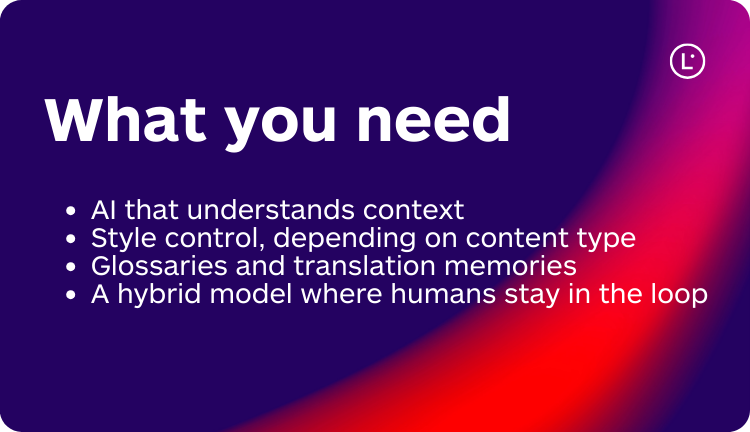
What you really need is:
- AI that understands context across paragraphs and pages, not sentence-by-sentence translation in isolation
- Style control (more literal, more fluid, or more creative), depending on content type
- Glossaries and translation memories to keep terminology under control
- A hybrid model where humans stay in the loop for sensitive or high-impact content
That is the model Lara Translate is designed for.
What does Lara Translate add to your Drupal AI translation stack?
As a rule of thumb, use AI-only for low-risk content like news or blog posts, and keep humans in the loop for institutional, legal, or high-visibility pages.
Lara Translate is an AI translator built by Translated. It is available through the Lara Translate web app, API, and a growing set of integrations, including Drupal.
For Drupal teams, a few capabilities are particularly important for reliable AI translation:
- Context-aware translation: Lara reads content with context to keep meaning, references, and register consistent across paragraphs and pages.
- Three translation styles: Choose between Faithful, Fluid, and Creative to align the output with technical documentation, institutional pages, or marketing campaigns.
- Glossaries and translation memories: Keep key terms, product names, and institutional language consistent as you translate more content over time.
- Ambiguity flags and explanations: Lara can flag ambiguous segments and explain translation choices so reviewers can focus on what truly needs human judgment.
- Document and layout fidelity: Preserve structure like headings, lists, and tables across many file formats when your workflow includes documents alongside CMS content.
These features make Lara Translate a solid fit for Drupal projects where multilingual is not a side project but part of the core digital experience.
Need an extra layer of assurance? Additionally, Translated offers an AI + Human option, where a professional linguist reviews Lara Translate’s output for sensitive or business-critical content. Lara Translate’s translation performance is tightly linked to this human-centric approach, including training on a curated dataset of 25 million real-world translations produced and reviewed by professional translators.
What is the TMGMT Lara Translate module for Drupal AI translation?
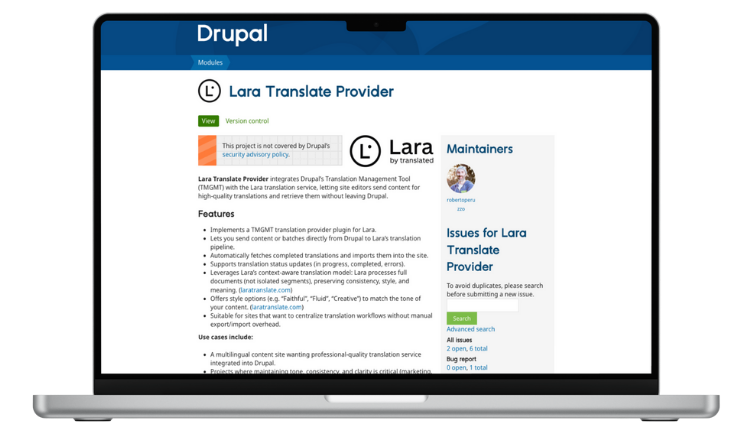
To bring Lara Translate directly into Drupal, SparkFabrik and Translated joined forces on the Lara Translate Provider module for TMGMT.
From an editor’s perspective, the idea is simple:
- You keep using TMGMT as your translation hub
- Lara Translate becomes one of your translation providers
- All jobs, statuses, and imports stay inside Drupal
From a technical perspective, the module:
- Implements a TMGMT translation provider plugin for Lara Translate
- Lets editors submit single items or batches from Drupal straight into Lara Translate’s translation pipeline
- Automatically fetches completed translations and imports them back with status updates (in progress, completed, errors)
- Exposes Lara Translate’s style options (Faithful, Fluid, Creative) so you can align tone with each content type
- Uses Lara Translate’s context-aware approach so content is treated with broader context, not as isolated strings
Module link: Lara Translate Provider – tmgmt_laratranslate on drupal.org
SparkFabrik maintains the module in the open, so any Drupal team can adopt it, extend it, or contribute improvements.
How does the Drupal AI translation workflow with Lara Translate work?
Once the integration is configured, a typical workflow for editors looks like this:
- Select content in Drupal: Using TMGMT, editors choose nodes, paragraphs, or other entities and specify the target languages.
- Send to Lara Translate: Content is sent via the TMGMT Lara provider. Editors can set defaults such as translation style and, where relevant, use glossaries and translation memories.
- Pre-translate with context: Lara Translate generates translations that respect context, tone, and terminology, often requiring only light editing for many content types.
- Review where it matters: For institutional, legal, or high-visibility pages, human reviewers make final adjustments. Ambiguity flags and explanations help prioritize what needs attention.
- Publish in Drupal with full governance: Approved translations stay in Drupal with revision history, roles, and permissions. No copy-paste. No external spreadsheets.
The result is a workflow that feels native to Drupal but uses a modern AI engine behind the scenes.
What does Drupal AI translation look like in a real use case?
Imagine a university that needs to publish all of this in several languages:
- Institutional pages
- News and research highlights
- Calls for applications and regulations
- Program descriptions and student information
The communication team already works every day in Drupal. With the TMGMT Lara Translate integration:
- Editors can batch-select content and send it for translation directly from the admin interface
- Lara Translate can apply an academic or institutional tone, supported by university-specific glossaries
- The review team focuses on calls, regulations, and high-impact announcements, instead of re-translating everything manually
- Once approved, localized pages go live through the same Drupal publishing workflow as the source content
This hybrid model keeps quality where it needs to be high, and uses AI to remove repetitive, low-value work.
When is Drupal AI translation with Lara Translate a good fit?
You should consider Lara Translate for Drupal if:
- You maintain a Drupal site in multiple languages, and translation has become a bottleneck
- Your content includes institutional, legal, technical, or brand-sensitive texts where tone and terminology matter
- You want AI inside Drupal with roles, workflows, and governance
- You believe in a hybrid model where AI does the heavy lifting and humans focus on review and decision-making

How do you set up Drupal AI translation with Lara Translate?
| Step | What to do |
|---|---|
| 1 | Install TMGMT and the TMGMT Lara Translate provider module from drupal.org. |
| 2 | Create or access your Lara Translate account and generate the API credentials needed for the provider. |
| 3 | Configure Lara Translate as a TMGMT provider, set default style (Faithful, Fluid, Creative), and define languages and job settings. |
| 4 | Run a pilot on a limited content set (for example, news). Collect editor feedback and refine glossaries, TMs, and style defaults. |
| 5 | Scale to more languages and sections once the workflow is stable, keeping human review for high-impact pages. |
If you want help designing the workflow, SparkFabrik and Translated can support you from module setup to glossary and TM configuration.
Moving forward with Drupal AI translation
Drupal AI translation with Lara Translate turns TMGMT into a reliable hub for multilingual content, instead of a patchwork of copy-paste workflows. You keep tone, terminology, and governance under control while giving editors an AI assistant directly inside Drupal. If you need help with architecture, integration, or rollout, SparkFabrik and Translated can support you in designing a Drupal AI translation workflow that fits your platform and editorial model.
Want to see the Drupal-Lara integration in action? We are hosting a free webinar with SparkFabrik in Q2 2026 (date TBA) to walk through concrete examples and real use cases, including how editors translate, review, and publish content in TMGMT using styles, glossaries, and translation memories.
Free webinar in Q2 2026: Drupal AI translation with SparkFabrik (date TBA)
Fill out the form to get the exact date and your invite. We will share concrete examples and real Drupal use cases.
FAQ
What is Drupal AI translation with Lara Translate?
Drupal AI translation with Lara Translate means using Lara Translate as an AI translation provider inside Drupal’s Translation Management Tool (TMGMT). Editors send nodes, paragraphs, or other entities to Lara Translate directly from the Drupal admin, then receive context-aware translations back with full revision history and governance.
How does Lara Translate integrate with Drupal’s TMGMT?
You install the TMGMT Lara Translate provider module and configure your Lara Translate API credentials. From that point, Lara Translate appears as a translation provider in TMGMT, so editors can create jobs, choose target languages and styles, and let Drupal automatically send and import translations without leaving the CMS.
Can I control tone, terminology, and style in Drupal AI translation?
Yes. Lara Translate supports three translation styles (Faithful, Fluid, Creative), plus glossaries and translation memories. You can align style with each content type and enforce consistent terminology across institutional pages, legal content, product descriptions, and campaigns, all while staying inside Drupal.
Do I still need human reviewers if I use Lara Translate in Drupal?
For low-risk content, many teams publish after a light review. For institutional, legal, or high-visibility pages, it is best to keep humans in the loop. Lara Translate helps reviewers by flagging ambiguous segments and explaining translation choices, so they can focus on the parts that really need judgment instead of re-reading everything.
How do I get started with Lara Translate for Drupal?
First, install and enable the TMGMT and TMGMT Lara Translate provider modules from drupal.org. Then create or access your Lara Translate account, generate API credentials, and configure Lara Translate as a provider in TMGMT. Start with a pilot on a small content set, refine glossaries and styles, and only then scale to more languages and sections of your Drupal site.
This article is about
- Explaining how Drupal AI translation works when Lara Translate is used as a translation provider inside TMGMT.
- Showing how Drupal editors can use styles, glossaries, and translation memories to keep tone and terminology consistent across multilingual content.
- Helping Drupal teams understand when Lara Translate is the right fit for institutional, legal, technical, or brand-sensitive multilingual sites and how to get started.
Free webinar in Q2 2026: Drupal AI translation with SparkFabrik (date TBA)
We will dive into the Drupal-Lara integration with concrete examples and real use cases, including how editors translate and review content in TMGMT using styles, glossaries, and translation memories.