

Business translation glossary means your company’s approved terminology list: product and feature names, UI labels, brand phrases, and policy wording that must stay consistent across languages.
Industry glossaries are a strong starting point. But if you want translations that feel truly “yours”, you need a glossary that reflects your industry and your business at the same time.
Because two companies in the same industry can use the same words differently. And small terminology differences can change meaning, trust, and outcomes.
Why it matters: Most “translation problems” in business are not grammar. They are inconsistent naming. A dedicated glossary protects meaning, speeds up review, and keeps your website, help center, and product UI aligned across languages.
TL;DR
|
Why are “industry only” glossaries not enough?
An industry glossary covers generic sector vocabulary. A dedicated business translation glossary covers what makes your company specific. It prevents the last-mile drift that reviewers argue about every week.
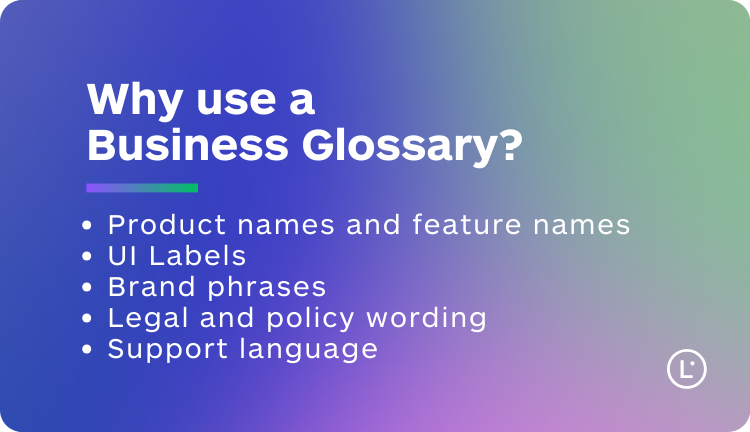
- Product names and feature names that must never change.
- UI labels that must stay consistent with your product.
- Brand phrases that should keep intent and tone across languages.
- Legal and policy wording that must remain stable across documents.
- Support language that should sound consistent across agents and markets.
Want translations that use your words, not “generic” ones?
Start from an industry glossary, then add your product, UI, and brand terms. Lara Translate prioritizes your approved terminology so naming stays consistent across web, docs, and support.
Business glossary vs industry glossary vs translation memory: what is the difference?
These tools solve different problems. In most business workflows, you want all three, each doing its job.
| Tool | Controls | Best for |
| Industry glossary | Sector terminology | Credibility and consistency in industry language |
| Business glossary | Your product, UI, brand terms | Stable naming and intent across channels and teams |
| Translation Memory (TM) | Approved full segments | Reusing repeated sentences, paragraphs, and standard replies |
Where does a dedicated business glossary pay off fastest?
| Content type | What goes wrong without a glossary | What a glossary fixes |
| Website and product pages | Same feature described three different ways | One approved term per concept |
| Help center and support macros | Agents use different names for the same action | Stable UI and workflow vocabulary |
| Legal and policies | Terms drift and become ambiguous | Approved legal terminology |
| Sales and marketing | Headlines lose intent across languages | Protected phrases and positioning |
What are example terms to add to a business translation glossary?
A good business glossary starts with terms that are frequent, approval-sensitive, or conversion-critical. These entries prevent drift across web, UI, docs, and support.
| Term type | Example | Where it appears | Glossary rule |
| Product / feature names | Plan names, modules, features | Website, pricing, docs | Do not translate or lock approved form |
| UI labels | Buttons, menus, workflows | Product UI, help center | One approved term per action |
| Brand phrases | Taglines, positioning lines | Ads, landing pages, sales decks | Lock approved wording per market |
| Policy wording | Refunds, privacy, terms | Policies, emails, support | Use approved legal phrasing |
How do you build a business glossary in 60 minutes?
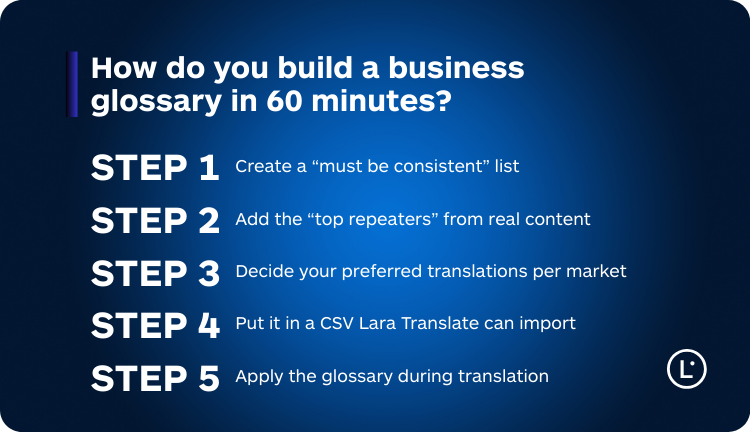
Step 1: Create a “must be consistent” list
- Brand and product names
- Feature names
- Core industry nouns and abbreviations
- Key UI labels
- Legal terms and recurring definitions
Step 2: Add the “top repeaters” from real content
Open your website, a sales deck, a help center article, and a sample of recent support tickets. Copy the terms that appear everywhere and cause debates during review.
Shortcut: if a term appears in your navigation, pricing, onboarding, or top support macros, it belongs in the glossary.
Step 3: Decide your preferred translations per market
Do not aim for perfection. Aim for approval. The best glossary entry is the one your teams agree on and will actually apply.
Step 4: Put it in a CSV Lara Translate can import
Use ISO language headers, commas as separators, consistent columns per row, and UTF-8 encoding. This keeps your glossary clean and prevents import issues.
Official formatting guide: CSV formatting guidelines for glossaries.
Step 5: Apply the glossary during translation
When a glossary is active, Lara Translate prioritizes your approved terms during translation. This reduces drift and makes review cycles much faster.
Official guide: How glossaries work in Lara Translate.
How do you keep glossary governance useful, not bloated?
A glossary is a living asset. If nobody owns it, it becomes outdated. Keep it simple:
- Assign an owner for updates.
- Review monthly or quarterly based on how fast your product and content changes.
- Log requests from translators, reviewers, and support teams.
- Remove dead terms that no longer exist in your product or messaging.
When should you create multiple business glossaries?
Separate glossaries make sense when you have different terminology rules across content types or markets:
- Multiple product lines with different naming conventions
- Different audiences (technical docs vs marketing pages)
- Country-specific terminology rules
- Client-specific terms (agencies, partners, or enterprise customers)
Build your “industry + business” glossary stack
Start from an industry baseline, then add your product, UI, and brand terms. Lara Translate prioritizes your approved terminology so every translation stays consistent across teams and channels.
FAQ
Should I put full sentences in a glossary?
Use glossaries for terms and short phrases that must stay consistent. For long repeated content, Translation Memory is usually a better fit.
How do I avoid bloating the glossary?
Only add terms that are high-frequency or high-risk. If a term is rare and not critical, leave it out until it becomes a real issue.
This article is about:
- Explaining what a business translation glossary is and why “industry only” terminology is not enough.
- Showing where a dedicated glossary pays off fastest: web, product UI, support, legal, and marketing.
- Providing a simple comparison of business glossary vs industry glossary vs translation memory.
- Sharing a practical 60-minute method to build and govern a glossary without bloating it.
- Using Lara Translate to apply glossaries to text and document translation with CSV import.