

Seeking the best AI subtitle translator? The right tool depends on what you publish, how fast you need turnaround, and how much control you want over timing, line breaks, and terminology.
Best picks by scenario: If subtitles are part of a wider localization workflow (scripts, captions, landing pages, help content), start with Lara Translate. If you want an all-in-one editor, consider VEED.io or Kapwing. If you need tighter timing control, Nova A.I. is a common option. If accuracy is critical and you want optional human review, Rev.ai can be a fit.
TL;DR
|
Why does subtitle translation quality matter for global reach?
Subtitles are often the quickest way to grow internationally, but small issues like broken line breaks, awkward segmentation, or inconsistent names can make a video feel low-quality in new markets. A good AI subtitle translator saves time while keeping captions readable, on-sync, and aligned with your brand voice.
Which AI subtitle translator is best for your type of work?
The AI subtitle translation landscape splits into three categories. Creator-first tools prioritize speed and simplicity. Professional platforms focus on timing control, review workflows, and reliability. Enterprise systems add security, customization, and scalability for large teams.
Comparison table: which tool should you pick?
Tip: Use this shortlist first. Then read the tool sections for details.
| Tool | Best for | Workflow strength | Collaboration | Notes |
|---|---|---|---|---|
| Lara Translate | Multi-format localization | Consistency across subtitles, scripts, and assets | Team-ready | Best when subtitles are part of a broader content package |
| VEED.io | Solo creators | All-in-one edit + subtitle translation | Basic | Great for speed, fewer advanced controls |
| Kapwing | Teams and agencies | Collab review, templates, brand kit | Strong | Good for multi-user workflows |
| Nova A.I. | Production teams | Timing and formatting control | Medium | Better for precision than quick social edits |
| Rev.ai | Critical content | Optional human review for higher accuracy | Workflow-based | Often higher cost than fully automated tools |
| Maestra | Media and scaling | Multi-speaker workflows and scale | Medium | Better fit for larger libraries |
| Speechmatics | Enterprise and dev teams | Customization, integration, security | Enterprise | More complex setup, usually premium |
| Amara | Education and communities | Crowdsourced review and collaboration | Strong | Quality varies with community activity |
How do you translate an SRT or VTT file without breaking timing?
- Export your subtitles from your editor or platform (SRT or VTT).
- Clean the file: remove duplicate cues, fix weird line breaks, and keep speaker labels consistent.
- Translate the subtitle text using your chosen AI subtitle translator. If your tool supports it, keep timestamps locked and translate only the text lines.
- Protect subtitle constraints: keep lines short, avoid splitting names across lines, and watch reading speed (fast captions become unreadable).
- Review the first 2 minutes carefully: names, terminology, tone, numbers, and on-screen text references.
- Re-import and spot-check in your video editor or player. Look for timing drift, overlaps, and missing cues.
- Do a final QA pass: scan for recurring terms, brand names, and consistency across episodes or series.
Which subtitle translation tools are easiest for solo creators?
VEED.io: an all-in-one editor with subtitle translation
 VEED.io is a strong option if you want to edit and translate subtitles in one place, without complex setup. It works well when speed matters more than deep formatting control.
Key capabilities: Browser-based editing, automatic captions translation, multilingual subtitle workflows, and export options for standard subtitle files (availability can vary by plan).
Strengths: No installation, beginner-friendly UI, fast iteration for short-form content.
Limitations: Less control over advanced formatting and timing than pro-focused platforms.
Best for: Social media creators, small businesses, educators.
Kapwing: collaborative subtitle translation for teams
 Kapwing is a good fit when multiple people need to review and publish multilingual videos. It is more “team workflow” than “solo quick edit”.
Key capabilities: Collaboration, review comments, templates, manual edits, and subtitle translation features built into the editor.
Strengths: Great teamwork features, useful templates, solid project organization.
Limitations: Costs can rise with team size and advanced plan requirements.
Best for: Marketing teams, agencies, education teams.
Which platforms offer pro subtitle timing and review workflows?
Nova A.I.: tighter control for professional subtitle workflows
 Nova A.I. focuses more on professional subtitle work where timing, segmentation, and formatting matter. If your captions need to feel “production-ready”, this category is often a better fit.
Key capabilities: Timeline-style editing, workflow features for handling multiple subtitle files, and export for standard subtitle formats.
Strengths: Better timing precision and formatting control than basic creator tools.
Limitations: More complexity than all-in-one creator editors.
Best for: Production teams, corporate training, video agencies.
Rev.ai: optional human review for higher accuracy
Rev.ai can be a fit when your content has low tolerance for errors. If you publish legal, medical, executive, or high-stakes corporate content, consider tools that support a review workflow rather than only fully automated subtitle translation.
Key capabilities: AI-based processing with optional human involvement depending on service and workflow, plus support for handling challenging audio.
Strengths: Higher reliability for difficult audio and specialized terminology when review is included.
Limitations: Often higher cost and longer turnaround than fully automated tools.
Best for: Corporate communications, compliance-sensitive content, critical messaging.
Which tools work best for enterprise and media teams?
Maestra: scalable subtitle translation for larger libraries
 Maestra is positioned for teams managing larger content volumes, with features that can help when you produce series, libraries, or recurring formats.
Key capabilities: Multi-speaker handling, scalable workflows, export options for subtitle files, and team-oriented controls.
Strengths: Better fit for scale, useful for content libraries and recurring production.
Limitations: Can be overkill for simple one-off creator projects.
Best for: Media teams, content studios, enterprises producing at volume.
Speechmatics: customization and enterprise workflows
 Speechmatics is aimed at organizations that need deeper control, integration options, and enterprise-grade requirements. This is usually not the simplest “translate subtitles fast” choice, but it can fit mature pipelines.
Key capabilities: Advanced speech technology, customization options, integration potential, and support for enterprise environments.
Strengths: Flexible for complex needs, good fit for technical teams and large organizations.
Limitations: Requires technical expertise, commonly a premium setup.
Best for: Enterprises, technology teams, research-heavy organizations.
Amara: community-driven subtitles for education and nonprofits
 Amara blends automation with collaborative and community-based translation. It can be especially useful when audience participation improves cultural fit and language quality.
Key capabilities: Collaborative subtitle editing, community workflows, and options that suit educational distribution.
Strengths: Cost-effective for education, strong collaboration model, good for mission-driven content.
Limitations: Quality can vary depending on community participation and review structure.
Best for: Universities, nonprofits, educational publishers.
How should you compare subtitle translation software before buying?
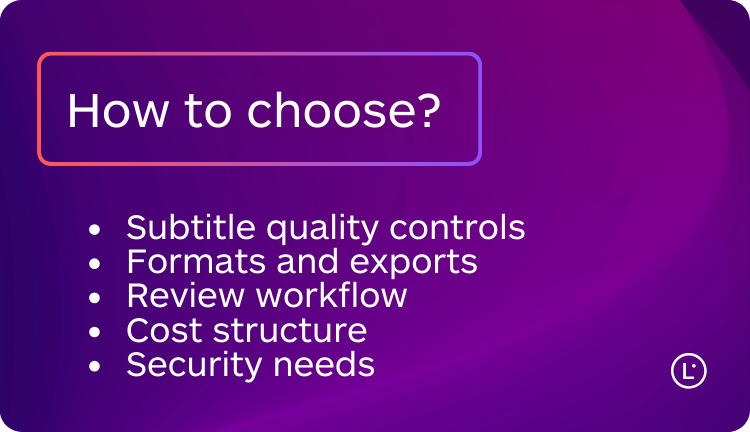
To choose the best AI subtitle translator for your workflow, evaluate tools using criteria that impact real production output:
- Subtitle quality controls: line breaks, segmentation, timing edits, and readability checks.
- Formats and export: support for common subtitle files and easy re-import to your editor or platform.
- Review workflow: comments, approvals, versioning, and team roles.
- Cost structure: subscription vs usage, plus hidden costs like manual cleanup time.
- Security needs: data controls, access management, and compliance requirements for sensitive content.
What advanced features matter for high-quality localization?
Modern video localization tools increasingly go beyond basic subtitle translation. The most useful advanced features are the ones that reduce review time and protect consistency:
- Terminology consistency: keep character names, product names, and recurring terms stable across episodes.
- Context-aware suggestions: better handling of idioms, tone, and culturally sensitive references.
- Multi-speaker support: clearer speaker labels and fewer attribution mistakes.
- Workflow automation: integrations and APIs that reduce manual handoffs.
How do you choose the right tool for your workflow?
If you publish short-form content and need speed, start with a creator-first editor like VEED.io or Kapwing. If your subtitles must be tightly controlled for timing and formatting, evaluate Nova A.I. If accuracy is critical and you want a review workflow, consider Rev.ai. For enterprise environments with deeper requirements, look at Maestra or Speechmatics. If subtitle files are one part of a broader multilingual strategy, Lara Translate can help keep language consistent across subtitles, scripts, and supporting content.
Lara Translate: a practical option when subtitles are part of a bigger localization workflow
Most tools in this list focus primarily on video caption workflows. Lara Translate is different: it is a general-purpose AI translation platform designed for professional, high-volume, and multi-format localization. It fits best when subtitle translation is connected to other assets like scripts, help content, landing pages, product docs, or campaign copy.
Translate subtitle files and related content with Lara Translate
Localize subtitles, scripts, and supporting assets while keeping terminology, tone, and formatting consistent across languages.
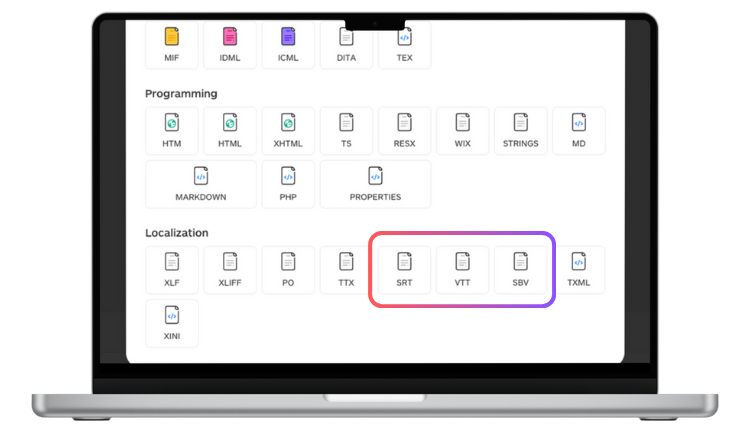
How Lara Translate helps in practice:
- Consistency at scale: use glossaries and translation memories to keep names and recurring terms stable across episodes and campaigns.
- Control the output: pick translation styles (Faithful, Fluid, Creative) based on whether you are localizing training, marketing, or entertainment content.
- Faster review: the platform can help highlight tricky choices and ambiguities so teams can validate the right meaning faster.
- Multi-format workflows: translate many file formats beyond subtitles so you can localize the whole content package, not only the captions.
- Automation: APIs and MCP support can help connect translation with your existing tools and pipelines.
Thank you for reading 💜
As a thank you, here’s a special coupon just for you:
IREADLARA26.
Redeem it and get 10% off Lara PRO for 6 months.
If you already have a Lara account, log in here to apply your coupon.
If you are new to Lara Translate, sign up here and activate your discount.
FAQs about the best AI subtitle translator tools
Which AI subtitle translator works best for YouTube creators?
If you want an editor plus subtitle translation in one place, VEED.io and Kapwing are common starting points. Pick VEED.io for solo speed, and Kapwing if your team needs review and collaboration.
How do professional video localization tools differ from creator-first editors?
Professional tools prioritize timing control, formatting, and structured review workflows. Creator-first tools are faster to learn, but you usually get fewer options to fine-tune subtitle segmentation and on-screen readability.
Can I translate subtitles online without downloading software?
Yes. VEED.io and Kapwing are browser-based, so you can translate subtitle text and manage projects online. For multi-format localization beyond subtitles, you can also use Lara Translate in a web workflow.
Is human review worth it for subtitle translation?
For high-stakes content, often yes. Tools like Rev.ai can support review workflows that reduce risk from misheard audio, specialized terminology, and culturally sensitive phrasing.
Which platforms support scaling subtitle translation across multiple videos?
If you translate series or libraries, look for batch-friendly workflows and team review features. Nova A.I., Maestra, and Speechmatics are often considered for scale, while Kapwing can work well for collaborative production teams.
This article is about
- Comparison of AI subtitle translators across creator, professional, and enterprise needs, with practical guidance for real production workflows.
- Selection framework to pick subtitle translation software based on timing control, collaboration, quality needs, and operational constraints.
- How-to steps for translating SRT or VTT files without breaking timestamps, readability, or segmentation.
- Workflow guidance for YouTube creators, teams, studios, and enterprises that need consistent multilingual output.
- How Lara Translate fits when subtitles are part of a wider localization strategy across multiple content types and formats.
Have a valuable tool, resource, or insight that could enhance one of our articles?
Submit your suggestion
We’ll be happy to review it and consider it for inclusion to enrich our content for our readers! ✍️
Useful articles
“`